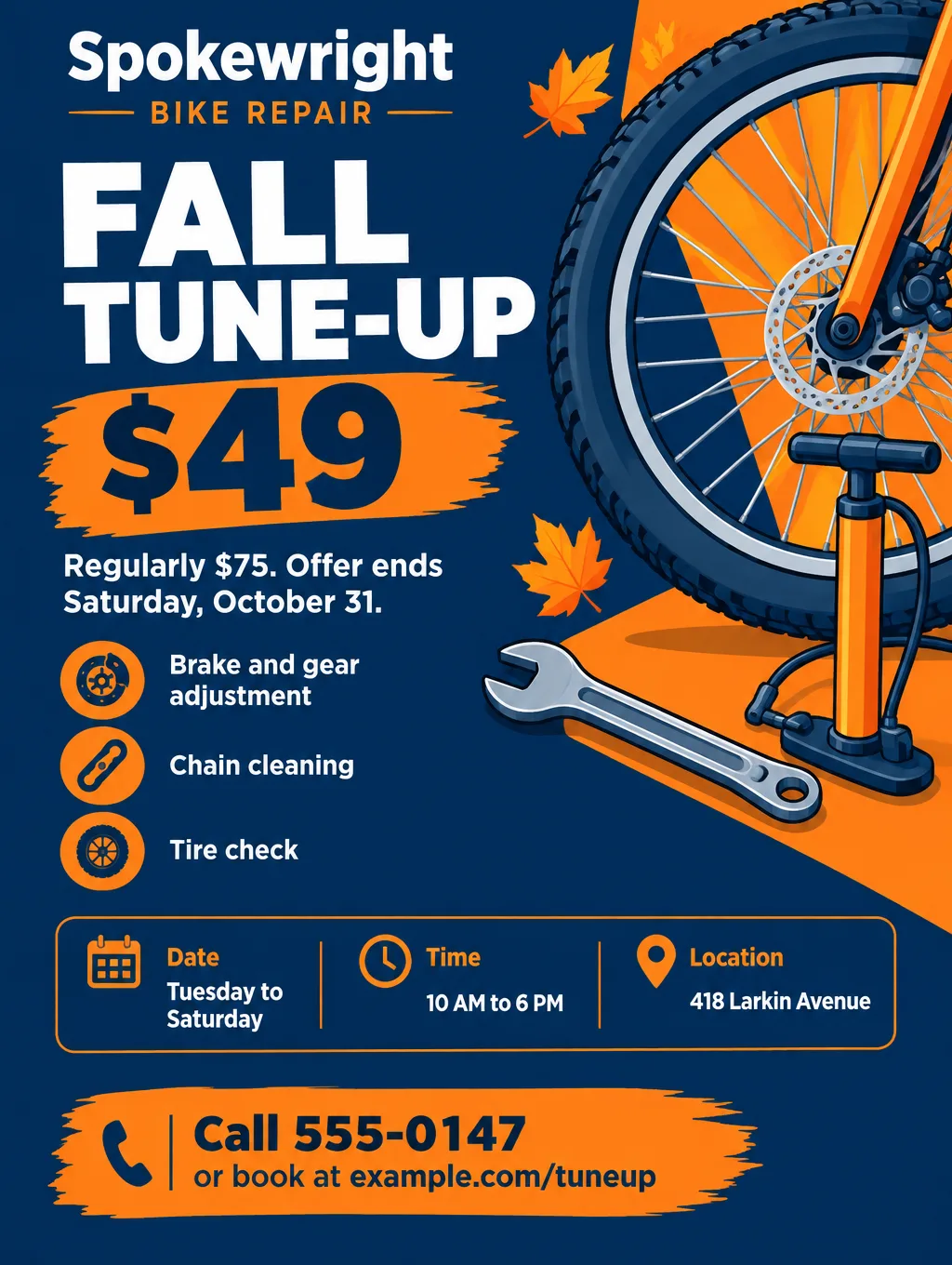
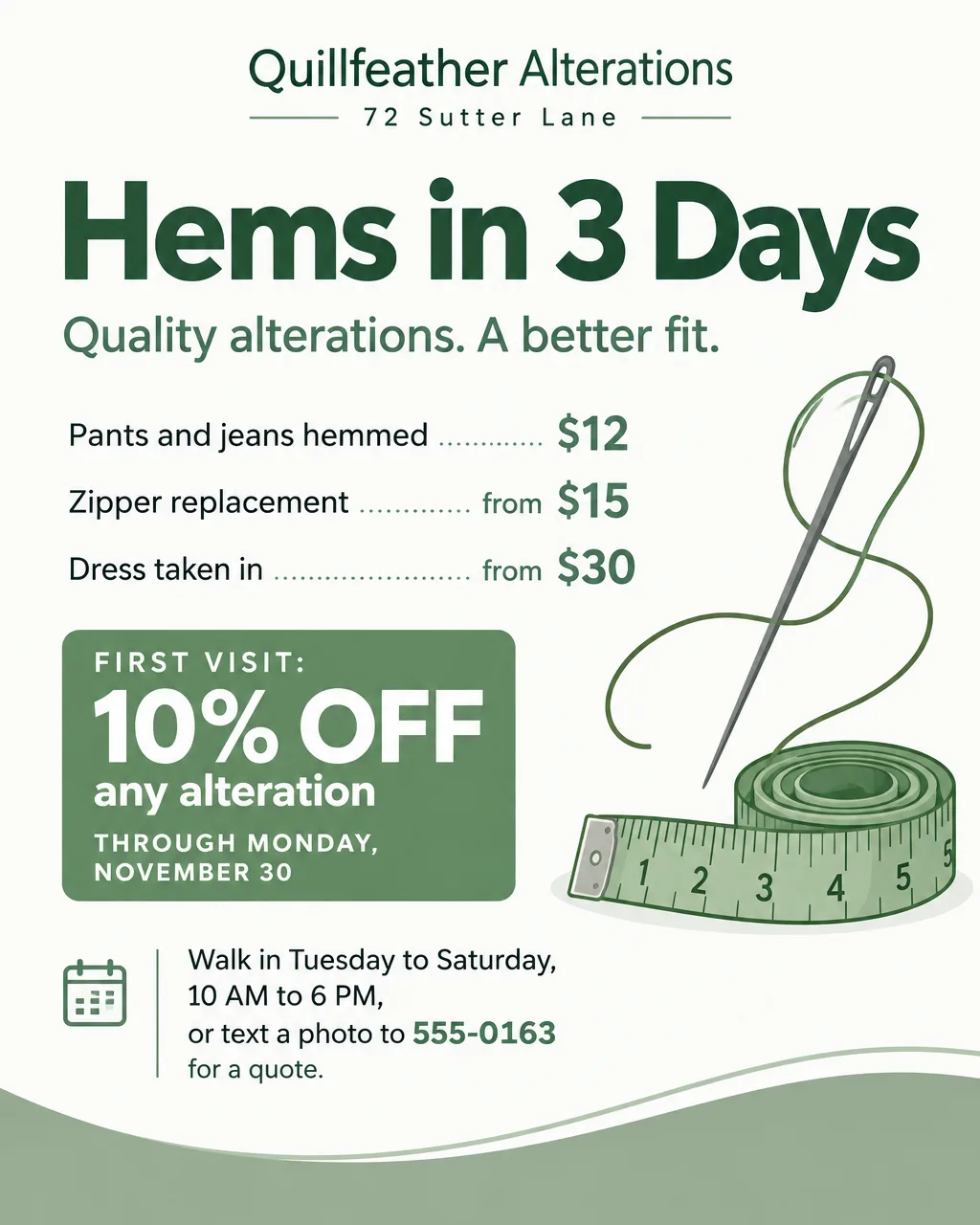
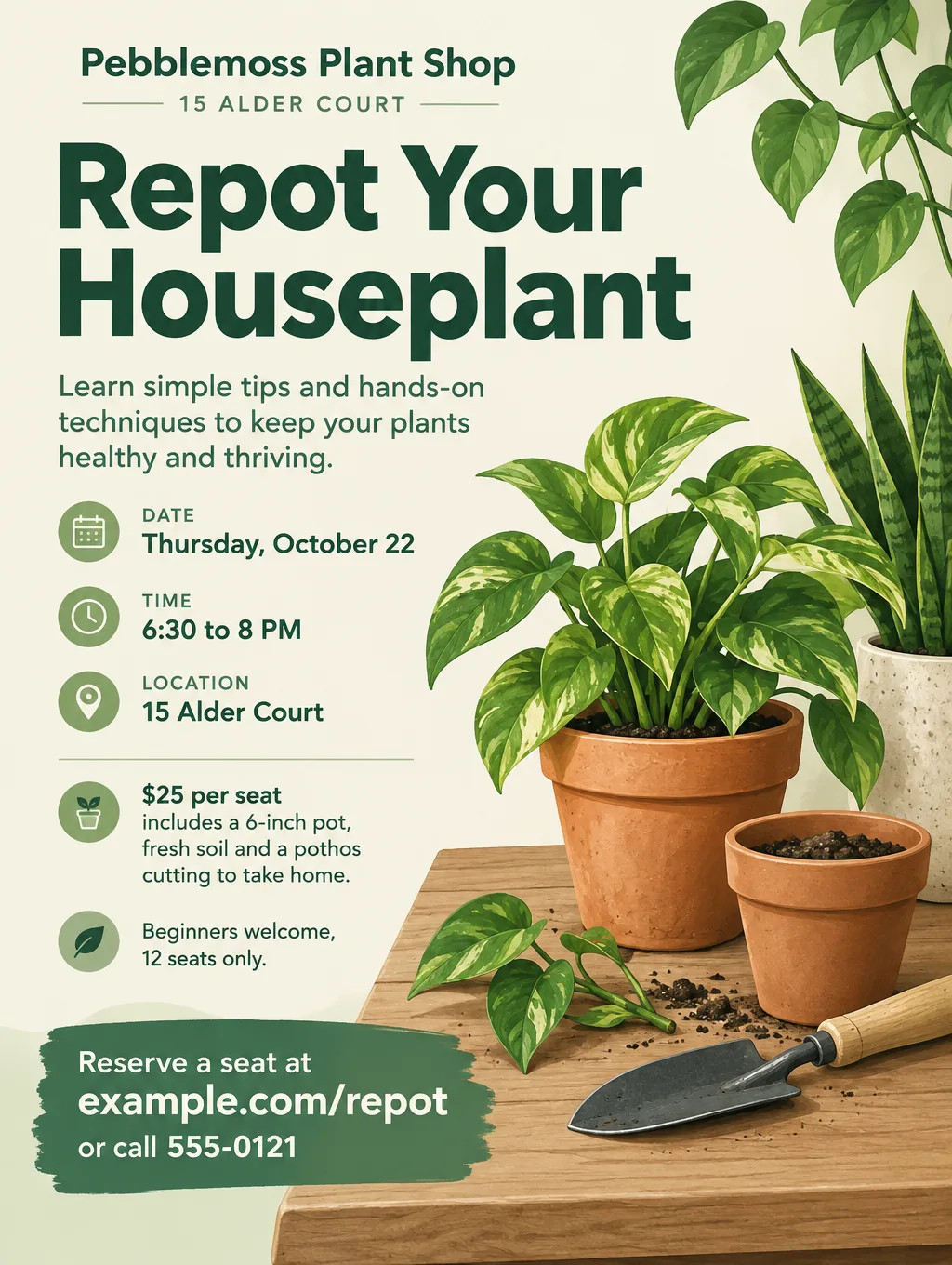
A flyer for a small business should ask a stranger to do one thing this week, such as book a $49 tune-up or reserve a seat at Thursday's repotting class. The flyer ideas for small business owners on this page all start from that one action. You'll find a checklist, offer wording for nine promotions, flyers by trade, how to word "free" deals, and window, counter and mailing sizes. School, church and party flyers live in the main flyer ideas hub.
What to put on a small business flyer
List the facts a customer needs, then worry about colors. From the largest type to the smallest:
- The offer as the headline. "Fall Tune-Up $49" tells a passerby more than your shop name does. The name goes second.
- The price, plus the regular price on a discount. "$49, regularly $75" shows the saving as numbers.
- The end date. "Through Saturday, October 31" gives a reason to act this month and keeps an old flyer from promising a price you've dropped.
- What's included. Two to four items, such as "brakes, gears, chain cleaning, tire check".
- Your street address. Add a landmark when the door is hard to find: "next to the post office, rear entrance".
- Days and hours. "Tuesday to Saturday, 10 AM to 6 PM." Anyone who works days needs to see that you're open after 5.
- One call to action. Call, text, book online or walk in. Pick the one you can answer fastest.
- Terms next to the offer. "One per customer, new customers only" sits beside the deal, not in a footnote.
- Your logo or wordmark. The same one on every flyer, so people connect this month's flyer with last month's.
- A tracking detail (optional). A code word to say at the register, or a QR code to a page only this flyer links to.
- One picture (optional). A single illustration of what you sell, not a collage.
Small business flyers by occasion
Each of these occasions needs a detail the others don't, and each has its own page of flyer ideas for business owners.
Grand openings
An opening flyer sells a single date, so the day, date and hours come right after the words "Grand Opening". It also needs a reason to come that day with a clear limit, like "a free pastry for the first 30 customers", and the ribbon cutting time if there is one. Example headline: "Grand Opening Saturday, October 17". The full wording set is in the grand opening flyer ideas.
Hiring
A hiring flyer is a job posting, so lead with the job title, then pay, hours and one way to apply. Some states and cities have rules about listing pay on job postings, so check yours before you print. Example headline: "Now Hiring: Bike Mechanic, $20 to $26 an Hour". The help wanted flyer wording covers pay lines, hours and QR codes for applications.
Review requests
A review card sits on the counter and asks every customer, happy or not, to share their experience, with a QR code that opens your Google review form. Google's rules forbid rewarding a review with a discount or a free item, so the card offers nothing but thanks. Example headline: "How Was Your Visit?" See the Google review card page for Google's rules and card sizes.
Seasonal sales and shop-local days
A sale flyer lives for a week or two, so the start and end dates matter more than the design. The Small Business Saturday flyer ideas cover single-shop offers and main street events for the day. Example headline: "Shop Local Saturday: 15% Off Until 6 PM". For holiday gift cards sold at the register, see the gift certificate designs.
Flyers by type of business
Each trade leads with a different detail. These pages have business flyer examples and wording by trade:
| Business | What the flyer leads with | Wording page |
|---|---|---|
| Restaurant | One dish and its price | Restaurant flyers |
| Coffee shop | A drink special and morning hours | Coffee shop flyers |
| Nail salon | A named service, its price, walk-in or booking | Nail salon flyers |
| Barber shop | Cut prices and walk-in hours | Barber shop flyers |
| Gym or studio | A trial class date or an intro price with an end date | Gym flyers |
| Cleaning service | A price for a stated home size, such as 2 bed, 1 bath | Cleaning business flyers |
| Lawn care | A season package and the first visit date | Lawn care flyers |
| Handyman | A list of small jobs and a minimum charge | Handyman flyers |
| Pop-up shop | The dates, hours and temporary address | Pop-up shop flyers |
| Car wash | Wash packages with prices and the lot address | Car wash flyers |
| Car detailing | Interior and exterior packages by vehicle size | Car detailing flyers |
| Personal trainer | A first session offer and where you train | Personal trainer flyers |
| Dog walking | Walk length, price per walk and the area you cover | Dog walking flyers |
| Babysitting | Ages you care for, hourly rate and availability | Babysitting flyers |
| Photography | A session type, its price and what's included | Photography flyers |
If many of your customers read Spanish first, the Spanish and bilingual flyer guide shows the Spanish way to write dates, times and prices.
Small business flyer ideas and wording
Here are nine common promotions for marketing flyers for small business, each with a headline and one supporting line. Swap in your own prices and dates, and keep the second line short enough to read in one glance.
| Promotion | Headline | Supporting line |
|---|---|---|
| First-time customer | "New Here? $10 Off Your First Visit" | "Any service over $40. Through November 30." |
| Seasonal service | "Fall Tune-Up $49" | "Regularly $75. Brakes, gears and chain included." |
| Loyalty card | "Your 10th Wash Is Free" | "Pick up a stamp card at the counter. Nine paid washes, then one on us." |
| Referral | "Bring a Friend, You Both Save $15" | "Your friend books by December 15 and gives your name." |
| New service | "Now Offering Same-Day Zipper Repair" | "Drop off by 11 AM, pick up after 5 PM." |
| Price list | "Hems $12. Zippers From $15." | "Walk in Tuesday to Saturday, 10 AM to 6 PM." |
| Class or workshop | "Repot Your Houseplant" | "$25 includes a pot, soil and a cutting. 12 seats." |
| Moving or new hours | "We've Moved to 910 Mercer Street" | "Same team, more parking. Open there from Monday, November 2." |
| Holiday pre-order | "Order Holiday Pies by November 22" | "Pickup Wednesday, November 25, 8 AM to 6 PM." |
Offer formulas that fit on one page
These three business flyer ideas each fit an offer into two lines:
- Deal, deadline, how to claim. "$49 tune-up through October 31. Call 555-0147."
- Price, what's included, who it's for. "$110 standard clean for a 2 bed, 1 bath home. New clients."
- Free item, what you have to buy. "Free tote bag with any $30 purchase, while 100 last."
Put every condition right next to the word "free", in the same size type: "Free tote bag with any $30 purchase, while 100 last." A condition tucked into a footnote behind an asterisk is the one people miss. When the free item depends on a purchase, keep the thing they buy at its usual price, so the freebie isn't paid for by a quiet markup. Calling it a "gift" or a "bonus" doesn't change either point.
Design tips for small business flyers
Size the headline for the sidewalk. A window flyer gets read by people walking past, several steps away. Keep the headline to three to five words so it can run large across a letter page, and set the price just under it.
Let counter handouts carry more. A half sheet that goes home in a shopping bag is read at a kitchen table, so it can hold a short price list. Choose "Packed" as the Layout under "More options" to fit the extra lines.
Show what you sell, or show nothing. One illustration of a bike wheel, a plate or a potted plant tells a stranger what you do. A stock photo of smiling people doesn't. Flyer Maker draws its own pictures, so if you want your actual storefront or product on the flyer, open that photo in Smart Editor (Pro plan) and ask it to add your headline and details.
Use the same two colors every time. Pick "My brand colors" under "Colors" and spell the colors out in the description, for example "forest green and cream". A flyer design for small business in the colors of your sign and your last flyer is easier to spot on a board full of paper.
One flyer, one offer. A bike shop with a tune-up special, a trade-in weekend and a kids' repair class makes three flyers, not one crowded page.
Small business flyer sizes, printing and mailing
Plan on two print sizes and one screen size. Pixels at 300 DPI are the inches times 300.
| Use | Paper or format | Pixels for a 300 DPI print | Flyer Maker choice |
|---|---|---|---|
| Window, bulletin board | 8.5 x 11 in | 2550 x 3300 | Tall or Portrait, 4K |
| Counter stack, bag insert | 5.5 x 8.5 in | 1650 x 2550 | Tall, 2K or 4K |
| Mailed to every door on a route | 8.5 x 11 in, unfolded | 2550 x 3300 | Tall, 4K |
| Facebook, Instagram feed | 4:5 image | Screen only | Portrait, 1K or 2K |
Flyer Maker's Portrait size at 4K is 2560 x 3200 pixels. At 300 pixels per inch that covers the width of a letter page and falls about a third of an inch short on height. For feed posts, Meta's image ad specs for Facebook and Instagram feeds recommend 4:5 at 1440 x 1800 pixels: Portrait at 2K (1536 x 1920) meets that, and 1K (1024 x 1280) is smaller but costs less. The flyer size guide has the other paper sizes.
To mail a flyer to every address in a neighborhood, use USPS Every Door Direct Mail Retail (EDDM). You send 200 to 5,000 pieces per ZIP Code per day, each addressed only to "Postal Customer", and as of September 2026 it costs $0.26 per piece for flats up to 3.3 ounces. EDDM takes flats only. USPS counts a piece as a flat when it's more than 11.5 inches long, more than 6.125 inches high or more than 0.25 inch thick, so an unfolded letter sheet qualifies and a standard 4 x 6 postcard doesn't.
Two details change the design. USPS sets a minimum thickness of 0.007 inch, so ask your printer for a heavier paper. And the EDDM Retail indicia, a postage mark larger than 0.5 x 0.5 inch, sits in the upper right, over the address block and to its right, so leave that corner blank. Before you print, check the piece's dimensions with the Mailpiece Size Checker, which sits in a corner of the EDDM Online Tool.
Common small business flyer mistakes
- Reviews or testimonials you can't back up. Never write, buy or make up reviews, and don't offer a discount in exchange for one. Quote real customers, with their permission, in their own words.
- An offer with no end date. A flyer that stays on a board for three months keeps promising the price. Put a date on every deal.
- Six services and no offer. A list of everything you do gives nobody a reason to call this week. Pick the service that's slow right now and put a price on it.
- A phone number nobody answers. If you're under a car or with a client all day, use text or online booking as the call to action.
More small business flyer prompts
Two more occasions, a move and a referral deal. Swap in your own names, prices and dates before you paste one into the "Describe your flyer" box.
Announcement flyer for Birchfield Shoe Repair. Headline: "We've Moved". Smaller line: "Now at 910 Mercer Street, two blocks north of our old shop." Open at the new address from Monday, November 2, Tuesday to Saturday, 9 AM to 5 PM. Free parking behind the building. Questions: call 555-0118. Clean, light design with an illustration of a small storefront and an arrow pointing to the new door.Referral offer flyer for Sparrowgate Home Cleaning, serving the Eastgate and Hillcrest neighborhoods. Headline: "Bring a Friend, You Both Save $20". Your friend books a first cleaning by Tuesday, December 15, and gives your name when they call. Standard cleaning for a 2 bedroom, 1 bath home starts at $110. Call or text 555-0189 to book. Fresh blue and white colors with an illustration of a tidy living room and a spray bottle.How to make a flyer for your business in Flyer Maker
- Sign in, then open Flyer Maker. It takes a free account with a verified email.
- Fill in "Describe your flyer". Give the offer, the price, the end date, the address, the hours and the call to action word for word as they should print. The box holds up to 3,000 characters.
- Add the logo with "Add your logo". Flyer Maker places it in the design, usually small, in the header or footer. Without a logo, try Logo Generator (Pro plan): it drafts logo designs as PNG images, fine for flyers but not a vector file for a big sign.
- Pick a Size. Tall for window and counter prints, Portrait for Instagram and Facebook, Wide for email.
- Under "More options", pick Business or Sale as the Flyer type and 2K or 4K as the Quality if it's going to a printer. Type the phone number and web address into "Contact info"; Flyer Maker uses only the contact details you enter there.
- Tap "Create flyer". The finished flyer appears after about 30 seconds.
- Check every price, date and phone number against your notes. When a description leaves a gap, Flyer Maker fills it, often with a slogan, so cut any line you didn't supply. To fix one wrong line, type the correction under "Want to change something?" (currently 60 credits for a 1K flyer, 70 at 2K, 90 at 4K). A bigger change is easier as a fresh description.
Save the finished description in a note on your phone. When the offer changes, swap the price and end date, pick the same "More options" settings, and create the flyer again. Each run draws a new design, but your wording, colors and style choices carry over. For product photos, social posts and the rest of your marketing, read the guide to AI tools for small business marketing.