A handyman flyer has to make sense weeks later, on the day a door starts sticking or a faucet won't stop dripping. It needs to say which jobs you take and what a visit costs. Handyman flyers get pinned at hardware stores, left with neighbors after a job, and shared in neighborhood groups. This page covers the job list, wording for nine kinds of work including electrician flyers, the license line to print, sizes, and how to set it up in Flyer Maker. Shops and other trades have their own pages under small business flyers.
What to put on a handyman flyer
Write the list first. These lines go on the flyer, most important first:
Must have
- A list of real jobs. Six to ten you do well: drywall patches, door adjustments, faucet and toilet repairs, TV mounting, furniture assembly, caulking, fence boards, shelving. "No job too small" isn't a list.
- A minimum charge or hourly rate. "$95 minimum covers the first hour" tells people whether a small fix is worth the call.
- The towns or ZIP codes you cover, and any trip charge beyond them.
- When you work. "Weekday evenings and Saturdays" or "Same-week visits".
- A text-a-photo line. "Text a photo of the problem to 555-0117 for a price." A photo of a leaking trap or a cracked tile lets you quote without a drive over.
- Your license number, if you have one. See the license section below.
- Your name or business name, the same on the truck, the invoice and the flyer.
Optional
- What you don't do. "No roofing, gas lines or electrical panels." It saves calls you'd turn down anyway.
- Insurance, only while the policy is active.
- Lead-safe certification, if you disturb paint in older homes.
- A parts policy. "You buy the parts, or I pick them up and add the receipt to the bill."
- A discount with its rule. "Seniors 65 and up: $10 off any visit."
- Payment methods. "Card, cash or check, paid when the job is done."
Handyman flyer ideas and wording
These handyman flyer ideas cover nine kinds of work. Every business name and rate in the table is fictional.
| Job | Headline | Supporting line |
|---|---|---|
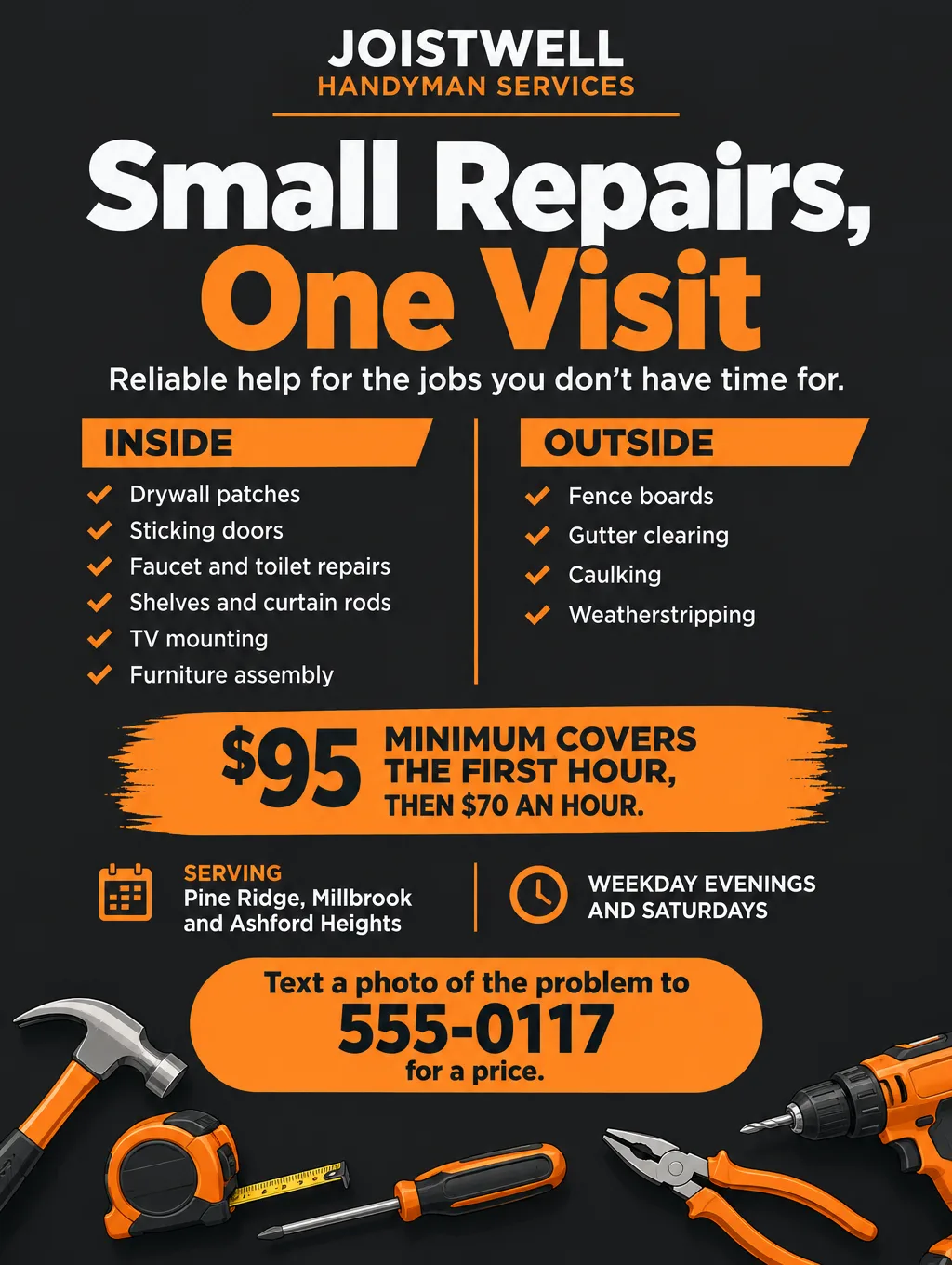
| General repair menu | "Small Repairs, One Visit" | "Drywall, doors, faucets, caulking and shelves. $95 minimum covers the first hour." |
| Move-out repairs | "Fix It Before the Walkthrough" | "Patch nail holes, rehang blinds, adjust sticking doors, replace outlet covers." |
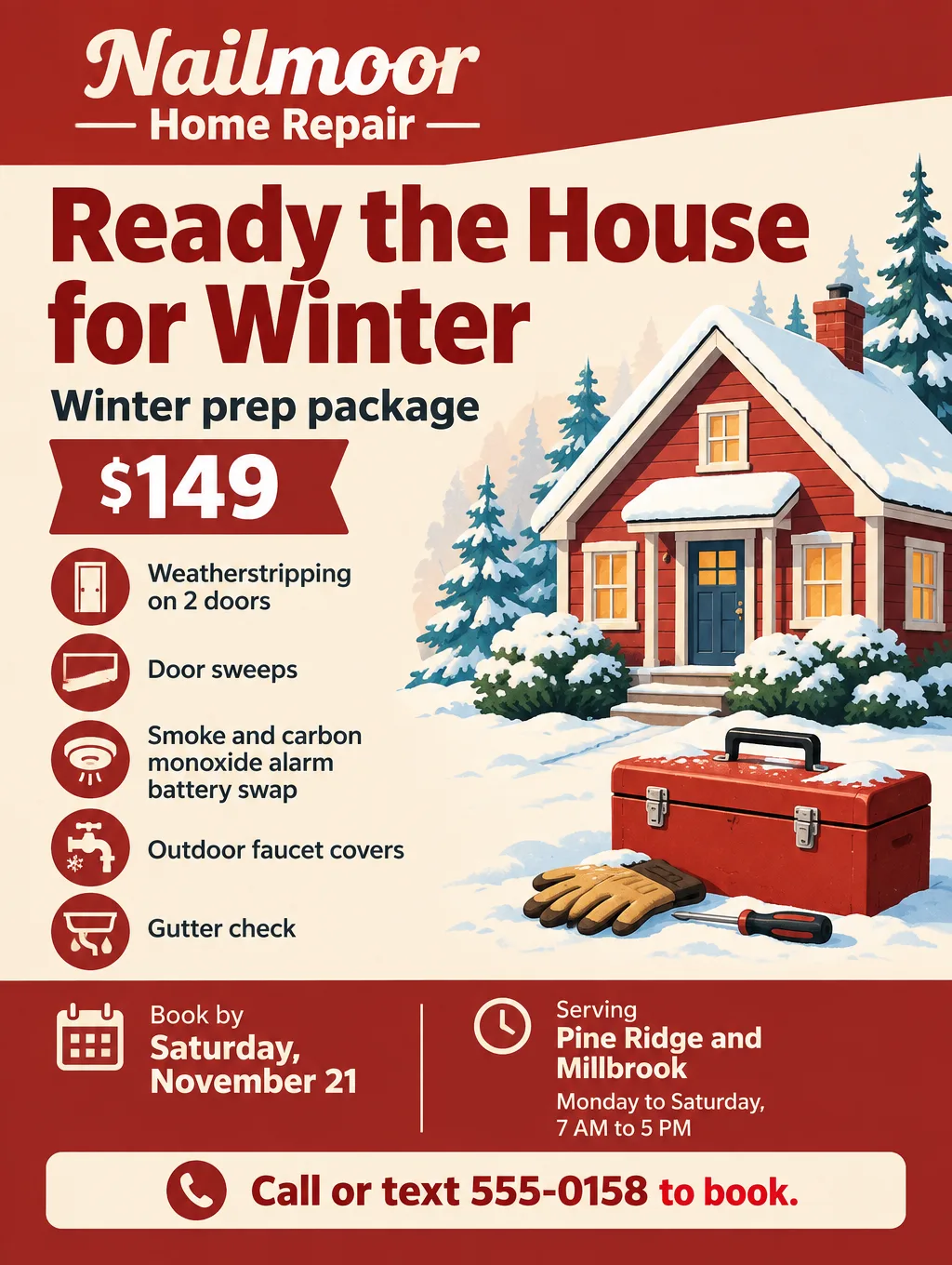
| Winter prep | "Ready the House for Winter" | "Weatherstripping, door sweeps, alarm batteries and outdoor faucet covers." |
| Aging in place | "Grab Bars and Handrails Installed" | "Bathroom grab bars anchored to studs, stair rails and brighter hallway bulbs." |
| TV mounting and assembly | "TV Mounting and Furniture Assembly" | "Wall mounts on drywall or brick, cords hidden, flat-pack furniture built the same day." |
| Pre-listing punch list | "Punch Lists for Home Sellers" | "Inspection items fixed before closing. Agents, ask about a standing rate." |
| Holiday lights | "Holiday Lights Hung and Taken Down" | "Rooflines and front trees, clips included. Takedown the first week of January." |
| Rental make-ready | "Make-Ready Repairs Between Tenants" | "Patching, fixture swaps and door hardware within 48 hours of move-out." |
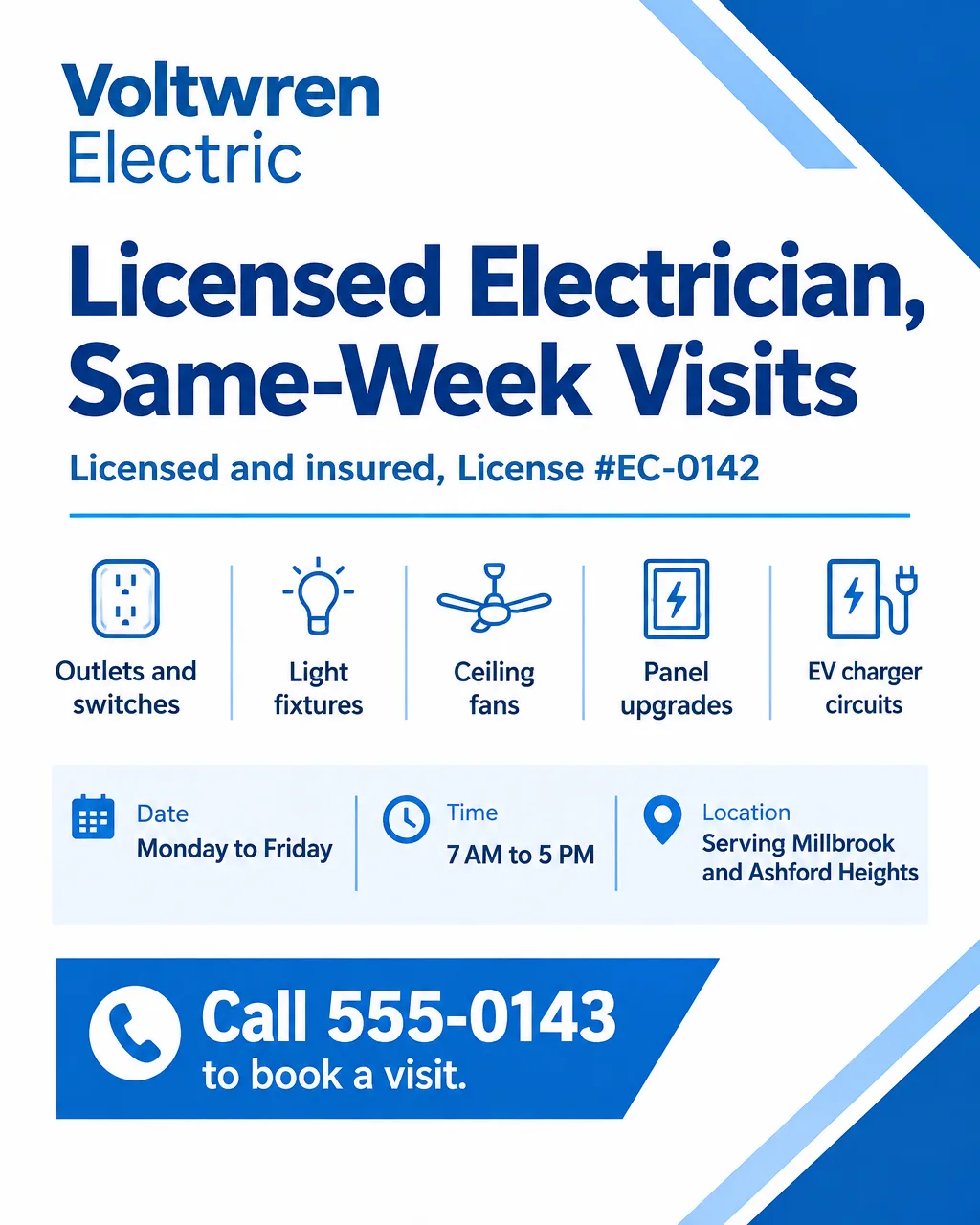
| Electrician | "Licensed Electrician, Same-Week Visits" | "Outlets, ceiling fans, lighting and EV charger circuits. License number on every flyer." |
A flyer for handyman services is easier to scan when the list is split by where the work happens (kitchen, bathroom, outside) instead of one long column. Change only the top line each season, such as "Winter prep" in October, and leave the rest of the menu unchanged so repeat customers recognize it.
A flyer for an electrician leads with the license. Print the license type and number exactly as your state board issued them, so a customer can look you up before calling, and add "Permits pulled" only if you pull them.
If you also mow or clean, the lawn care flyer ideas and the cleaning business flyer wording price those jobs by lot size and home size, which reads better than folding them into a repair list.
License numbers on a handyman flyer
The license line tells a customer what kind of work you can take on. Some states limit the jobs you can advertise without a contractor license, so check your state's licensing board before you print prices for bigger jobs. If you're licensed, print your license number.
- Print the number the way your state board issued it. A customer can then look you up before calling. Add the license type next to it if your state issues more than one kind.
- Write "licensed" only if you are. Without a contractor license, leave "contractor" off the flyer and describe the jobs instead: "Small repairs, one visit."
- Ask before you list bigger jobs. Remodels and work that needs a building permit are the ones to check with your licensing board before they go on the flyer.
- Older homes and paint. By EPA's estimate, roughly three in four US homes from before 1978 have some lead-based paint. Put a lead-safe certification line on the flyer only if your firm holds that certification.
Handyman flyer design tips
Tool illustrations, not stock contractors. An illustrated hammer, wrench and paint roller read at a glance. A photo of a stranger in a hard hat says nothing about your work, and a generated job site isn't yours either.
Size the phone number just below the headline. People read hardware store boards from a step or two back, so the number has to read from there.
Keep the minimum charge next to the job list. A price sitting beside "TV mounting" answers the question the list raises.
Put the license line where it can't be missed. Directly under the headline or next to the phone number, in type as large as the job list.
Use the colors on your truck. Dark gray with safety orange or navy with yellow, the same on the truck magnet, the shirts and every flyer, so a neighbor links the truck in the driveway with the flyer on the board.
Handyman flyer sizes and printing
A handyman needs a board flyer, a half-page leave-behind and a version for phones:
| Piece | Size | Pixels at 300 DPI | In Flyer Maker |
|---|---|---|---|
| Hardware store or library board | 8.5 x 11 in | 2550 x 3300 | Tall (3:4), 4K |
| Leave-behind after a job | 5.5 x 8.5 in | 1650 x 2550 | Tall (3:4), 2K |
| Neighborhood group post | Phone | Shared online | Portrait (4:5), 1K |
The pixel column is inches x 300, because 4over4's resolution guide gives 300 DPI for cards and flyers people hold close. Tall at 4K (2480 x 3312 pixels) prints US Letter at about 290 pixels per inch after a slight trim. Flyer Maker's shapes are Portrait (4:5), Tall (3:4) and Wide (5:4), so business cards, truck magnets and door hangers need your printer's templates. For printing, choose 2K or 4K. The flyer size guide lists postcard and poster dimensions.
More handyman flyer examples as prompts
TV mounting, move-out repairs and holiday lights, worded for the flyer description box. Every business name, rate and number in them is invented.
Flyer for Joistwell Handyman Services. Headline: "TV Mounting and Furniture Assembly". TVs up to 75 inches mounted on drywall or brick, cords hidden in a paintable cover, $129 per TV. Flat-pack furniture built from $60 per piece. Same-week visits, weekday evenings and Saturdays. Serving Pine Ridge, Millbrook and Ashford Heights. Text a photo of the wall and the box to 555-0117 for a price. Dark gray and orange design with an illustration of a mounted TV and a drill.Flyer for renters and landlords from Nailmoor Home Repair. Headline: "Fix It Before the Walkthrough". Move-out repairs: nail holes patched, blinds rehung, sticking doors adjusted, outlet covers and cabinet knobs replaced. Visits from $95 for the first hour. Booking every day, 9 AM to 7 PM, in Pine Ridge and Millbrook. Call or text 555-0158 at least 5 days before your move-out date. Clean white and teal design with an illustration of a toolbox and a paint roller.Holiday flyer for Joistwell Handyman Services. Headline: "Holiday Lights Hung and Taken Down". Rooflines up to 60 feet and 2 front trees from $199, clips included, lights you already own. Installs from Saturday, November 21 to Saturday, December 12, takedown the first week of January. Serving Pine Ridge, Millbrook and Ashford Heights. Text 555-0117 to pick an install date. Deep green and warm white design with an illustration of a house outlined in string lights.How to make a handyman flyer in Flyer Maker
If you came looking for a handyman flyer template, there isn't one to fill in here: you type the jobs, prices and license line, and Flyer Maker designs the layout.
- Start a flyer in Flyer Maker and list everything in "Describe your flyer", starting with the quoted headline, then the jobs in two groups, the minimum charge, the towns you cover, your hours, the license line and how to reach you.
- Attach a logo in "Add your logo" if your business has one. It goes on the design at a modest size and keeps its colors, so the flyer matches your truck.
- Choose "Size". Tall for boards and leave-behinds, Portrait for neighborhood groups.
- Open "More options". For a service menu, pick Business under Flyer type; for a seasonal package, Sale. Bold or Retro works as the Style, Dark as the Colors, and Illustration as the Pictures. For a long job list, choose Packed under Layout.
- Type the number customers should call into "Contact info". Flyer Maker uses only the contact details you type, so a typo there ends up on every copy.
- Choose "Create flyer". For a board flyer, pick 4K under Quality first (currently 100 credits, while 1K is 80 and 2K is 90). It takes about 30 seconds.
- Check the license number digit by digit, then every price, town name and phone number, and strike any slogan that isn't yours. Fix a wrong digit by typing the correction into "Want to change something?" under the flyer, currently 60, 70 or 90 credits depending on quality. Rewriting the description and generating again also works.