Coffee shop flyers get read by people who are already standing still: in line at the register, sitting at a table, waiting at the pickup counter. That makes them good for one clear offer at a time. The sections below give you the lines to print, coffee shop flyer ideas and wording for seasonal menus, stamp cards and events, what to check before an open mic night, sizes for counters and windows, and how to make one in Flyer Maker. Shops outside food and drink are covered on the small business flyer page.
What to put on coffee shop flyers
List the details before you pick colors. Biggest text first:
Must have
- The drink or offer as the headline. Use the exact name from your menu board, so a customer can order it by pointing.
- The price and size. "12 oz $5.25, 16 oz $5.75." A drink with no price makes people ask at the register.
- How long it lasts. "Through Monday, November 30" for seasonal drinks, or "every Thursday" for events.
- Hours, opening time first. "Open weekdays at 6:30 AM" tells commuters you're open before work.
- Address, plus a parking or transit note if you're hard to find.
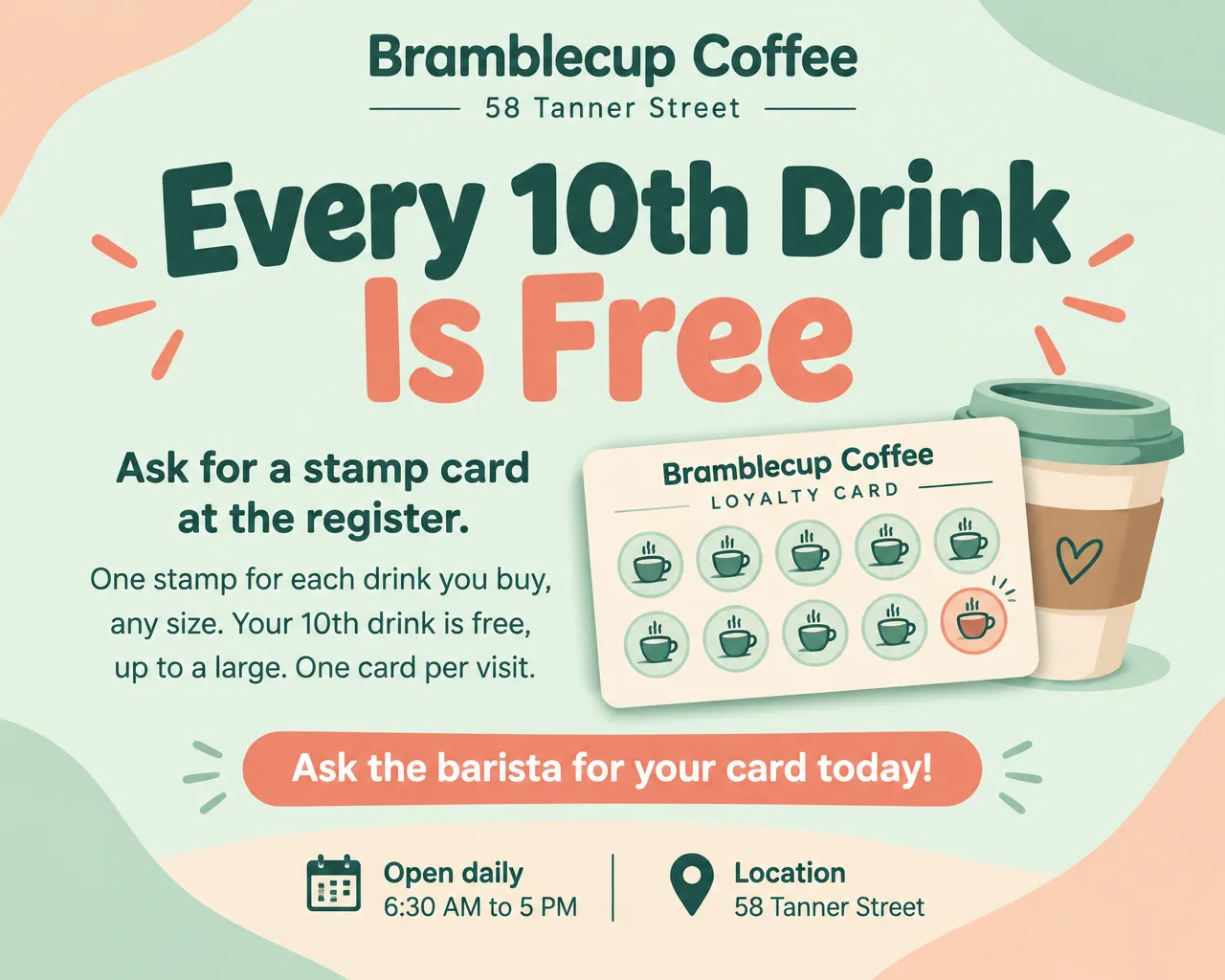
- The rule, right beside any deal. "One stamp per drink, any size. 10th drink free, up to a large."
- One next step. Order ahead, sign up at the counter, or scan a code.
Optional
- Milk and sweetener options. "Oat and almond milk at no extra charge."
- Laptop and Wi-Fi hours, if you limit them on weekends.
- Food pairings from your pastry case.
- Coffee for groups. "Coffee for 10, $28, with cups and cream."
- Event details: start time, sign-up time, cost to watch or play.
Coffee shop flyer ideas and wording
These coffee shop flyer samples use an invented cafe and prices. Use your own menu names.
| Occasion | Headline | Supporting line |
|---|---|---|
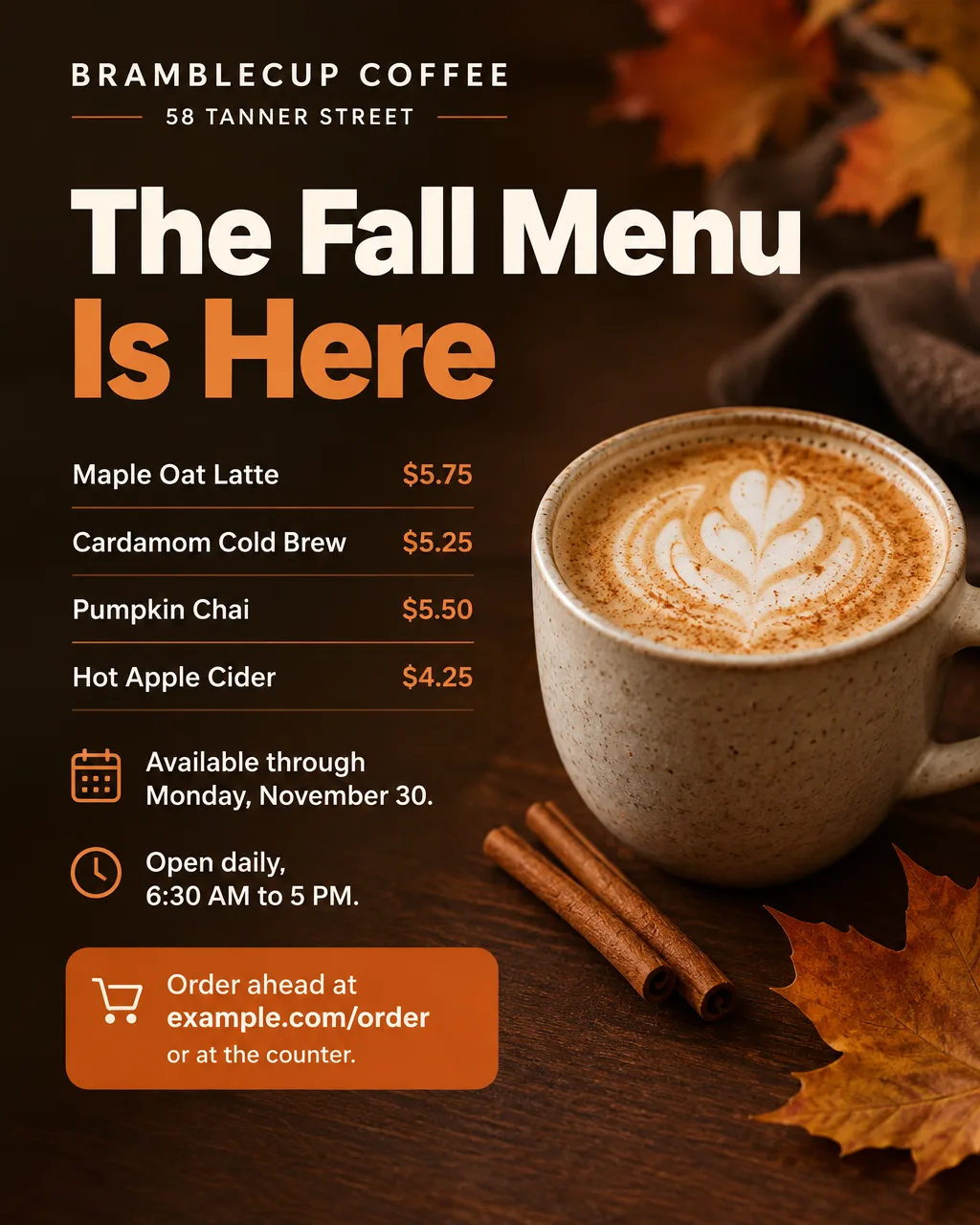
| Seasonal launch | "The Fall Menu Is Here" | "Maple oat latte, cardamom cold brew and pumpkin chai, through November 30" |
| Stamp card | "Every 10th Drink Is Free" | "One stamp per drink, any size. Ask at the register." |
| Afternoon deal | "2 to 4 PM: $1 Off Iced Drinks" | "Monday to Friday. Any size, any milk." |
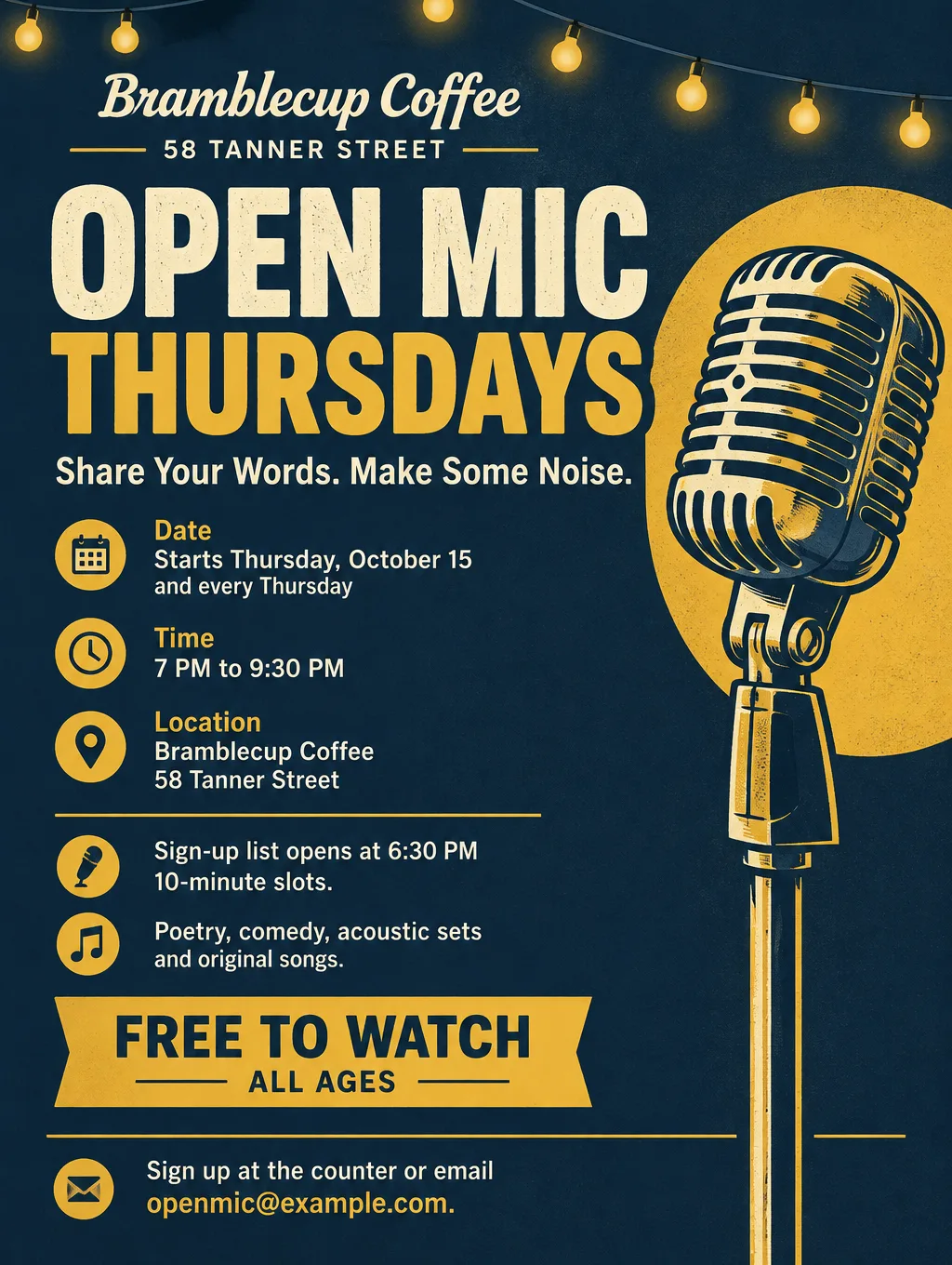
| Open mic | "Open Mic Thursdays" | "Sign-up at 6:30 PM, 10-minute slots, free to watch" |
| Coffee tasting | "Taste Three Single-Origin Coffees" | "Saturday, October 24, 10 AM. $12, 10 seats." |
| Latte art class | "Learn to Pour a Heart" | "90-minute class on our espresso machine, $45, 6 seats" |
| Finals week | "Study Fuel, Finals Week" | "Free refill on drip coffee with a student ID, December 7 to 11" |
| Coffee for the office | "Coffee for 10, $28" | "A box of drip coffee with cups, cream and sugar. Order by 4 PM the day before." |
| Holiday beans | "Gift a Bag of Beans" | "12 oz bags $18, gift cards any amount, through December 24" |
| Grand opening | "Now Pouring on Tanner Street" | "Opening day Saturday, October 17, from 6:30 AM" |
Wording habits for cafes:
- Say which milks cost extra. Customers want to know before they order, so answer it on the flyer.
- Give events a start time and a sign-up time. "Sign-up 6:30, first act 7:00" is what performers need.
- Name the pastry pairing. "Pairs with our cardamom bun" sells two items with one line. If your pastries come from a local baker, their bakery flyer and yours can share a promotion.
An opening flyer needs more than a date. The grand opening flyer ideas cover ribbon cuttings and opening-day offers. If your cafe also serves lunch, the restaurant flyers page covers food specials and delivery.
Open mic nights and music licenses
Check on music licensing before an open mic flyer says "covers welcome". Live music in a cafe usually needs a music license, and so can karaoke or recorded music played for a crowd. Ask the performing rights organizations, such as ASCAP or BMI, what your shop needs. Then write the flyer so performers know what to bring:
- Name the kinds of acts you want. "Poetry, comedy, acoustic sets and original songs" tells people whether their act fits.
- Print the slot length and the sign-up time. "10-minute slots, sign-up list opens at 6:30 PM" saves a line of questions at the counter.
- Say "covers welcome" only once you've sorted out the music side. Until then, a poetry and stand-up night with no music is an easy way to start.
For a paid show with a lineup, the concert flyer page covers ticket prices and set times.
Design tips for coffee shop flyers
Design the table tent for someone sitting down. A seated customer reads a card at arm's length, so the drink name and price can be smaller than on a window flyer. Put the drink on one side and this week's event on the other.
Match the menu board exactly. If the board says "Maple Oat Latte" and the flyer says "Maple Latte", a customer may not realize they're the same drink.
Show a drink you actually make. A Flyer Maker design with Photos gets an invented image, so the latte on it may show a cup, garnish or pattern you don't serve. Pick Illustration when you can't match the photo, or describe your real cup and garnish in the flyer description.
Keep the card and the sign separate. The stamp card is a wallet-size print from your printer; the flyer is the counter sign that explains the program. Put the rule on the sign in one line: "One stamp per drink. 10th drink free, up to a large."
Use dark colors for evening, light for morning. An open mic poster in navy and mustard reads as an evening event. A spring menu in cream and pale green reads as a morning one.
Coffee shop flyer sizes and printing
Start with the counter and table sizes, then add the window and screen versions.
| Where it goes | Size | Pixels at 300 DPI | In Flyer Maker |
|---|---|---|---|
| Table tent panel or card holder | 4 x 6 in | 1200 x 1800 | Tall (3:4), 2K; trim about 1/2 in from the width |
| Counter sign by the register | 5 x 7 in | 1500 x 2100 | Tall (3:4), 2K; trim about 1/4 in from the width |
| Front window or door | Letter, 8.5 x 11 in | 2550 x 3300 | Tall (3:4), 4K |
| Screen behind the counter | Landscape | Screen only | Wide (5:4), 1K or 2K |
At 2K, Flyer Maker's Tall shape is 1,536 x 2,048 pixels, which prints a 5 x 7 inch sign at about 290 pixels per inch. For printing, choose 2K or 4K. The flyer size guide has the rest.
More coffee shop flyer prompts
Two more promotions. Put your own cafe name, prices and dates in place of these.
Coffee for the office flyer for Bramblecup Coffee, 58 Tanner Street. Headline: "Coffee for 10, $28". A box of hot drip coffee that serves ten 8 oz cups, with cups, lids, cream, oat milk and sugar. Add a dozen pastries for $30. Order by 4 PM the day before for pickup from 6:30 AM, or delivery within 2 miles for $5. Call 555-0154 or order at example.com/boxes. Clean cream and espresso brown design with an illustration of a coffee box and paper cups.Finals week flyer for Bramblecup Coffee, 58 Tanner Street. Headline: "Study Fuel, Finals Week". Monday, December 7 to Friday, December 11. Free refills on drip coffee all day with a student ID. Quiet tables upstairs, outlets at every seat. Open 6:30 AM to 10 PM that week only. Show your student ID at the register. Bold dark blue and yellow colors with an illustration of a coffee cup on a stack of textbooks.How to make coffee shop flyers in Flyer Maker
- Open Flyer Maker and type the flyer into "Describe your flyer". Include a quoted headline, each drink with its price, the end date, your hours, the address and the next step for the customer.
- Upload the logo on your cups and sign with "Add your logo".
- Choose a Size. Portrait (4:5) for Instagram, Tall (3:4) for counter signs and the window, Wide (5:4) for a screen.
- Adjust "More options". Restaurant fits drink menus, Nightlife or Concert fits an open mic, and Sale fits stamp card and happy hour signs. Choose 2K for small counter prints.
- Switch on "Leave a blank square for your QR code" if the flyer links to ordering, and drop your own working code into that space afterward. The QR code flyer page covers code size and testing.
- Select "Create flyer", then allow roughly half a minute.
- Proofread drink names against the menu board, along with prices, dates and hours. Type a correction into "Want to change something?" below the flyer (currently 60 credits, 70 for 2K, 90 for 4K), or edit your description and create it again.