Dog walking flyers go where dog owners already stop: the vet's front desk, the pet store corkboard, the lobby of a building with a dog run, and the neighborhood group chat. An owner reading one wants to know what a walk costs, when you're free, and whether they'd trust you with a leash and a key. Below: the checklist, wording for weekday walks, kids and teens, and overnight sitting, print sizes, and step-by-step settings for Flyer Maker.
What to put on a dog walking flyer
Start with the details an owner needs to say yes, biggest type first:
Must have
- Rate and walk length. "$18 per 30-minute walk, $28 for 60 minutes." Say whether it's a solo walk or a small group.
- Days and hours. "Weekdays, 11 AM to 2 PM" is the slot an owner who works away from home is looking for.
- The streets or buildings you cover. "Linden Street, Harbor Park and the Maple Row apartments."
- A free meet-and-greet. "Free 15-minute meet-and-greet before the first walk." It's the easy first yes for a nervous owner, and your chance to meet the dog.
- How to book. A phone number that accepts texts. Kids and teens list a parent's number.
- Which dogs you take. "Up to 2 dogs from the same home" or "Dogs under 60 pounds". An honest limit prevents a bad first walk.
- What owners hear after each walk. "A text with a photo and potty notes after every walk."
- Your first name or business name.
Optional
- Drop-ins and pet sitting, each with its own price.
- Experience that's true. "Grew up with two retrievers" or a pet first aid course you actually finished. "Insured" or "bonded" only with an active policy or bond.
- Key handling. "Keys kept in a coded lockbox, never tagged with your address."
- A weather plan. "Rain or shine, with shorter shaded walks on hot days."
- Holiday dates. "Booking Thanksgiving week and December 19 to January 3."
Dog walking flyer ideas and wording
These dog walking flyer ideas cover the flyers walkers and sitters post through the year. All names, prices and numbers are made up.
Weekday midday walks
A flyer for dog walking during the workday sells one thing: a reliable midday break.
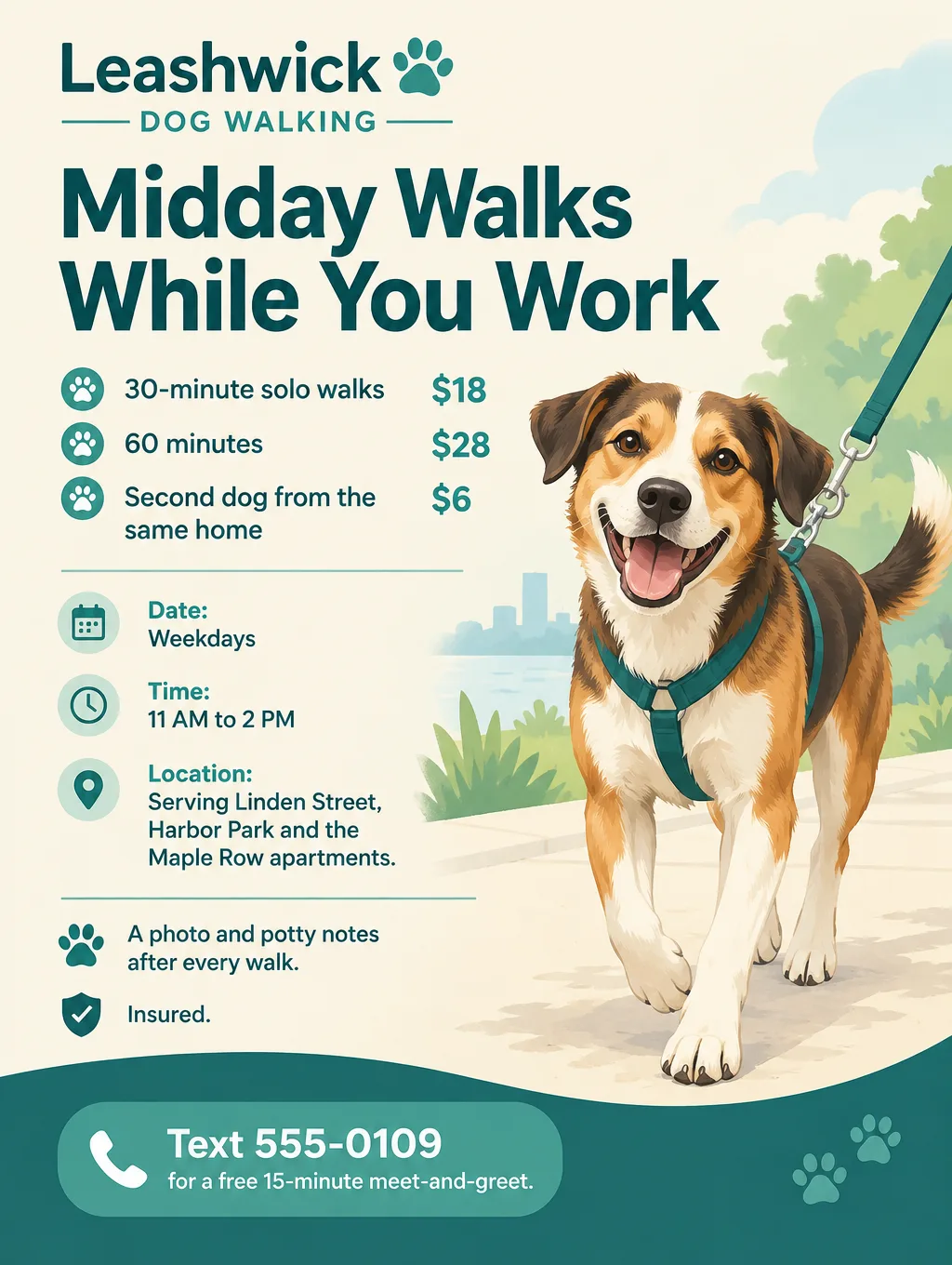
- Headlines: "Midday Walks While You Work" or "Your Dog's Lunch Break"
- Supporting line: "30-minute solo walks, weekdays 11 AM to 2 PM, $18 a walk."
- Call to action: "Text 555-0109 to set up a free meet-and-greet."
Dog walking flyers for kids and teens
Dog walking flyers for kids should sound like they came from the family down the street, and they name a parent to call.
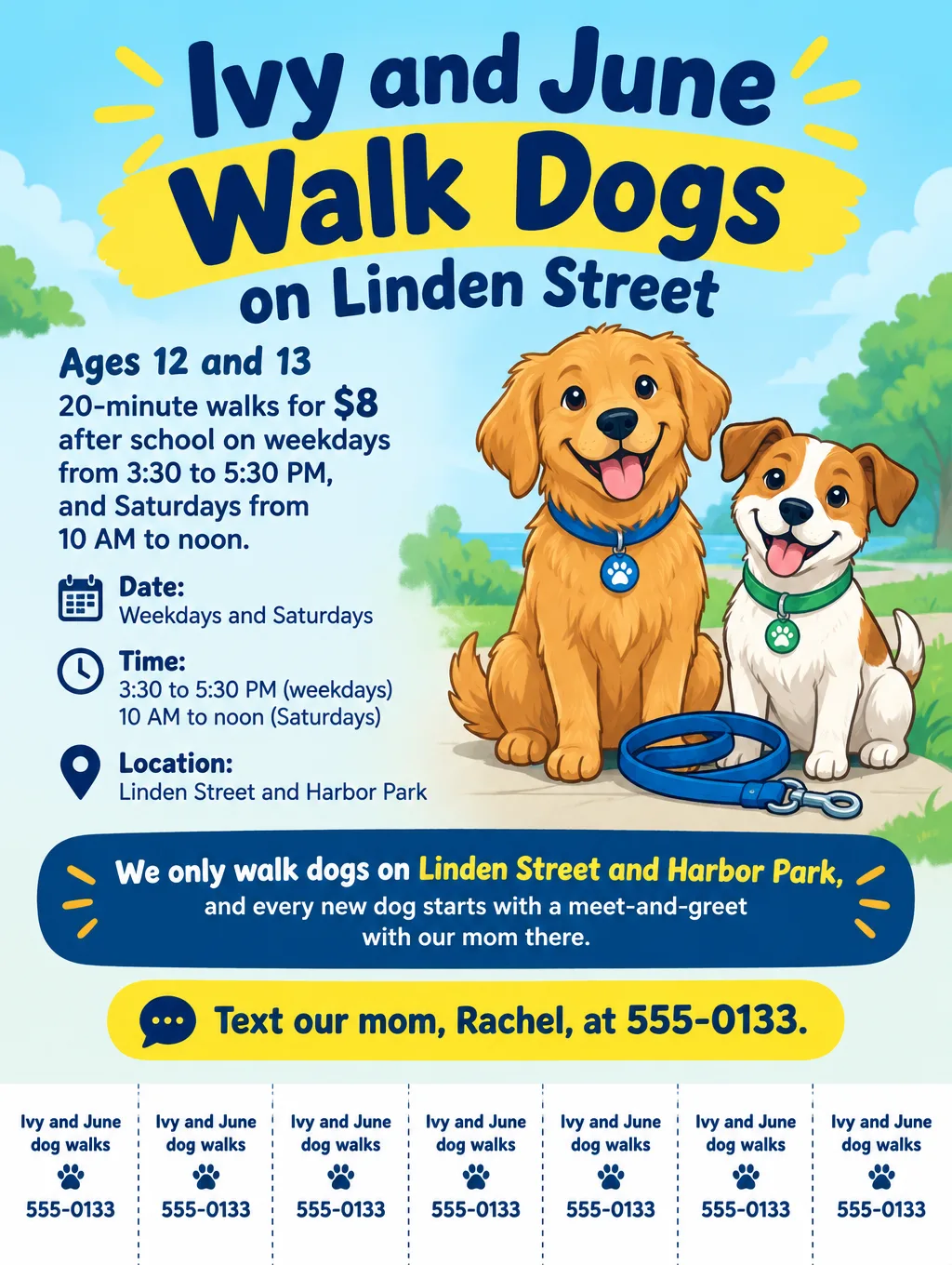
- Headlines: "Ivy and June Walk Dogs on Linden Street" or "After-School Dog Walks, $8"
- Supporting line: "Ages 12 and 13. 20-minute walks after school and on Saturdays."
- Call to action: "Text our mom, Rachel, at 555-0133."
A few rules keep a kid's flyer safe:
- First names and a parent's phone number only. No home address, school name or walking schedule on a public board.
- Every new family meets a parent first, at the owner's door, before the first walk.
- Start with calm dogs you already know, one at a time, on your own street.
- Post only where a parent agrees, such as your building's lobby board or the counter at the vet your family uses.
Teens who also watch kids can use the same contact rules on babysitting flyers.
Overnight and holiday dog sitting
A flyer for dog sitting sells dates, not a weekly slot, so price it per night and per visit.
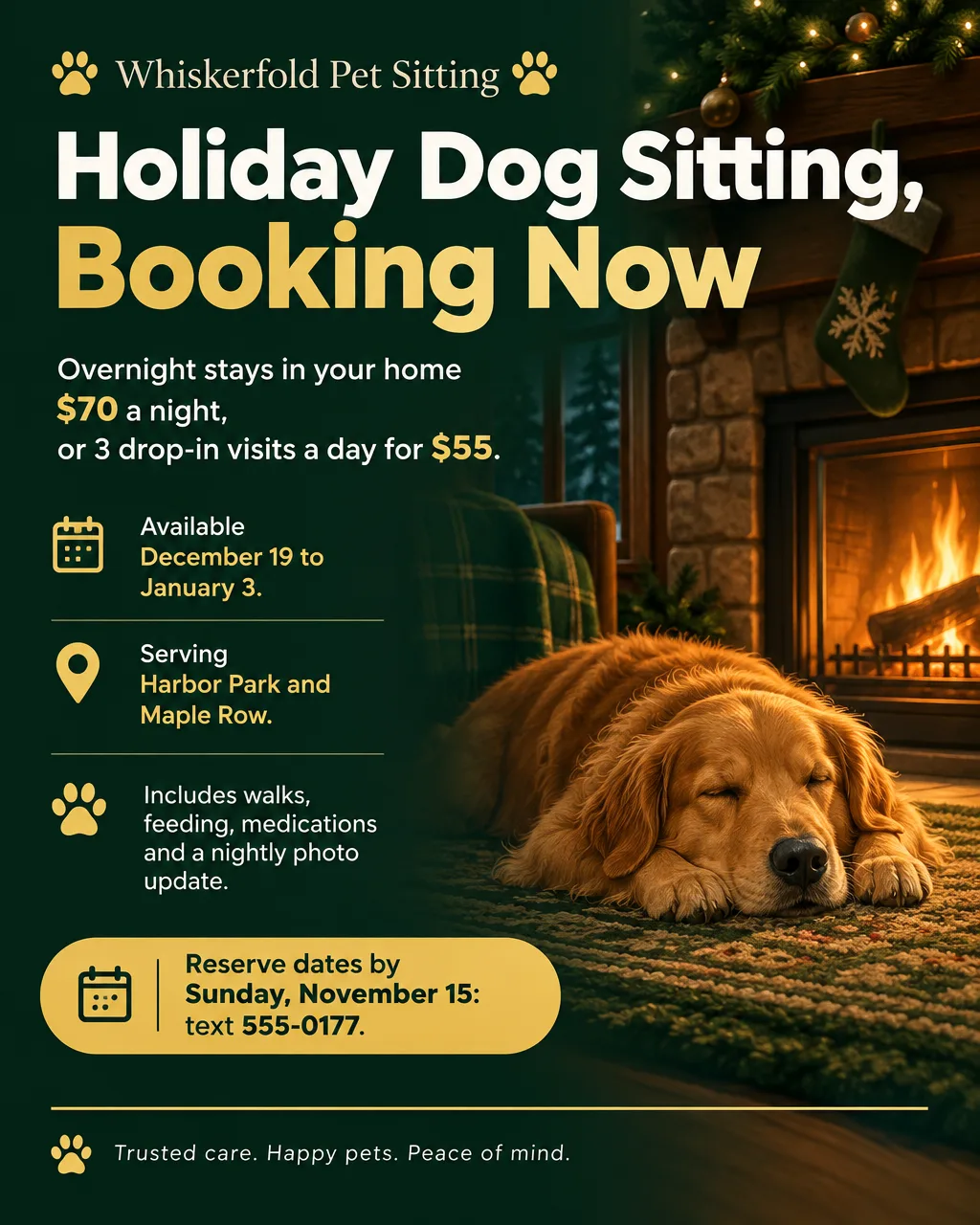
- Headlines: "Holiday Dog Sitting, Booking Now" or "Your Dog Stays Home While You Travel"
- Supporting line: "Overnights in your home $70 a night, or 3 drop-in visits a day for $55. December 19 to January 3."
- Call to action: "Reserve your dates by Sunday, November 15: text 555-0177."
Puppy visits
- Headlines: "Puppy Visits During the Workday" or "Potty Breaks for Puppies"
- Supporting line: "Two 20-minute visits a day for puppies under 6 months: a potty break, play and fresh water. $30 a day."
- Call to action: "Text 555-0109 to book a trial week."
Summer walk hours
The ASPCA advises keeping walks on hot asphalt to a minimum on very hot days, since a dog so close to the ground heats up quickly and its paw pads can burn. A summer flyer can move walks to cooler hours and say so plainly.
- Headlines: "Summer Hours: Early and Evening Walks" or "Cooler Walks, June to August"
- Supporting line: "Walks from 6 to 9 AM and 7 to 9 PM, on shaded routes, with water on every walk."
- Call to action: "Text 555-0109 to move your time slot."
If a dog ever slips its leash on your watch, call the owner right away and get flyers up within the hour. The lost dog flyer page has the wording and shows how to build one around the dog's real photo.
Design tips for dog walking flyers
One illustrated dog, no particular breed. A friendly cartoon mutt on a leash fits every reader, while a photo of a golden retriever says little to the owner of a corgi. Any photo Flyer Maker puts on the page is generated rather than a dog you actually walk, so Illustration is the honest pick.
Make the rate the biggest text after the headline. Write it as "$18 for 30 minutes" so the price and the walk length read together from across the pet store.
Add tear-off tabs for vet and pet store boards. Ask for a row of tabs with your number at the bottom, so an owner can leave with it in a pocket.
Use a real photo only through Smart Editor. A picture of you with a dog you actually walk, taken with that owner's permission, shows a new client who will be at the door. Flyer Maker's one upload slot is for a logo, so for a photo flyer, switch to Smart Editor (Pro plan only). It takes the photo along with an instruction that adds your rate and number.
Pick the style that matches who you are. Playful style with Vibrant colors suits kids and teens. Modern style with Light colors suits a walking business with insurance and a booking link.
Walkers who add grooming, training or pet taxi rides can borrow offer wording from flyers for shops and service businesses.
Dog walking flyer sizes and printing
Vet and pet store boards take a full page, groomers' counters take a card, and owners in the building group chat see it on a phone:
| Piece | Size | Pixels at 300 DPI | In Flyer Maker |
|---|---|---|---|
| Vet or pet store corkboard | 8.5 x 11 in | 2550 x 3300 | Tall (3:4), 4K, with tear-off tabs |
| Counter card at a groomer | 4 x 6 in | 1200 x 1800 | Tall (3:4), 2K |
| Neighborhood group chat | Phone screen | Not printed | Portrait (4:5), 1K |
Tear-off tabs need a full letter page; a small card has no room to cut them. A 4 x 6 card cut from a Tall image loses about half an inch of width, and the 2048-pixel height at 2K works out to roughly 340 pixels per inch. For printing, choose 2K or 4K, and ask before you post at a vet or store. The flyer size guide lists other sizes.
More dog walking flyer examples to copy
Two more flyers, for puppy visits and summer hours. Change the invented names, prices and number to yours.
Flyer for Leashwick Dog Walking. Headline: "Puppy Visits During the Workday". Two 20-minute visits a day for puppies under 6 months: a potty break, play time and fresh water, $30 a day. Weekdays between 9 AM and 4 PM. Serving Linden Street, Harbor Park and the Maple Row apartments. A photo update after every visit. Text 555-0109 to book a trial week. Soft pastel blue and yellow design with an illustration of a small puppy with a chew toy.Summer flyer for Leashwick Dog Walking. Headline: "Summer Hours: Early and Evening Walks". June to August, walks from 6 to 9 AM and from 7 to 9 PM, on shaded routes, with fresh water on every walk. 30-minute walks $18, 60 minutes $28. Serving Linden Street and Harbor Park. Text 555-0109 to move your time slot. Bright sky blue and sunny orange design with an illustration of a dog walking under a leafy tree.How to make a dog walking flyer in Flyer Maker
There's no fixed dog walking flyer template to fill in. Your description is the brief, and Flyer Maker builds the design around it.
- Go to Flyer Maker and enter the full flyer text under "Describe your flyer". Open with your headline inside quotes, then the rate and walk length, the days and hours, the streets you cover, what owners get after each walk, and the meet-and-greet call to action.
- Choose a "Size". Tall for boards and cards, Portrait for neighborhood groups.
- Open "More options". For a walking business, set Flyer type to Business; for a kids' flyer, pick Announcement. Set Pictures to Illustration and name the scene in your description ("a happy mixed-breed dog on a leash").
- Write a tear-off tab line into the description when the flyer is going on a corkboard: "tear-off phone tabs with 555-0109 on each one".
- Enter the booking number under "Contact info". For a kid's flyer, use the parent's number there and in the tear-off tab line.
- Hit "Create flyer" and wait about half a minute. The cost is currently 80 credits for 1K, rising to 90 for 2K and 100 for 4K.
- Proofread the rate, walk length, hours, streets and phone number, and remove any tagline you never typed. Small fixes go in the "Want to change something?" box (currently 60 credits at 1K, 70 at 2K, 90 at 4K); bigger ones are easier to make by editing the description and starting a new flyer.