Which Canva alternative fits depends on why you're leaving: the price, the AI, or the time it takes to lay out a flyer yourself. Those point to different kinds of tools. Template editors such as Adobe Express, PosterMyWall and Venngage work the way Canva does: you pick a layout and change the words. Affinity is free desktop software for print shop files. Toybox AI's Flyer Maker is a generator: you describe the event, and it returns a finished flyer image. Here is how they compare on the facts that decide it.
Quick comparison
Prices as of September 2026.
| Tool | Starting paid price | Free option | What you make | Key limits | Suits |
|---|---|---|---|---|---|
| Canva (for reference) | Pro (one person) or Business (billed per person), at the price Canva shows for your country when you upgrade | Free plan with free templates and a limited monthly AI allowance | Editable designs from templates, or from a prompt with Magic Design | Pro is for one person; teams need Business | Editing a template and ordering prints in one place |
| Adobe Express | Premium US$9.99 per month, billed monthly | Free plan, no credit card, 100,000+ templates, limited daily AI | Editable designs from templates | Premium templates, brand kits and one-click resize need Premium | A Canva-style editor with a 30-day Premium trial |
| PosterMyWall | High-res download from $5.99, or a Premium subscription | 1M+ templates; basic-quality downloads with a small watermark | Editable flyers, videos, emails and event pages | Free downloads aren't recommended for printing | Occasional flyers, paid per download |
| Venngage | Premium $10 per month billed yearly, or $19 monthly | 5 designs, shared by public link | Infographics, reports and flyers from templates or AI | Downloads start on Premium; PDF export needs Business | Text-heavy flyers and infographics |
| Kittl | Pro $12 per editor per month billed yearly, or $15 monthly | Free plan, personal use only | Templates, vector graphics, logos and merch designs | Commercial license starts on paid plans | Merch, labels and type-driven posters |
| Microsoft Designer | Free; Microsoft 365 plans add AI credits | Free with a Microsoft account | Invitations, cards, banners and images from a description | Personal, non-commercial use only | Personal invitations and party flyers |
| Affinity | Free | Full app with a free Canva account; AI tools need a paid Canva plan | Layered layouts, vector and photo work | Desktop only, on Windows and macOS; iPad version due in November | Print shop files with CMYK and bleed |
| Toybox Flyer Maker | Credit top-ups from $4.99 for 500; Pro plan $9.99 per month for 1,000 credits | Sign up free and get 20 credits, not enough for one flyer | One finished flyer image (PNG) from your description | Starts from a description, not a template; the PNG's text isn't editable, so proofread it | A one-off flyer you don't want to lay out |
Reasons to look beyond Canva for flyers
The reasons to look elsewhere are ones you can check on Canva's own pages: how plans are priced, how its AI allowance works, and what file you end up with. Four matter for flyers.
- Plan structure. Canva Pro is a single-user plan, and Canva points teams to Canva Business, which is billed per person. A volunteer who makes four flyers a year may prefer paying per download or per flyer. At Toybox's current prices, four flyers at 80 credits each is 320 credits, which fits inside one $4.99 top-up of 500 credits.
- AI you didn't ask for. Canva's AI tools draw on a monthly allowance, and Canva Pro gets 10 times the Free allowance. Canva's AI flyer maker, Magic Design, returns editable designs that you then customize. If you'd rather skip AI entirely, or want a generator that writes the whole flyer, that's a reason to look elsewhere.
- Print shop requirements. Canva's PDF Print download adds bleed and crop marks, but its CMYK color profile needs a paid plan such as Pro. If a print shop asks for CMYK and you're on Canva Free, Affinity supports CMYK and bleed at no cost.
- Time. A template still means placing text, swapping photos and checking alignment. A generator starts from a description, which suits someone who needs one flyer tonight.
Options compared
Each option below puts its limits next to its price.
Adobe Express
Adobe Express is Adobe's design app for web and mobile, and like Canva it starts from templates. As a free, online Canva alternative, its Free plan needs no credit card and includes 100,000+ static and video templates, 5GB of storage and limited free daily AI generations. Premium is US$9.99 per month with no annual commitment, after a 30-day free trial. It adds all premium templates, brand kits, one-click Resize and 250 generative credits per month. Adobe Express Teams is regularly US$7.99 per license per month on an annual subscription, with a two-seat minimum. Adobe says its generative features are designed to be commercially safe and that their outputs can generally be used commercially, except for beta features it marks as personal use only. It fits someone who wants to keep editing templates the way they do in Canva, with Adobe's fonts and stock library in the same place.
PosterMyWall
PosterMyWall is a template library of more than 1 million design and email templates, with theme collections for churches, restaurants, bands and small businesses, plus event pages and social scheduling. The Free plan gives limited free downloads at basic quality, with a small watermark in the bottom left, and PosterMyWall says those free downloads aren't sharp enough for printing. You can pay for a single high-res download from $5.99 (up to 9 pages) without subscribing. Premium adds unlimited downloads with no watermark, 100 AI credits a month and an AI text-to-image generator. Premium Plus raises that to 250 credits and unlimited brand kits. It fits a church or small business that posts a few flyers a year and would rather pay per file than per month.
Venngage
Venngage is built for infographics, reports and other designs that carry a lot of information, and it also has flyer templates and an AI flyer generator. The Free plan allows 5 designs and 6 image uploads, shared by public link only. Premium costs $10 per month billed yearly or $19 month to month, and adds unlimited designs and PNG and high-resolution PNG downloads. PDF and PowerPoint export, brand kits and full Venngage AI need Business, at $24 per user per month billed yearly or $49 monthly. It fits a flyer that is really a schedule or a program, such as a conference agenda or a class timetable.
Kittl
Kittl calls itself an AI design platform, with tools for logos, merch, packaging and product labels, plus templates, vector editing and team collaboration. The Free plan is for personal use only, with no commercial rights. Pro costs $15 per month or $144 per year, and Expert $35 per month or $312 per year. Paid plans include a commercial license (up to 500,000 copies on Pro and Expert), high-resolution and vector exports, and more AI tokens, which don't roll over from month to month. Viewers on a shared workspace are free, and extra editors are charged by plan. It fits a seller making shirts, stickers or labels who also needs the odd poster.
Microsoft Designer
Microsoft Designer turns a description into greeting cards, invitations, banners and images, and it can also edit photos, including erasing objects and removing backgrounds. It is free to use with a Microsoft account, and Microsoft says a subscription may be needed to create more often. Microsoft 365 Personal, Family and Premium plans include AI credits that Designer uses. Two limits matter for flyers. Microsoft licenses Designer for personal, non-commercial use only, and Microsoft warns that text inside generated images may have spelling errors. Images from its AI features carry content credentials that show they were made or edited with AI. It fits a birthday invitation or a family reunion flyer, not a flyer for your business.
Google Pics
Google Pics is Google Workspace's image creation and editing app, generally available since September 1, 2026, and Google pitches it for posters and social media posts. You generate an image from a prompt or import one, then edit selected elements, edit or translate individual pieces of text, crop for print or social, and upscale to 2K or 4K. Teammates can work on an image together, and you can share it by link. Pics is included with Google AI Pro and Ultra plans and with Workspace Business Standard and Plus, and its generative features have usage limits. It fits a team already paying for Google Workspace that wants flyer images without a separate design app.
Toybox Flyer Maker
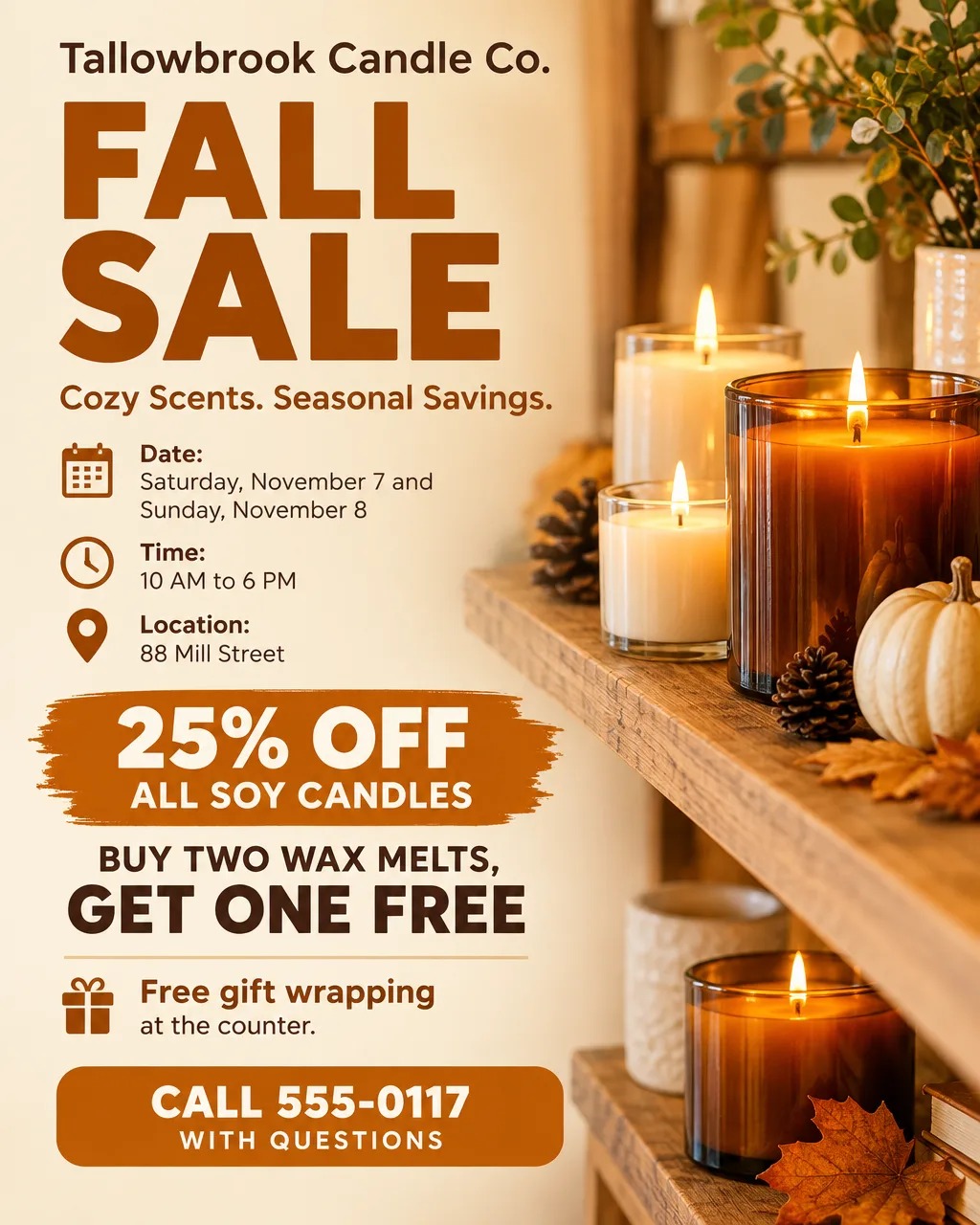
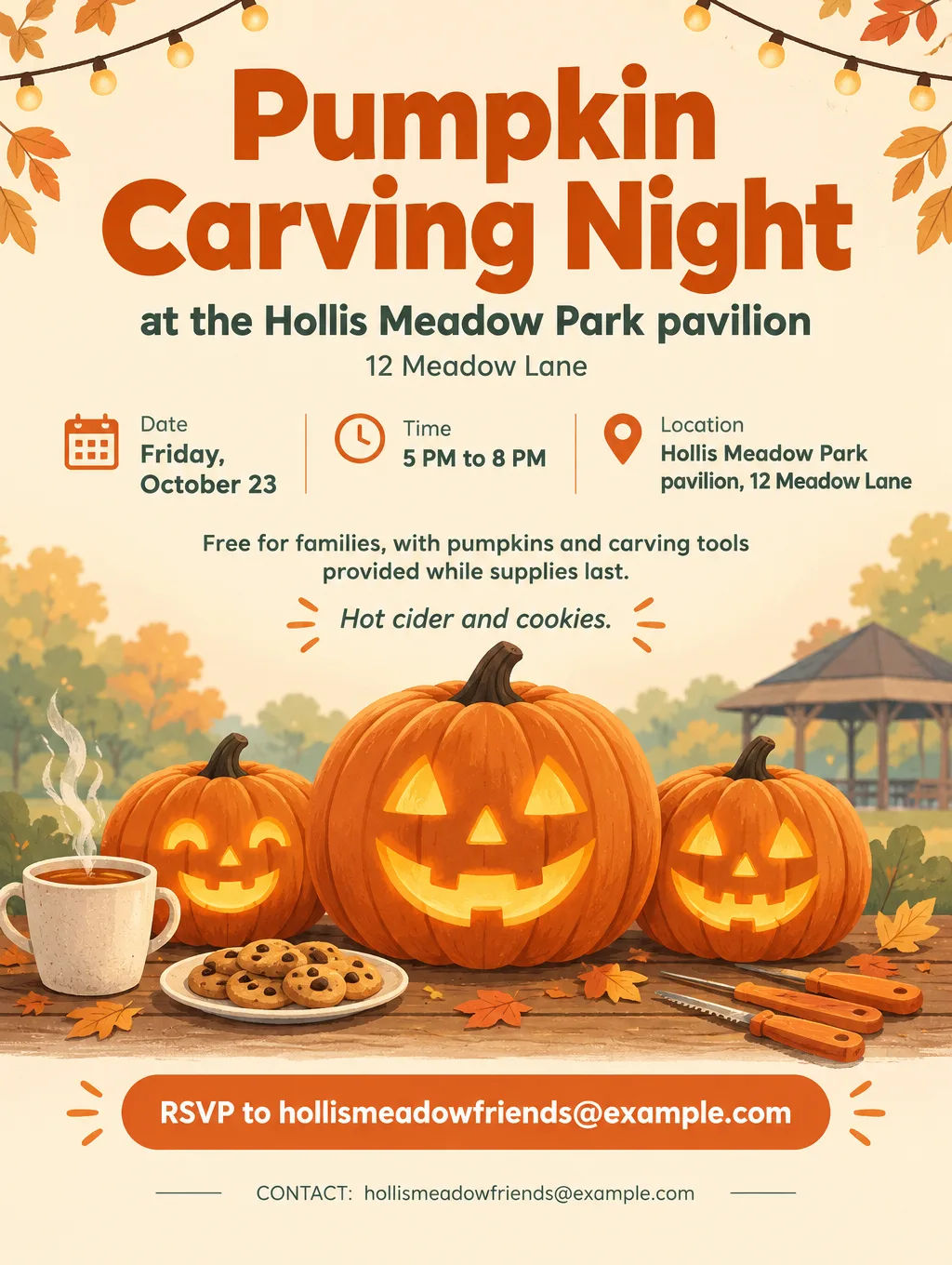
Flyer Maker designs a finished flyer from your description in about 30 seconds. You write the event or offer in "Describe your flyer" (up to 3,000 characters) and can add your logo. Sizes are Portrait (4:5), Tall (3:4) and Wide (5:4), at 1K, 2K or 4K; for printing, choose 2K or 4K. It won't draw fake QR codes: switch on "Leave a blank square for your QR code" and paste your real one in. It currently costs 80 credits per flyer (90 for 2K, 100 for 4K), about 80 cents at top-up prices, and it works on the Free plan once you have the credits. The result is a single PNG image rather than an editable template, so you can't click into the text to change a word. Proofread dates and prices before you print. It fits someone who needs one flyer and doesn't want to learn an editor.
Toybox vs Canva for flyers
Canva and Toybox Flyer Maker start from opposite ends: Canva from a template you edit, Flyer Maker from a description it turns into a finished image.
| Question | Canva | Toybox Flyer Maker |
|---|---|---|
| How you start | Pick a template, or generate editable designs with Magic Design | Type the details into "Describe your flyer" |
| Fixing one word later | Click the text and retype it | Edit the description and create it again, or type the fix into "Want to change something?" under the result |
| Working with others | Edit the same design at the same time and leave comments | Share the finished image with a public link |
| Printing | PDF Print download, or order prints through Canva Print | PNG download; for printing, choose 2K or 4K |
| Paying | Free plan, or a Pro or Business subscription | Currently 80 credits per flyer; top-ups from $4.99 for 500 credits, no subscription |
| Using it free | Free plan with free templates | 20 free credits at signup, not enough for one flyer |
Pick Canva when the flyer will be edited again or by more than one person. Pick Flyer Maker when you want the layout decided for you and you'll proofread the result.
Canva alternatives with no AI
Among the tools in the comparison table, only Affinity keeps its AI tools locked unless you pay for a Canva plan. The rest build AI in, so a no-AI flyer comes from using templates and never pressing the generate buttons.
- Affinity. Affinity puts vector, photo and page layout tools into one desktop app for Windows and macOS, and it costs $0. Canva says a new iPad version lands in November. You sign in with a free Canva account to download it, and its AI tools work only on a paid Canva plan. The layout studio supports CMYK, spot colors and bleed, and exports PDF with bleed and crop marks. Affinity is made by Canva, which matters if you're leaving Canva as a company.
- Microsoft Word flyer templates. Word for the web has free event, business and holiday flyer templates. You open a template, double-click it to edit online, replace the text and colors, then save it as a PDF or share a link. Copilot is offered in Word, but the templates work without it.
- Template editors, AI unused. PosterMyWall, Adobe Express and Canva all start from templates, and you can change the words without touching AI. On a Canva team, an admin can switch off AI features such as Magic Design, Canva AI and Magic Write in Permissions, and the change applies to new designs.
Canva's lower-priced Pro Lite plan, sold in India and Indonesia, still includes the same AI allowance as Canva Free. Toybox Flyer Maker is an AI generator, so it doesn't fit if you want to avoid AI.
Which one should you pick
Pick by what has to happen after the flyer exists: who edits it next, where it gets printed, and whose name is on it.
- A church or school team that reuses one flyer every month. Stay with Canva or use Adobe Express. An editable template lets you change only the date each month, several people can edit the same design at once, and Canva Print offers in-store pickup at FedEx Office in the US for select products, with at least 50 copies per design.
- A print shop asks for CMYK with bleed, and you're on Canva Free. Use Affinity. It is free, and its PDF export includes bleed and crop marks. On Canva Pro, PDF Print already offers CMYK.
- A small business flyer a few times a year. For a Canva alternative for business use, check the license first: Microsoft Designer and Kittl Free are personal use only. PosterMyWall's $5.99 high-res download or a Toybox flyer at 80 credits avoids a monthly bill.
- A flyer that is mostly information. Use Venngage for schedules and programs, and budget for Business if you need a PDF.
- One flyer tonight, no layout work. Use Toybox Flyer Maker, then proofread every detail before you print.
Make a flyer from a description in Flyer Maker
Flyer Maker replaces the template step with a description, so the work moves into what you type.
- Open Flyer Maker and write the flyer in "Describe your flyer": the event name, day, date, time, street address, who it's for, the price or "Free", and how to respond.
- Under Size, choose Tall ("Printing"), Portrait ("Instagram post") or Wide ("Screens and email").
- Open More options and choose Quality (2K or 4K for printing), then Flyer type, Style, Colors and Pictures. Put your phone number or website in Contact info.
- If the flyer needs a QR code, turn on "Leave a blank square for your QR code" and paste your real code into that space afterward.
- Tap "Create flyer". It's usually ready in about 30 seconds.
- Proofread every date, time, address, price and phone number. Fix a mistake by typing it into "Want to change something?", or edit the description and create the flyer again.
A description with every detail a flyer needs looks like this:
Fall Food Drive for Pine Hollow Pantry. Saturday, October 24, 10 AM to 2 PM, in the Pine Hollow Pantry parking lot, 52 Cedar Lane. Bring canned soup, pasta, rice and peanut butter. Volunteers welcome, just show up. Questions: call 555-0142. Warm autumn colors, a simple illustration of a crate of groceries, and a large, readable date and time.Plans currently start at $9.99 a month for 1,000 credits, and you can top up without a subscription from $4.99 for 500 credits; see Toybox pricing. For more wording and layout ideas, read how to make a flyer with AI or the church flyer ideas and wording, and browse more flyer ideas. The ownership rules for what you make are in the Terms of Service.