A now hiring flyer goes where the right applicant already walks by: your front window, the counter by the register, a laundromat board, a campus job board. It has to show whether the job fits before the reader walks on. Below is what to print, the pay and wording rules that reach paper job postings, wording for six kinds of openings, and how to add a QR code that really opens your application. For the sale, event and review flyers a shop runs the rest of the year, see the small business flyer hub.
What to put on a now hiring flyer
Biggest type at the top, smallest at the bottom:
- The job title. "Barista", "Line Cook", "Landscape Crew Member". "Help Wanted" alone makes people guess.
- The pay range. "$17 to $19 an hour plus tips." Some states and cities require it in job ads (next section).
- Hours and schedule. "Part-time, 15 to 25 hours a week, weekends required."
- Where the job is. A street address, or "crews meet at 2400 Quarry Road" for jobs that move around. Name the nearest bus stop if many applicants won't have a car.
- Two or three real requirements. "Able to lift 50 pounds", "food handler card within 30 days". Skip the wish list.
- Benefits and perks. "Paid weekly", "free shift meal", "30% employee discount".
- How to apply. One main route: "Apply in person Monday to Friday, 2 to 4 PM" or "Apply at example.com/jobs".
- Start date. "Start by Monday, November 2" tells people this is a real opening.
- Your business name and logo.
- An equal opportunity line (optional). "An equal opportunity employer."
- A QR code to the application (optional). In a clear square, with a short typed link under it.
Pay range and wording for a hiring flyer
List the pay range if you can. Some states and cities require it in job ads, so check yours with your state labor department before you print. Put the range on the flyer itself rather than behind a QR code, so every reader sees it.
| Pay line | Wording | Why it works |
|---|---|---|
| Hourly job | "$17 to $19 an hour plus tips" | A range with the tips line answers the first question |
| Salaried job | "$42,000 to $48,000 a year" | Two numbers beat "competitive pay" |
| Commission or booth rent | "Commission 45%, or booth rent $250 a week" | A stylist can compare it with their current chair |
| Benefits | "Paid weekly, free shift meal, 30% employee discount" | One line covers the extras without crowding the pay |
Describe the work, not the person. Lines like "young and energetic", "recent graduates" or "perfect for moms" can put off good applicants. Describe the work ("stand for a 6-hour shift", "lift 50 pounds") instead of the kind of person you picture, and list only requirements the job really has. Skip "valid driver's license required" for a counter job with no driving.
Jobs for teens. Some states have rules about hours and work permits for workers under 16, so check yours before you print shift times for an after-school job. Keep the flyer to hours that fit around school, such as "4 to 7 PM shifts", and invite a parent or guardian to come along when the teen picks up an application.
Now hiring flyer ideas and wording
These now hiring flyer examples cover six kinds of openings, with fictional names, pay and dates. Mix and match the lines.
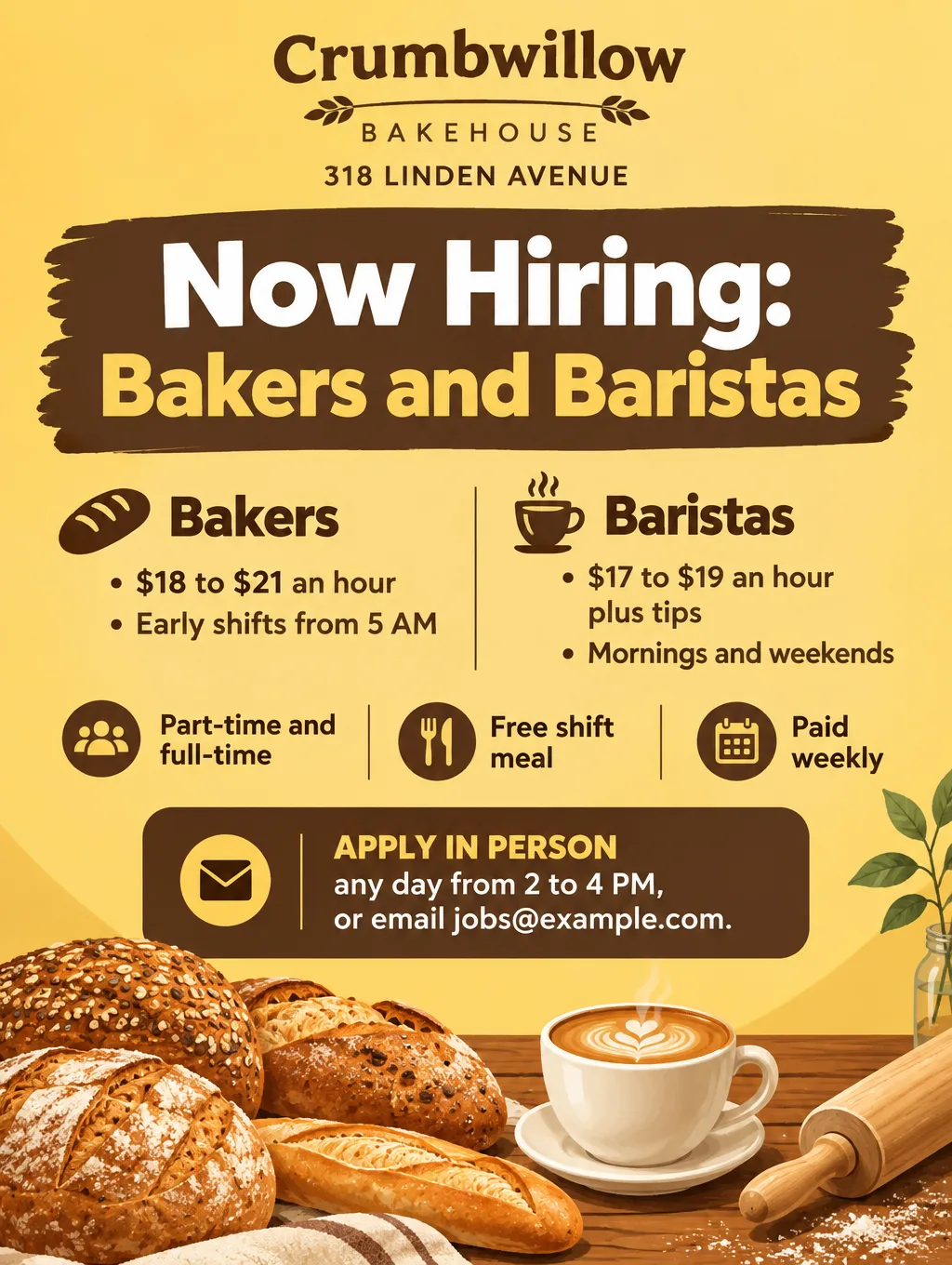
Restaurant, cafe and bakery jobs
- Headlines: "Now Hiring Baristas", "Join Our Kitchen Crew", "Early-Morning Bakers Wanted"
- Supporting line: "$17 to $19 an hour plus tips. Morning shifts, 6 AM to noon."
- Call to action: "Apply at the counter any day, 2 to 4 PM. Ask for Dana."
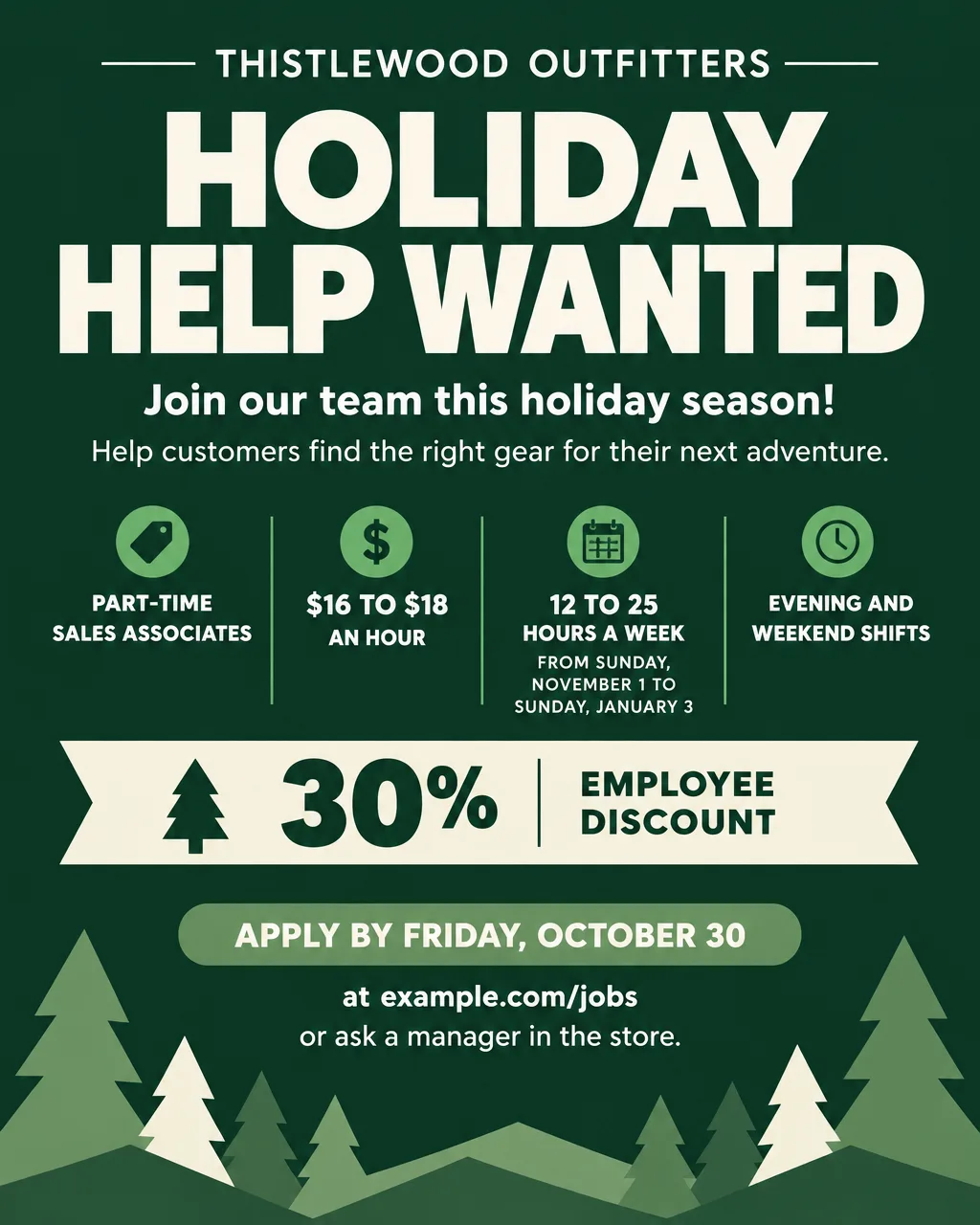
Retail and holiday help
- Headlines: "Holiday Help Wanted", "Now Hiring for the Season"
- Supporting line: "Part-time sales associates, $16 to $18 an hour, November 1 to January 3."
- Call to action: "Apply by Friday, October 30 at example.com/jobs."
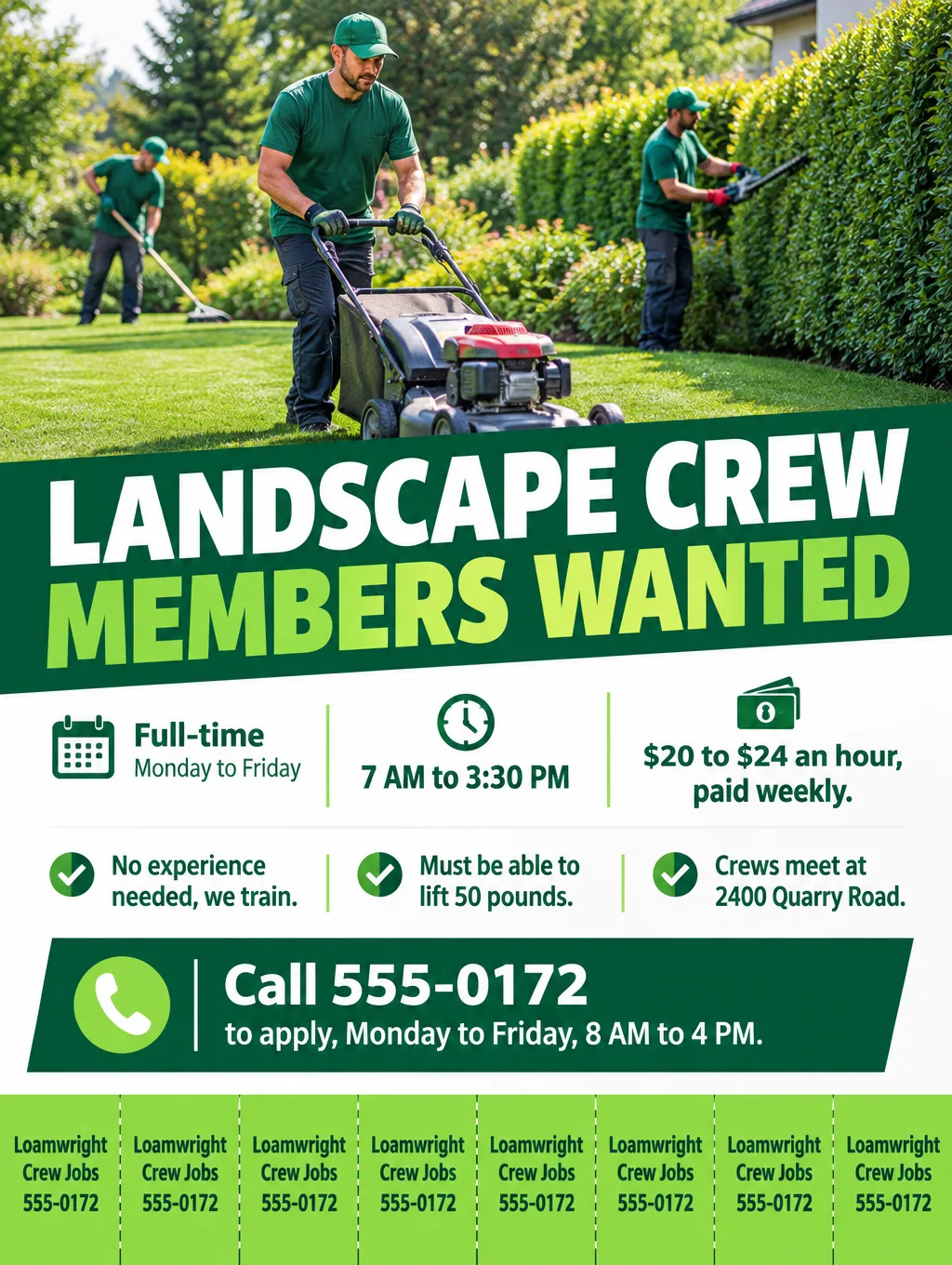
Trades, crews and warehouse work
- Headlines: "Landscape Crew Members Wanted", "Now Hiring Drivers and Helpers"
- Supporting line: "$20 to $24 an hour, full time, paid weekly. We train."
- Call to action: "Call 555-0172, Monday to Friday, 8 AM to 4 PM."
Salon and barber chairs
- Headlines: "Now Hiring Licensed Stylists", "Chair Open: Barber Wanted"
- Supporting line: "Commission 45%, or booth rent $250 a week. Bring your license and portfolio."
- Call to action: "Text 555-0106 to set up a working interview."
Open interviews and hiring events
- Headlines: "Open Interviews Thursday", "Hiring Event: Meet the Team"
- Supporting line: "Thursday, October 22, 3 to 7 PM, 318 Linden Avenue. Walk in with or without a résumé."
- Call to action: "Can't make it? Apply at example.com/jobs."
After-school jobs
- Headlines: "After-School Jobs, Ages 14 and Up", "Weekend Shifts, No Experience Needed"
- Supporting line: "Tuesday to Friday, 4 to 7 PM, and Saturday mornings. $15 an hour. Work permit required where your state asks for one."
- Call to action: "Pick up an application at the counter with a parent or guardian."
A flyer for a vacancy that should reach Spanish speakers can be all Spanish, or bilingual with each line paired. Hiring headlines such as "Estamos contratando", plus Spanish date and time formats, are on the Spanish and bilingual flyers page.
Now hiring flyer with a QR code
A QR code suits the application, because it saves the applicant from typing a long link. Print the pay and job details on the flyer too, so a reader who doesn't scan still has them. To add one:
- Get a short, phone-friendly link to your application form, job board listing or careers page.
- Make the flyer with an empty square for the code. In Flyer Maker, switch on "Leave a blank square for your QR code" under "More options". It won't draw a code, because a drawn pattern can't open your link.
- Create the real code from your link in a QR generator, and paste it into the square with any photo or document editor.
- Write the link under the code ("Apply at example.com/jobs") for people whose phones won't scan.
- Test-scan the printed flyer on one iPhone and one Android phone before you hang it.
Before you print, check the QR code size and margin rules, since a code that's too small or crowded won't scan from a laundromat board.
Design tips for hiring flyers
Put the pay right under the job title. Pay tucked into small print at the bottom helps nobody. A visible range lets a reader decide on the spot whether the job fits.
Show the work, not a stock handshake. A kitchen line, a shelf of bread or a crew trimming hedges tells a reader what the job is. Choose "Photos" or "Illustration" under "Pictures" and describe the scene in your description.
Use tear-off tabs on community boards. Ask for "tear-off tabs with our phone number along the bottom edge" in the description, and each reader can take a number home.
Keep applying to one step. "Apply in person 2 to 4 PM" or one link beats "email your résumé, then call, then fill out our form".
Take the flyer down when the job is filled. Put a start date on it so an old flyer on a laundromat board doesn't keep sending you applicants in March.
Now hiring flyer sizes and where to post
| Spot | Paper or format | Flyer Maker setting |
|---|---|---|
| Front window, door, register | Letter, 8.5 x 11 in | Tall, 4K |
| Community board with tear-off tabs | Letter, 8.5 x 11 in | Tall, 4K, Packed layout |
| Facebook groups, Instagram, Nextdoor | 4:5 image | Portrait, 1K |
A letter page needs 2550 x 3300 pixels at 300 DPI. Tall at 4K gives 2480 x 3312, which fills the sheet at roughly 290 pixels per inch after a thin trim. Ask the store manager or librarian before you post on their board, and check your city's rules before you use a utility pole. Half sheets, posters and other paper sizes are covered in the flyer size guide.
How to make a now hiring flyer in Flyer Maker
- In Flyer Maker, write the posting into "Describe your flyer": title, pay range, schedule, location, requirements, perks and the one way to apply.
- Attach your logo so applicants recognize the business from its sign.
- Select Tall for a printed posting, or Portrait for a job group post.
- Open "More options": Business as the Flyer type, 4K Quality for print, and the "Packed" layout when you've asked for tear-off tabs. The phone or link goes in "Contact info".
- Turn on the QR square ("Leave a blank square for your QR code") if an application code will go on it.
- Tap "Create flyer" and wait while the design is made, usually about 30 seconds.
- Compare the pay, hours, phone and email with your listing, and remove any slogan you didn't write, since Flyer Maker fills in what a description leaves out. The "Want to change something?" box under the result fixes one detail for a current 60 credits (70 at 2K, 90 at 4K); to change several, edit the description.
Keep the saved description. Next season, change only the title, pay and start date, and check the range still matches what you'd pay on day one.