A Small Business Saturday flyer has a narrow window: it goes up in November and does its job on one Saturday, the one after Thanksgiving. Shop owners tape one in the front window and post the same image to Instagram, and main street groups print one flyer that lists every shop taking part. The wording ideas below are mostly offers, each with its limits written in. For flyers the rest of the year, see flyer ideas for small business.
What Small Business Saturday is and who runs it
Small Business Saturday is the Saturday after Thanksgiving, set aside for shopping at independent local businesses. American Express founded it in 2010, and the US Small Business Administration has officially cosponsored it since 2011. In 2026, Thanksgiving is Thursday, November 26, so Small Business Saturday is November 28.
American Express offers free Shop Small marketing files: square social posts at 1080 x 1080 pixels, stories at 1080 x 1920, and 8.5 x 11 inch posters as PDFs. As of September 2026 the posted set has summer and general Shop Small designs, so look again in November. You don't need to accept American Express cards to download them. Their terms of use say the files may not be modified unless American Express allows it, and the Shop Small toolkit says the Shop Small name shouldn't appear next to discounts, contests or offers. That leaves you two routes. Use the Amex files as they come, or design your own flyer with your offer on it and write "Small Business Saturday" as plain words, with no Shop Small logo or slogan.
A main street merchants' association or chamber of commerce can also apply to be a Shop Small "Neighborhood Champion". Applications usually open each fall, and approved champions get a free event kit that American Express says includes tote bags, posters and stickers, while supplies last. American Express suggests giving the kit's tote bags to shoppers on the day.
What to put on a Small Business Saturday flyer
A shopper walking past your window sees the top half first, so put the details in this order:
- The day and date. "Small Business Saturday, November 28". Some people won't know the name, and the date answers that.
- Your shop name. Large enough to match the sign above your door.
- The hours. Say so if they're longer than usual: "Open early, 8 AM to 7 PM."
- One headline offer. "15% off everything", "Free gift wrap", "Buy 2 candles, get 1 free". One offer reads faster than four.
- The limits. "In-store only", "Until 6 PM", "First 50 customers", "Excludes gift cards". Printed limits save arguments at the register.
- The street address and a landmark. "42 Main Street, next to the post office."
- What's local about you. "Candles poured in our back room", "Books picked by our staff". One line.
- Something free at the door. Cider, cookies, a local musician from 1 to 3 PM, a kids' coloring table.
- Parking. "Free parking behind the bank on Saturdays" matters on a crowded main street.
- Where to see more. Your website, a phone number to hold an item, or a QR code linking your holiday gift guide.
- For group flyers, every shop's name. Same type size for each, plus the block or a small map.
Small Business Saturday flyer ideas and wording
Each business type needs a different offer. These are starting points to adapt, with fictional details.
Gift shop or boutique
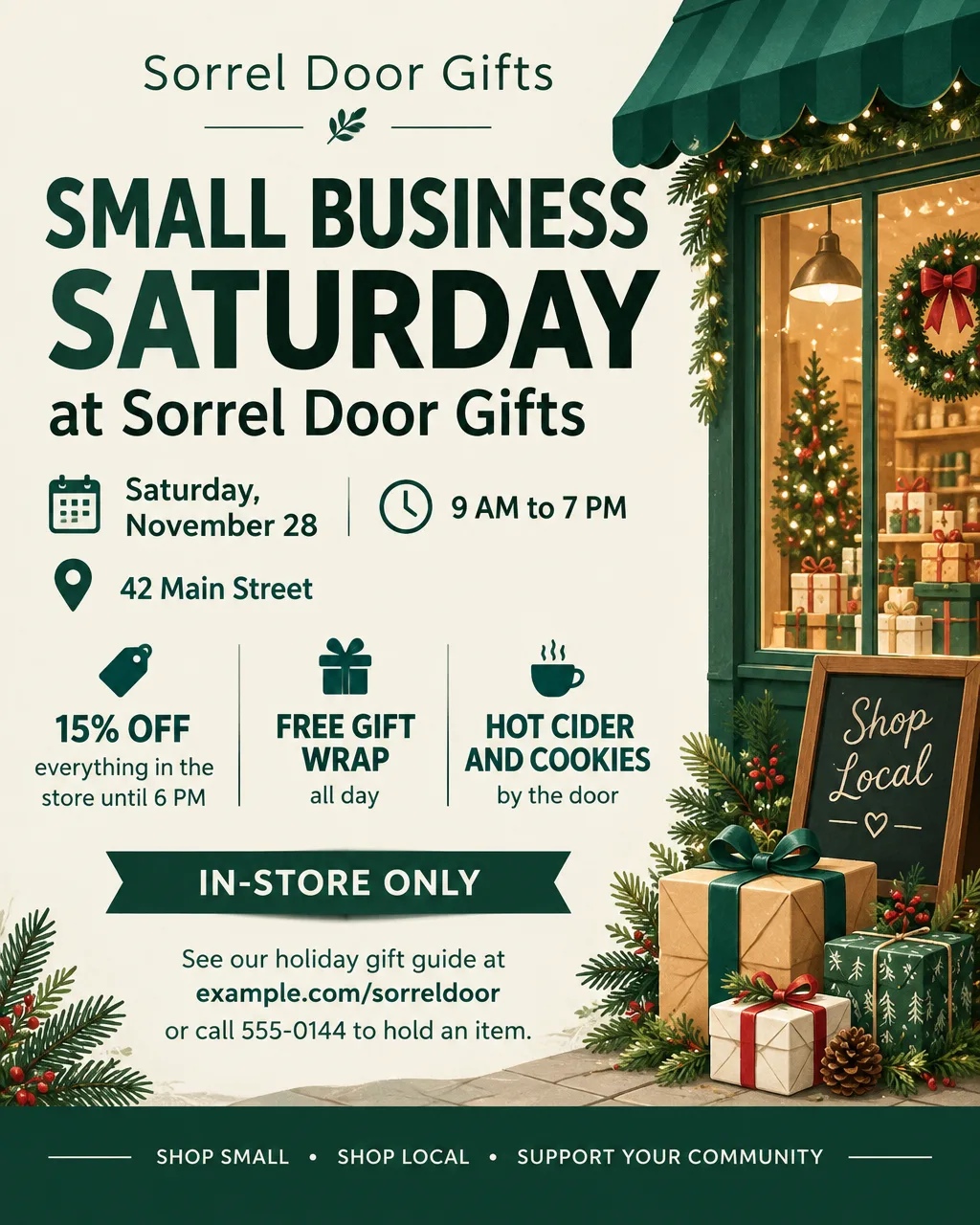
- Headlines: "Small Business Saturday Starts at 9 AM", "Small Business Saturday: 15% Off Everything", "Wrapped and Ready: Free Gift Wrap All Day"
- Supporting line: "Saturday, November 28, 9 AM to 7 PM. Cider and cookies by the door."
- Call to action: "Call 555-0144 to hold an item until Saturday."
Main street stamp card or passport
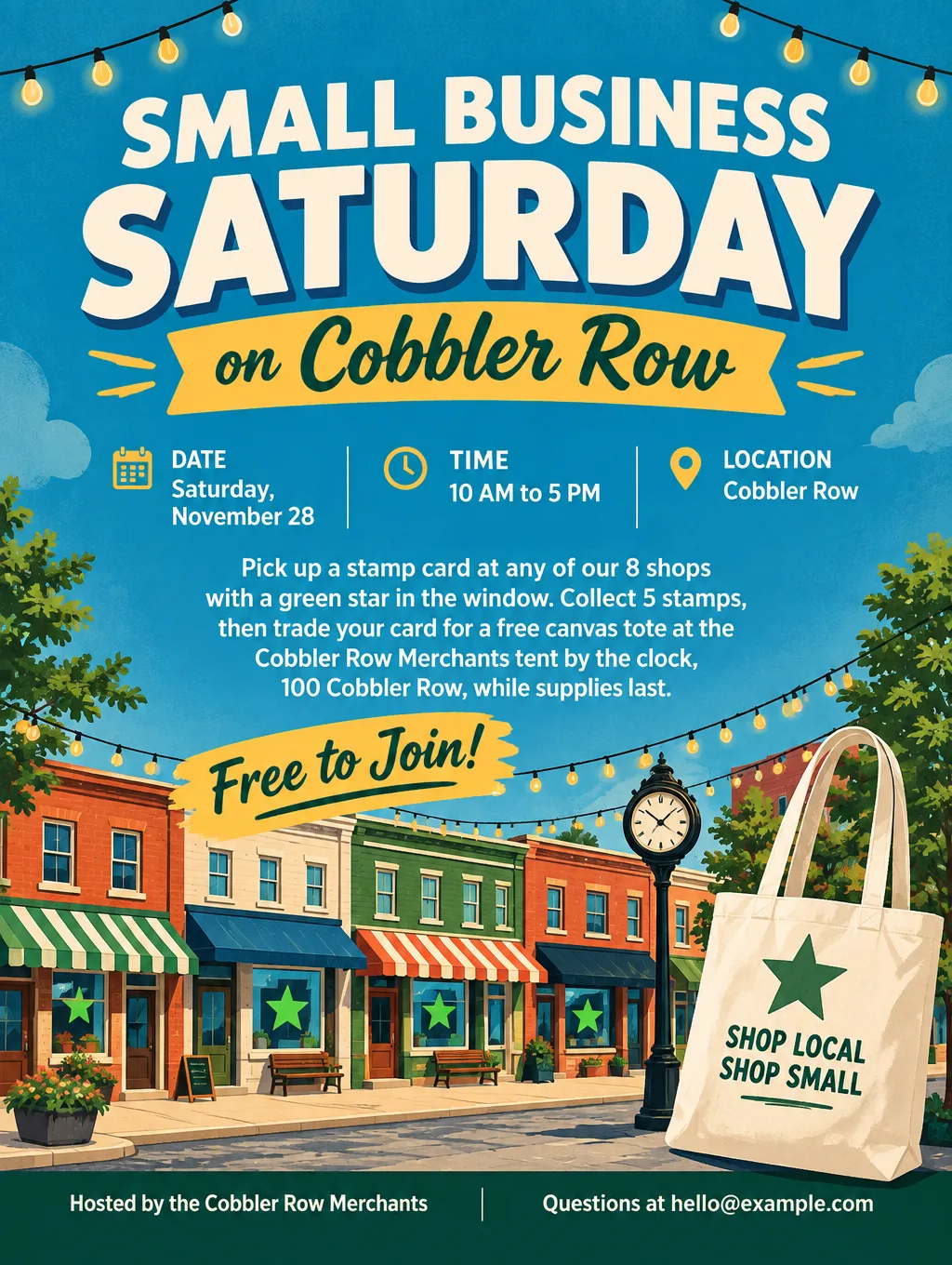
- Headlines: "Small Business Saturday on Cobbler Row", "Collect 5 Stamps, Get a Free Tote", "One Street, 8 Shops, One Saturday"
- Supporting line: "Pick up a card at any shop with a green star in the window."
- Call to action: "Turn in your card at the merchants' tent by 5 PM."
Keep the prize something the group hands out, like a tote bag. A prize drawing can fall under your state's raffle or sweepstakes rules, so check them before you print one.
Café or bakery
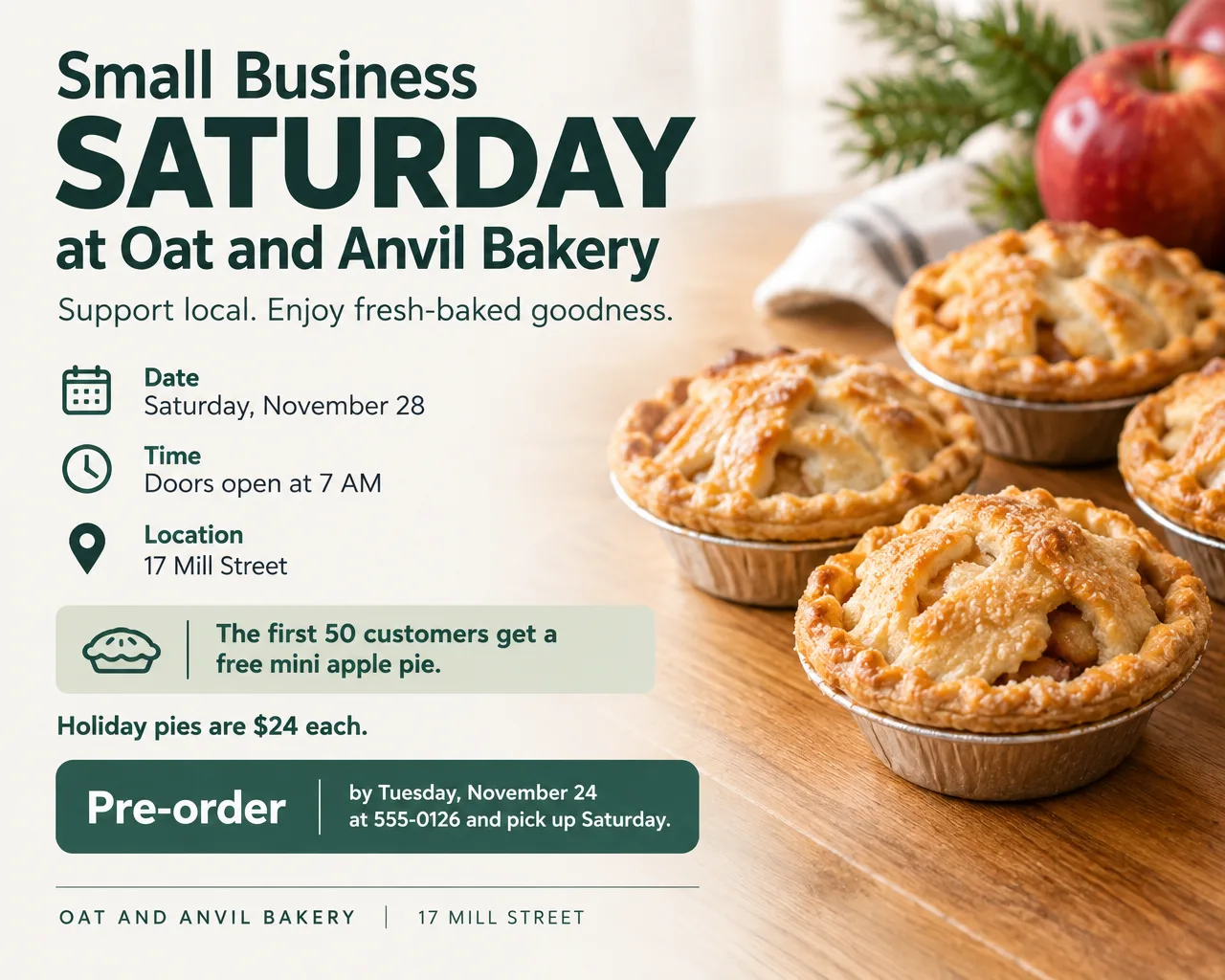
- Headlines: "First 50 Get a Free Mini Pie", "Coffee's On Us Until 9 AM"
- Supporting line: "Holiday pie pre-orders close Tuesday, November 24."
- Call to action: "Pre-order at 555-0126 and pick up Saturday."
Salon, spa or gym
- Headlines: "Give the Gift of a Blowout", "Buy a $50 Gift Certificate, Get $10 Free"
- Supporting line: "Saturday only. Bonus certificates are good from January 2."
- Call to action: "Book or buy at the front desk, or call 555-0139."
A gift certificate offer needs its own design. The gift certificate template page covers the wording and the rules on expiration dates.
Maker market inside a shop
- Headlines: "Local Makers Pop-Up, Saturday Only", "Meet 6 Local Makers at Sorrel Door"
- Supporting line: "Jewelry, soap and ceramics, 10 AM to 4 PM in our back room."
- Call to action: "See the maker list at example.com/sorreldoor."
A single brand selling for a day is a pop-up; the pop-up shop flyer page covers that layout. Twenty vendors under one roof is closer to a holiday market or bazaar flyer.
Hardware store or bookshop
- Headlines: "Shop Local, Fix Local", "Staff Picks for Every Reader on Your List"
- Supporting line: "10% off with this flyer, Small Business Saturday only."
- Call to action: "Bring this flyer to the register."
The same design doubles as a Small Business Saturday advertisement in a local paper or a Facebook post. Keep the offer and hours word for word the same everywhere it appears.
Design tips for Small Business Saturday flyers
Size the offer for a window at walking pace. People pass a shop window in a few steps. The day's name and your offer should fill the top half, with the date as the next-biggest line.
Use your own colors. A shop with a green awning should have a green flyer. In Flyer Maker, "My brand colors" has no color picker, so name the colors in your description ("deep green and cream") or add your logo with "Add your logo".
Show what you sell, not stock shoppers. An illustration of your kind of product (candles, books, pies) says more than a photo of strangers with bags. Flyer Maker has no product-photo slot. For a flyer built around a photo of your own shelf, put the photo in Smart Editor (Pro plan) and describe the words to add.
List every shop at the same size on a group flyer. Put the names in alphabetical order so no shop looks like the sponsor. The "Packed" layout fits more text; keep the list to about a dozen names and check the spelling of each.
Give every shop on a group event the same window sign. "Look for the green star in the window" only works if all 8 shops tape up the same star. Put the same star on the group flyer, so shoppers know what to look for before they reach the block.
Small Business Saturday flyer sizes and printing
These three print sizes suit a shop on Small Business Saturday:
| Use in the shop | Size in inches | Pixels for 300 DPI printing | Choose in Flyer Maker |
|---|---|---|---|
| Front window or door | Letter, 8.5 x 11 in | 2550 x 3300 | Tall, 4K |
| Counter card by the register | 5 x 7 in | 1500 x 2100 | Tall, 2K |
| Bag stuffer or handout | Quarter sheet, 4.25 x 5.5 in | 1275 x 1650 | Tall, 2K |
Tall at 2K is 1536 x 2048 pixels, which covers a 5 x 7 inch card at about 290 pixels per inch once you trim about a quarter inch off the width. To print four quarter sheets on one letter page, place the image four times on a page in Word or Google Docs, then cut. Use Portrait (4:5) for Instagram and Facebook posts. Standard flyer sizes in inches and pixels are listed separately.
How to make a Small Business Saturday flyer in Flyer Maker
- Write your offer first. Decide the discount, the hours and the limits before you open anything, so every version says the same thing.
- Open Flyer Maker and type it all into "Describe your flyer": "Small Business Saturday, November 28", your shop name, hours, address, the offer with its limits, and your colors.
- Select "Add your logo" and upload your shop's logo if you have one. Flyer Maker places it small, usually in the header or footer.
- Pick Tall for the window print.
- Open More options and set Flyer type to Sale for a discount, or Event for a main street stamp card. Choose "My brand colors" if you named your colors, and "Packed" as the layout for a group flyer with many shop names.
- Put your website or phone in "Contact info". Flyer Maker uses only the contact details you type, so read the number back on the result.
- Select "Create flyer" and check the result: the date, every price and percentage, the address and the hours. If one detail is off, type the fix in "Want to change something?" (currently 60 credits, 70 for 2K, 90 for 4K).
- Make the social version. Switch the Size to Portrait and create it again with the same description (another 80 credits at 1K), so the window print and the Instagram post carry the same words.