A barber shop flyer has to answer three questions from the sidewalk: how much a cut costs, whether you take walk-ins, and which night you stay open late. Shops tape barber shop flyers inside the front window, tuck them into each station mirror, and post them on Instagram. Below are the lines for a price list, a kids' cut day and a back-to-school special, how to word a free offer so it reads clearly, and the sizes for a window, a wall poster and a station card. Other shops on the block can start from the flyer ideas for small businesses.
What to put on a barber shop flyer
Get the words right first. These go on the flyer in order of size:
Must have
- A short price list. Five to eight services people ask about: haircut, skin fade, beard trim, lineup, kids' cut, hot towel shave. Add-ons like designs can go on one line ("Designs from $5").
- Walk-ins, appointments or both. Spell out how it works: "Walk-ins until 5 PM, appointments after". Someone deciding whether to come in now reads this line first.
- Hours, with the late night. "Open late Thursdays until 9 PM" is the line that matters to anyone who works until 6.
- Street address and a landmark. "Corner of Kettle Road and 3rd, across from the library."
- How to book. A phone line that accepts texts, or a booking QR code.
- The shop name and logo, the same on every flyer, so a new one is recognizable at a glance.
Optional
- Barbers and their days. "Andre: Tuesday to Saturday. Luis: Wednesday to Sunday." A regular can see when their barber is in.
- Kids', seniors' and military prices, with the rule ("Kids 12 and under", "Military with ID").
- Payment. "Cash, cards and tap to pay."
- A loyalty card. "One stamp per cut. Ten stamps earns a free haircut."
- Languages your barbers speak. "Se habla español" on its own line, or a full Spanish version of the flyer.
- Your Instagram handle, where people can see this week's fades before they sit down.
Barber shop flyer ideas, wording and examples
These barber shop flyer ideas cover the flyers a shop puts up through the year. Every name, price and date below is made up; use your own.
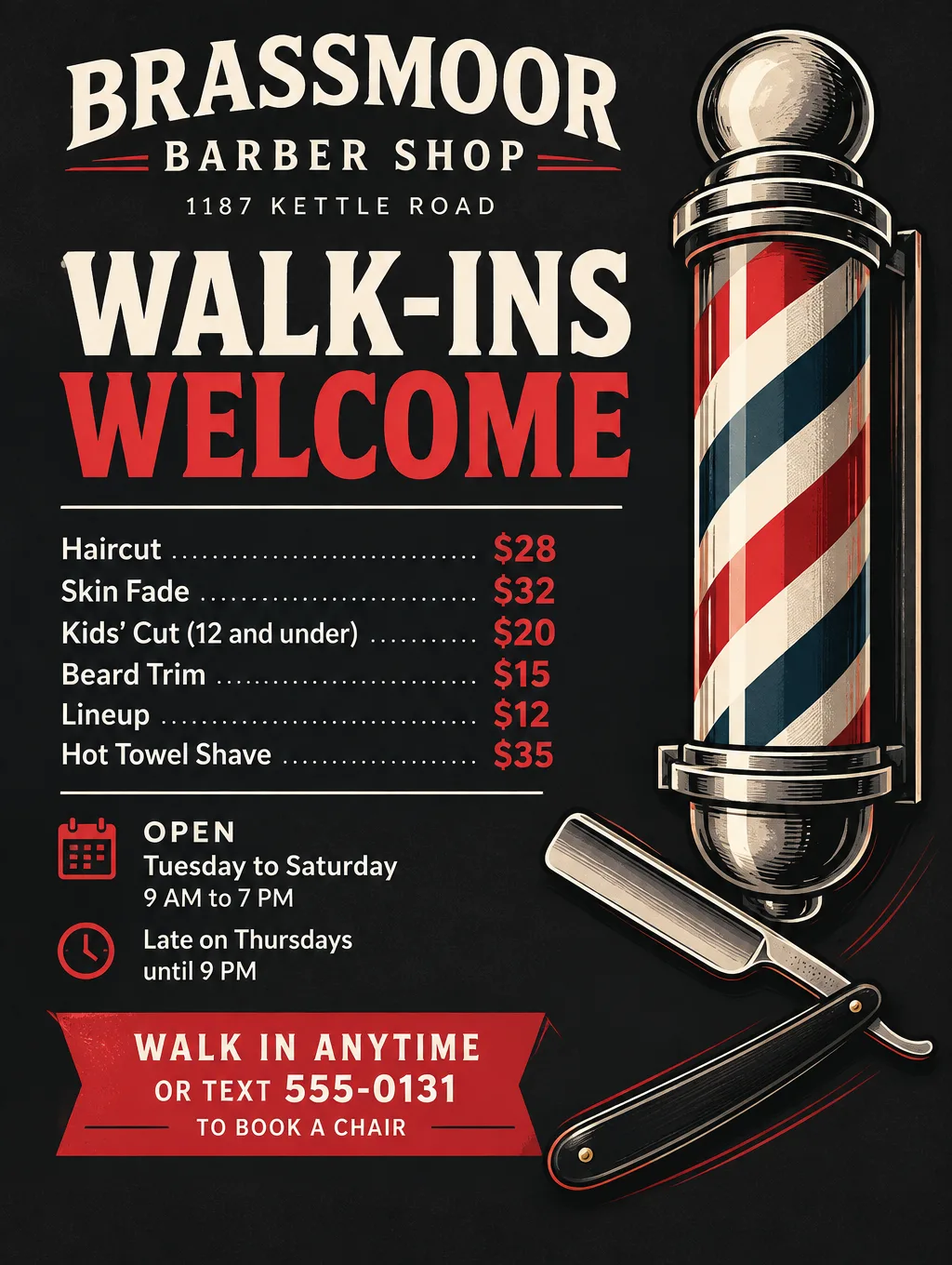
Price list and walk-in flyer
- Headlines: "Walk-Ins Welcome" or "Cuts From $28"
- Supporting line: "Haircut $28. Skin fade $32. Beard trim $15. Lineup $12. Open late Thursdays until 9 PM."
- Call to action: "Walk in, or text 555-0131 to book."
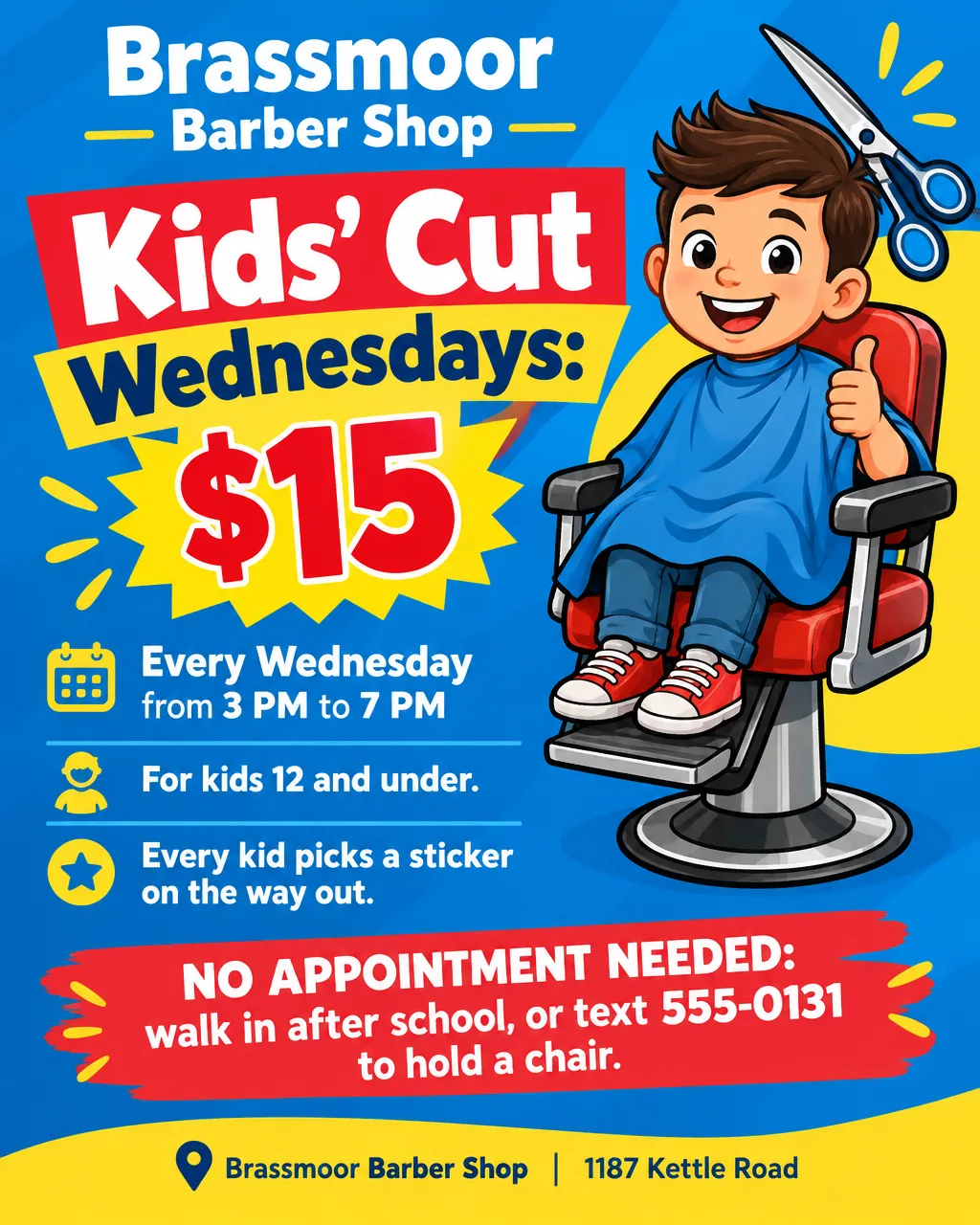
Kids' cut day
- Headlines: "Kids' Cut Wednesdays: $15" or "After-School Cuts"
- Supporting line: "Ages 12 and under, every Wednesday from 3 to 7 PM."
- Call to action: "No appointment needed. Come straight from school."
Back-to-school specials
- Headlines: "Back-to-School Cuts, $18" or "Fresh for the First Day"
- Supporting line: "Kids 5 to 17, the first three weeks of August. Teens bring a student ID."
- Call to action: "Text 555-0131 to book a chair before school starts." Print the dates big so parents can plan around the first day. For school supply drives and school events, see the back-to-school flyers page.
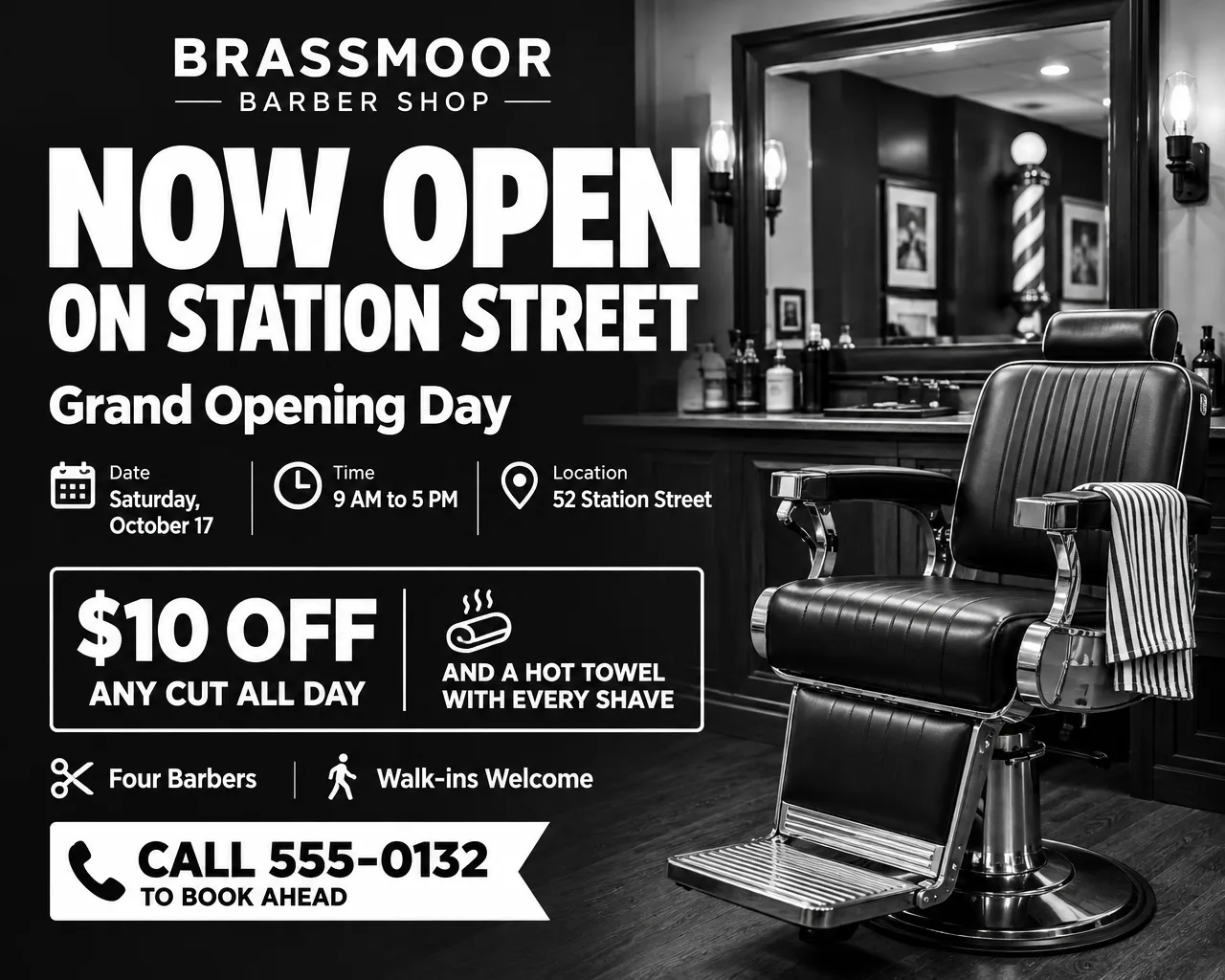
Grand opening or a new barber
- Headlines: "Now Open on Station Street" or "Meet Marcus, Our New Barber"
- Supporting line: "$10 off any cut on opening day, Saturday, October 17, and a hot towel with every shave."
- Call to action: "Walk in or call 555-0132." The grand opening flyer page has more opening-week wording and a checklist for the day itself.
Holiday rush, prom and picture day
- Headlines: "Book Your Holiday Cut", "Prom Cuts and Shaves" or "Picture Day Lineups"
- Supporting line: "Extra chairs December 20 to 23, 8 AM to 9 PM."
- Call to action: "Scan to book your holiday chair."
Chair for rent
- Headlines: "Chair Available" or "Barbers Wanted"
- Supporting line: "Booth rent $225 a week. Keep your own clients and hours. Licensed barbers only."
- Call to action: "Text photos of your work to 555-0134." A chair-rent flyer is a hiring flyer at heart, and the now hiring flyer ideas cover pay lines and how to apply.
A salon down the street needs different lines again (service menus, nail art, booking deposits), which the nail salon flyer ideas cover.
Free cut and free trim offers on a barber shop flyer
Put every condition right next to the word "free", in the same size type. Write "Free beard trim with any haircut, Tuesdays only", not "Free beard trim*". A condition hidden behind an asterisk at the bottom is the one clients miss, and then it comes up at the chair.
- The paid cut stays at its regular price. Keep the haircut at the price you've been charging. Raising a $28 haircut to $33 the week the free trim starts defeats the offer.
- Give a free offer an end date. "Tuesdays through October 27" makes it a real deal. A free trim that never ends starts to read as part of the price, and regulars stop noticing it.
- A standing deal reads better as a price. "Parent and kid cuts, $40 together" can stay on the window all year without the word "free".
Barber shop flyer design tips
Calm behind the prices, busy behind the headline. Any barber shop flyer background works (a dark solid, a shop photo, a subtle stripe) as long as the price list sits on a plain panel of color. Every number should read from the doorway.
Keep barber pole stripes to the border. Red, white and blue stripes behind text break up the letters. Use them as a frame, a corner accent or a small icon beside the shop name.
Use the cut names from your board. If your chalkboard says "taper" and "shape-up", the flyer should too. That way clients can point at the name they already know.
Describe the cut you want pictured. Flyer Maker's Photos setting makes a new picture rather than using one of yours, so describe it the way you'd describe it to a new barber ("a clean mid skin fade with a sharp lineup"), or pick Illustration for a barber pole, clippers or a chair. For a photo of your own work, ask the client first.
Match the style to the shop. A classic shop leans on Retro style and Dark colors; a modern fade studio suits Bold style with Black and white. Keep the choice the same on every flyer so regulars know it's yours.
Barber shop flyer sizes and printing
A barber shop needs a window flyer, a price poster for the wall and a small card for each station.
| Spot in the shop | Paper size | Pixels at 300 DPI | Shape and quality |
|---|---|---|---|
| Front window | 8.5 x 11 in | 2550 x 3300 | Tall (3:4), 4K |
| Price poster on the wall | 18 x 24 in | 5400 x 7200 | Tall (3:4), 4K |
| Station mirror card | 4 x 6 in | 1200 x 1800 | Tall (3:4), 2K, with a white strip at the bottom |
| Instagram and Facebook | Phone screen | None | Portrait (4:5), 1K |
An 18 x 24 inch poster, one of Vistaprint's standard poster sizes, has the same 3:4 shape as the Tall size, so nothing gets cropped. At 4K (2480 x 3312 pixels) that works out to about 138 pixels per inch, a little under the 150 dpi Vistaprint's poster page says to aim for at minimum. 4over4's print guide says 150 DPI holds up for posters read from three to five feet away, and 138 falls just short of that, so hang yours where clients read it from the waiting chairs, not at arm's length. Pick 2K or 4K for anything printed. For the other standard sizes, open the flyer size guide.
Two more barber flyer prompts
A back-to-school special and a holiday-hours notice, written to paste into Flyer Maker. Put your own shop, prices and number in place of the invented ones.
Back-to-school flyer for Brassmoor Barber Shop, 1187 Kettle Road. Headline: "Back-to-School Cuts, $18". For kids 5 to 17, Tuesday, August 3 to Saturday, August 21. Teens bring a student ID. Open Tuesday to Saturday, 9 AM to 7 PM, and late on Thursdays until 9 PM. Walk in after school, or text 555-0131 to book a chair before the first day. Bold navy and yellow design with an illustration of a backpack beside a barber chair.Holiday hours flyer for Brassmoor Barber Shop, 1187 Kettle Road. Headline: "Holiday Cuts: Extra Chairs, Longer Hours". Open 8 AM to 9 PM from December 20 to 23, and closed December 24 and 25. Haircut $28, skin fade $32, beard trim $15. Walk-ins welcome, but booking holds your spot: scan the QR code or text 555-0131. Dark green and cream design with a small illustration of clippers wrapped in a red ribbon.Common mistakes on barber flyers
- No word on walk-ins. Someone who can't tell whether they need an appointment has to call or guess. Print "Walk-ins welcome" or "Appointments only", whichever is true.
- Prices without the add-ons. If a beard trim with a cut costs extra, say how much, so the total at the chair isn't a surprise.
- Hours without the late day. One late night a week is worth its own line.
- A barber who left still listed. Update the names on the flyer the week someone moves on.
How to make a barber shop flyer in Flyer Maker
- Type the whole flyer into "Describe your flyer" in Flyer Maker. Begin with the headline in quotes, then each service and price, the hours, the address and how to book, in the order you want them read.
- Attach the shop logo with the "Add your logo" button. The logo usually ends up small, along the top edge or the bottom edge.
- Set "Size". Tall covers the window flyer and wall poster, Portrait fits Instagram, and Wide suits an email or a screen by the register.
- Open "More options" and choose Split under Layout, and say in your description that the price list goes on one side and the picture on the other. Business works as the Flyer type for price lists; Sale fits a one-week special. Choose Retro or Bold for the Style and Dark or Black and white for the Colors.
- Enter the shop phone and booking link under "Contact info". Flyer Maker works only from the contact details you enter, so if two barbers take their own bookings, list both numbers there.
- For a booking code, turn on "Leave a blank square for your QR code", download the flyer, and drop your real code into the empty square. Flyer Maker won't draw one.
- Hit "Create flyer"; it needs about 30 seconds.
- Read every price, hour, barber name and phone number. A single wrong detail, or a slogan you never typed, can be fixed through "Want to change something?" below the flyer; at 1K that's currently 60 credits, rising to 70 at 2K and 90 at 4K. For several changes at once, fix the description and generate again.