A personal trainer flyer sells you: your specialty, your schedule and a first session that lets someone try you out. A gym flyer sells memberships and class times; yours has to say who you train and why a stranger should book an hour with you. These flyers go up on gym and community boards, in apartment lobbies and running stores, and on Instagram. Below are a checklist, wording for intro offers and seasonal pushes, how to word "free" offers and results, and the steps in Flyer Maker.
What to put on a personal trainer flyer
Most of this list works for any small business flyer. Items 3, 6 and 7 are the ones clients judge a trainer on. In order:
Must have
- Who you train, as the headline. "Strength Training for Beginners Over 50" tells a reader in one line if this trainer is for them. "Get Fit Now" doesn't.
- One intro offer, with its conditions beside it. "First session free, new clients 18 and up, one per person."
- Two or three specialties. Strength basics, mobility, running, sport conditioning. Pick the ones you want referrals for.
- Where you train. Your studio address, clients' homes within a set distance, a gym you work from, or online.
- Session length and price. "60 minutes, $70. 10 sessions, $600."
- Your certification by its full name, plus the organization that issued it.
- How to book. A number to call or text, or a scannable code that opens your calendar.
Optional
- Your hours. "Weekdays 6 AM to 8 PM, Saturdays 7 AM to noon."
- What the first session includes. A health questionnaire, a movement check and a first workout.
- A small-group or partner option at a lower price per person.
- Languages you coach in. If you coach in Spanish, say so, or make a bilingual version; the Spanish flyer page shows bilingual layouts.
- Tear-off tabs with your number, for community boards.
Personal trainer flyer ideas and wording
These personal trainer flyer examples use an invented trainer and prices. Swap in your own.
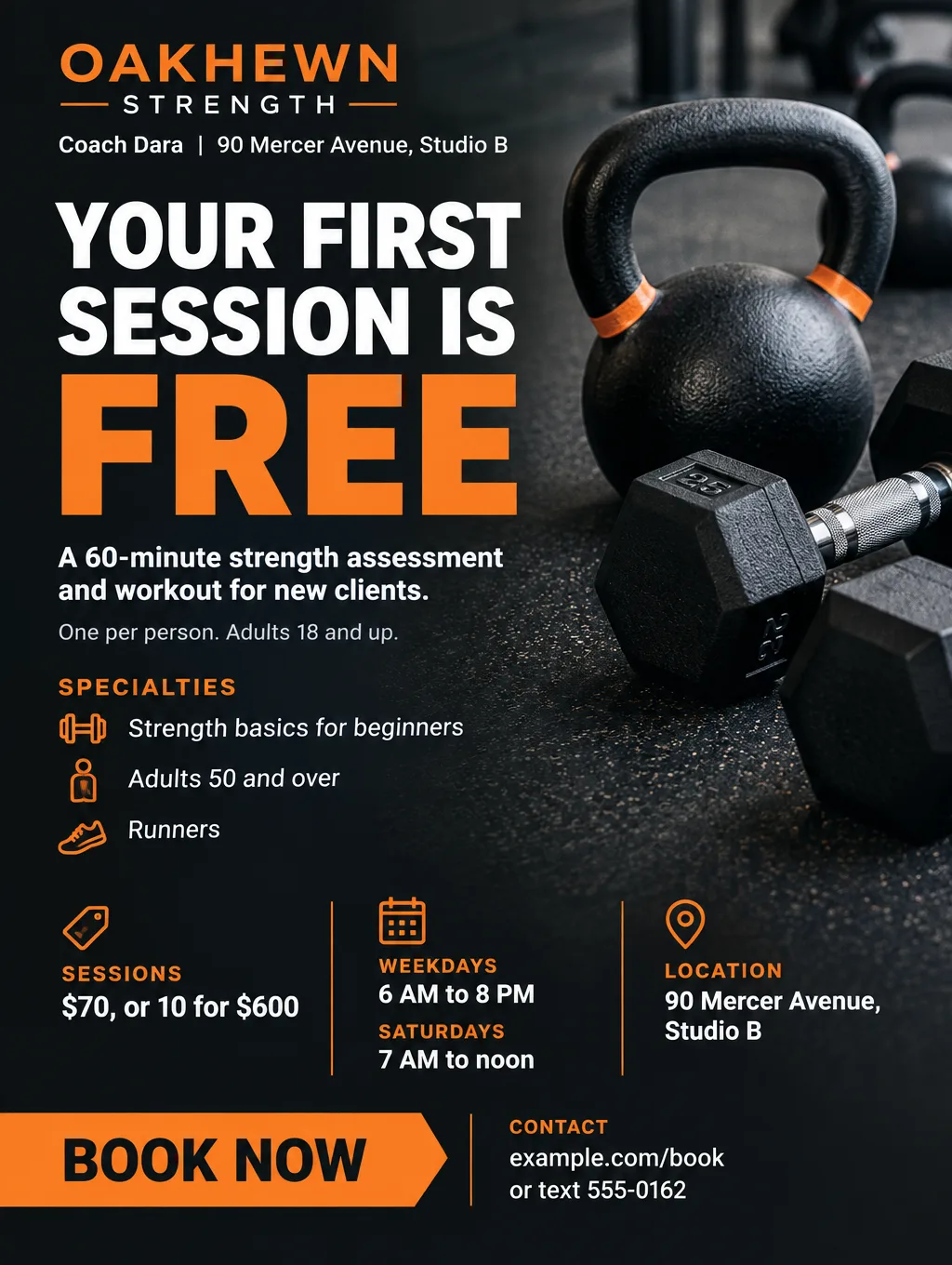
Free first session or assessment
- Headlines: "Your First Session Is Free" or "Try a Session on Me"
- Supporting line: "60-minute assessment and workout. New clients, one per person, adults 18 and up."
- Call to action: "Text 555-0162 or scan to book your time."
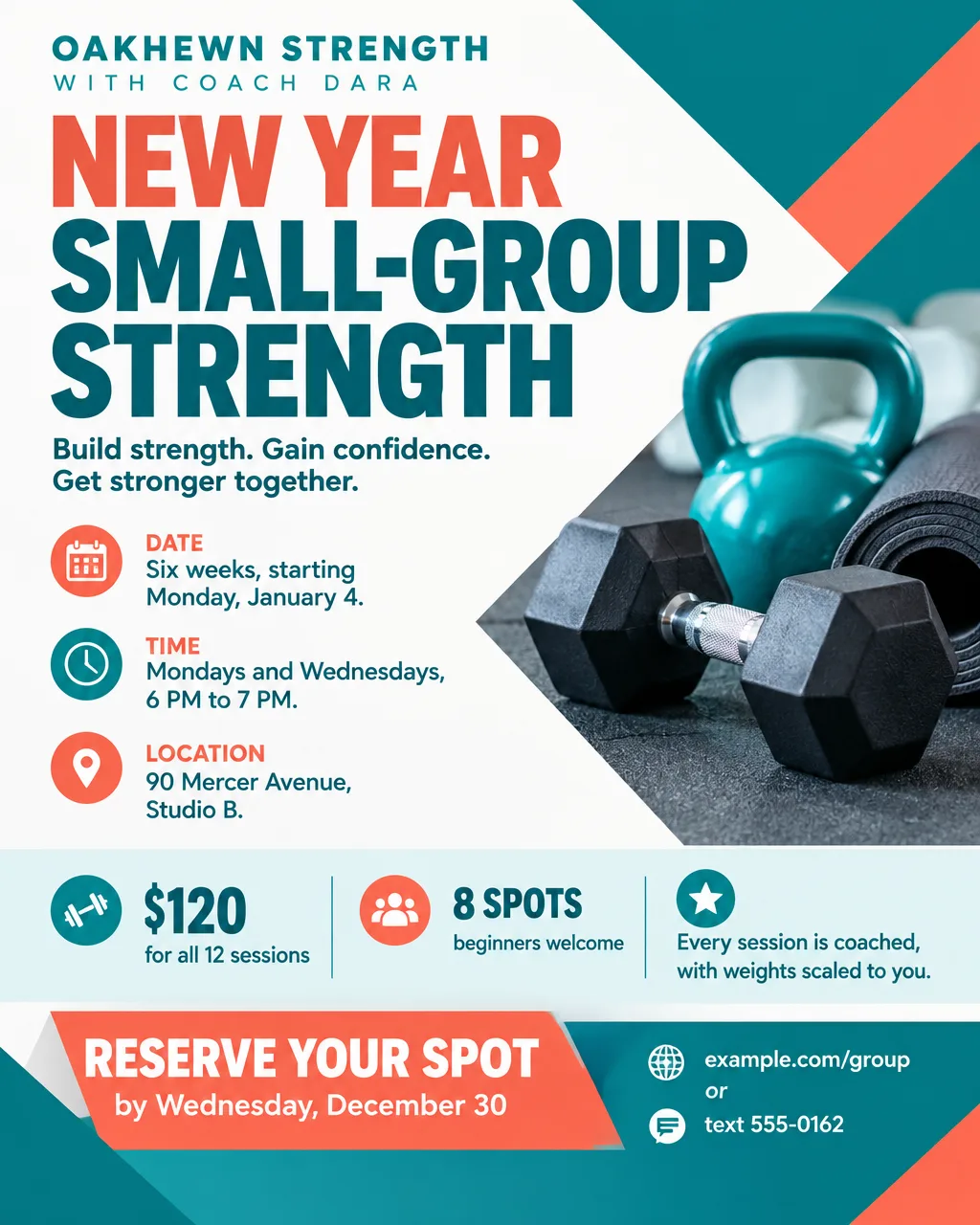
January and New Year push
- Headlines: "New Year Small-Group Strength" or "Start Monday, January 4"
- Supporting line: "Six weeks, Mondays and Wednesdays at 6 PM. $120, 8 spots, beginners welcome."
- Call to action: "Reserve by Wednesday, December 30."
A January flyer sells a start date. Print the first class date and the sign-up deadline, and post it in the second half of December so the start date is close.
Small-group and partner training
- Headlines: "Train With a Friend, Split the Price" or "Small-Group Strength, 4 to 6 People"
- Supporting line: "$40 each for two people, 60 minutes, same coach."
- Call to action: "Bring a friend to a free trial on Saturday, October 17 at 9 AM."
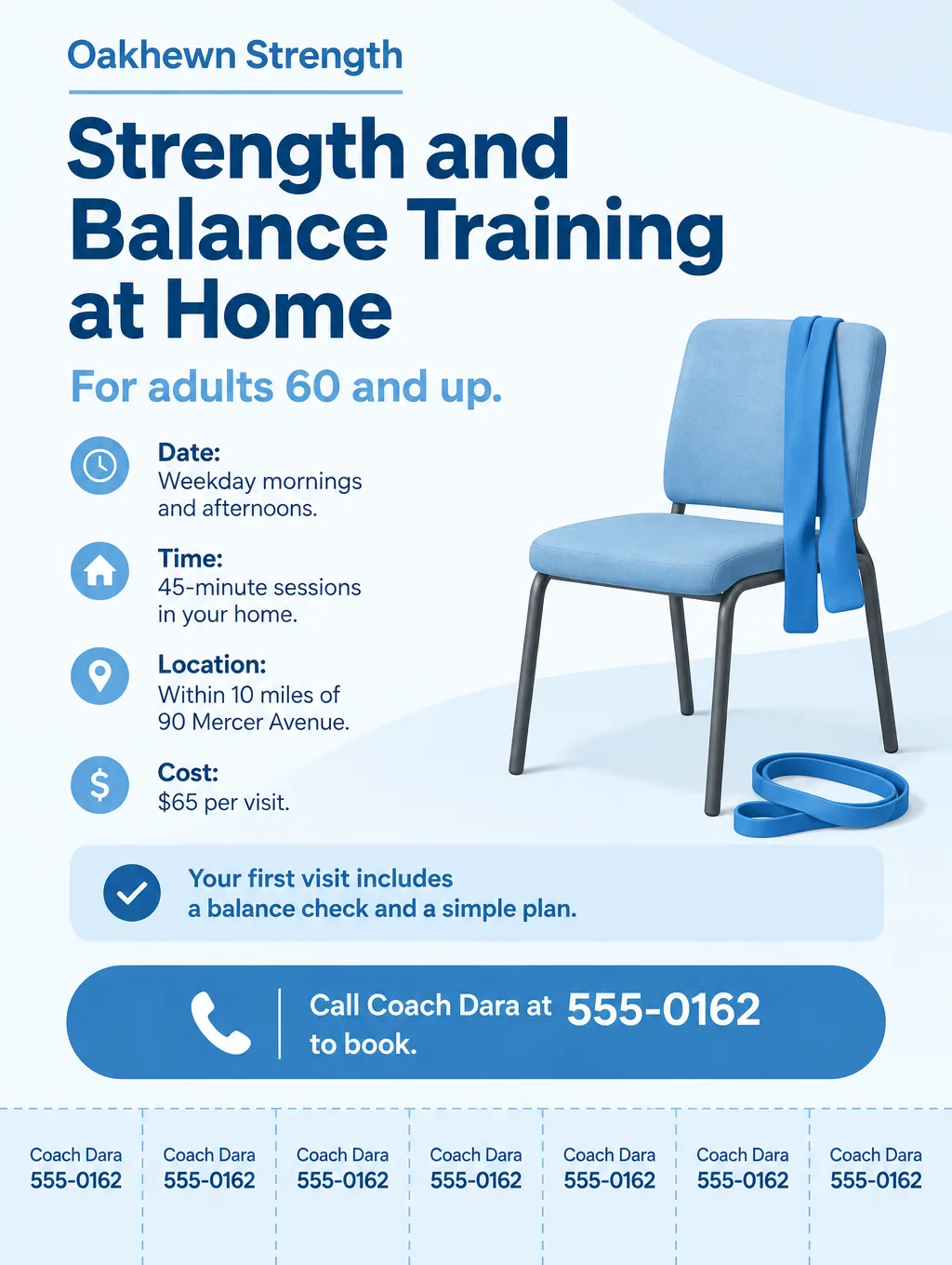
In-home training for older adults
- Headlines: "Strength and Balance Training at Home" or "A Coach Who Comes to You"
- Supporting line: "For adults 60 and up. 45 minutes, $65 per visit, within 10 miles."
- Call to action: "Call Coach Dara at 555-0162." Add tear-off tabs so a neighbor can take the number home.
Online coaching
- Headlines: "Coaching From Your Living Room" or "Live Video Sessions, 30 Minutes"
- Supporting line: "Bodyweight and dumbbell workouts, $45 per live session, plus a weekly plan in your inbox."
- Call to action: "Book a free 15-minute video call at example.com/book."
Every one of these follows the same order: who it's for, what they get, what it costs, and the one thing to do next.
Credentials, free offers and results claims
Three habits keep a trainer's flyer easy to trust.
Name the credential in full. "Certified" on its own tells a client little. The US Registry of Exercise Professionals (USREPS) lets the public verify trainers who hold NCCA-accredited or ISO 17024-compliant certifications from its member organizations, which include ACE, ACSM, NCCPT, CSCCa, NCSF and NSCA. Print the certification's full name so a client can look it up.
Put the conditions next to "free". Put every condition right next to the word "free", in the same size type: "First session free, new clients 18 and up, one per person." A condition hidden behind an asterisk at the bottom is the one readers miss, and it turns into an awkward talk at the first session.
Sell what you can prove. Only print results you can back up with your own records, and show typical results, not your best one. "Lose 20 pounds in 6 weeks" is the kind of line most new clients won't match, so leave it off. The gym flyer page covers weight-loss wording in more detail. Leave body photos off entirely. An AI-drawn body is not a client, and a real client's before and after photo is a results claim of its own.
Design tips for personal trainer flyers
Show the gear, the space or you. A photo of kettlebells, a clean studio floor, or your own portrait sells the session without a body. People in a Flyer Maker Photos design are invented, so never present one as you or as a client. For a flyer built around your real headshot, Smart Editor (Pro plan) takes one photo and the flyer text you type.
Give board readers a tab to tear off. A strip of number tabs lets someone take your contact without snapping a photo. Ask for them in the flyer description.
Print your weekly availability as a table. Weekdays as columns and open slots as rows answer "when can you train me" at a glance. Flyer Maker can build a weekly time table like that; choose the Packed layout for it.
Put the price in the second line. After who you train, the session price is what a reader needs to decide whether to call.
Leave a square for a booking code. Someone standing at the board can then scan and pick a time. The QR code flyer page covers where to get a working code and how big to print it.
Personal trainer flyer sizes and printing
Trainers need a board size, a handout size and a phone size.
| Where it goes | Size | Pixels at 300 DPI | In Flyer Maker |
|---|---|---|---|
| Gym or community board, with tear-off tabs | Letter, 8.5 x 11 in | 2550 x 3300 | Tall (3:4), 4K |
| Handouts at a 5K or a health fair | Half letter, 5.5 x 8.5 in | 1650 x 2550 | Tall (3:4), 2K |
| Instagram and Facebook posts | 4:5 portrait | Screen only | Portrait (4:5), 1K |
Flyer Maker has no square or 9:16 story shape, so use Portrait for the feed. For printing, choose 2K or 4K; tear-off tabs need the letter size to stay large enough to cut. The flyer size guide covers other sheets.
More personal trainer flyer prompts
Two more offers to try. Change the name, prices and dates to yours.
Online coaching flyer for Oakhewn Strength with Coach Dara. Headline: "Coaching From Your Living Room". Live 30-minute video sessions with bodyweight and dumbbell workouts, $45 per session, or 8 sessions for $320. A weekly plan by email between sessions. Weekday mornings and evenings. Book a free 15-minute video call at example.com/book or text 555-0162. Clean white and navy design with an illustration of a laptop, a yoga mat and a pair of dumbbells.Partner training flyer for Oakhewn Strength with Coach Dara, 90 Mercer Avenue, Studio B. Headline: "Train With a Friend, Split the Price". 60-minute partner sessions for two people, $40 each. Same coach, workouts scaled for each of you. Free trial for pairs on Saturday, October 17 at 9 AM. Reserve your pair's spot by text at 555-0162. Energetic red and black colors with a photo of two water bottles and two sets of dumbbells on a bench.How to make a personal trainer flyer in Flyer Maker
- Open Flyer Maker and write in "Describe your flyer". Start with who you train as a quoted headline, then the offer and its conditions, your specialties, price, location, credential and how to book.
- Add a logo only if you have one, in "Add your logo". It isn't a slot for your headshot.
- Choose a Size. Tall (3:4) for boards and tear-off tabs, Portrait (4:5) for Instagram.
- Under "More options", set Flyer type to Fitness. Pick Photos for an equipment picture or Illustration for a softer look, and 4K Quality for a letter-size print.
- Put your phone and booking link in "Contact info". Switch on "Leave a blank square for your QR code" if you'll add a booking code, then paste your real code there.
- Select "Create flyer" and wait roughly 30 seconds.
- Check the offer line word for word. The conditions must sit next to "free", the price must match your rate sheet, and every tear-off tab must show the right number. Fix a line in "Want to change something?" below the flyer (currently 60 credits, 70 for 2K, 90 for 4K), or correct the description and create a fresh version.