Babysitting flyers get read by parents in the school pickup line, in the neighborhood parents' group, and on the corkboard at the library or church. A parent reading one is deciding whether to leave their kids with someone new, so the flyer has to answer the trust questions before the price. Here you'll find the checklist, safe contact wording for teens, lines for date nights, summers and snow days, daycare license lines, sizes, and a step-by-step for Flyer Maker.
What to put on a babysitting flyer
Parents scan for these, roughly in this order:
Must have
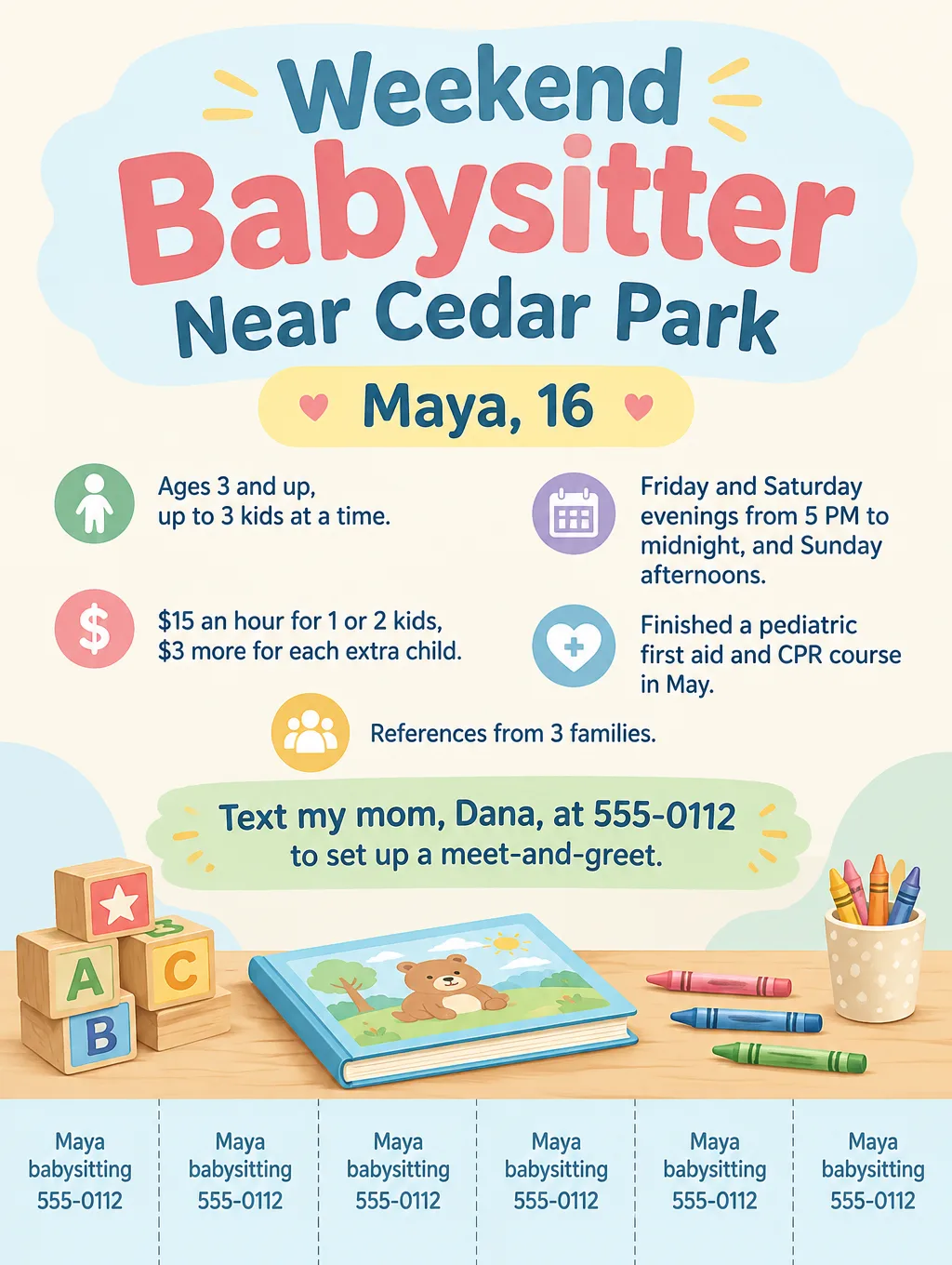
- First name and age or grade. "Maya, 16" or "Nora, college junior". A parent wants to know who is coming to the door.
- The ages you watch. "Ages 3 and up" or "Infants welcome".
- When you're available. "Friday and Saturday evenings, weekday mornings in summer."
- Your hourly rate. "$15 an hour for 1 or 2 kids, $3 more for each extra child."
- Training you finished, by name. "Pediatric first aid and CPR, May." Only real courses, and only while the card is current.
- How to reach you. For teens, a parent's first name and phone number.
- References. "References from 3 families on request", from families who agreed to be asked.
Optional
- What you'll do. Homework help, bedtime routines, simple dinners, bath time.
- Driving, only if you're licensed and the parents agree to it.
- Your area, not your street. "Near Cedar Park."
- Languages. "Bilingual in English and Spanish", or a second version of the flyer written in Spanish.
- Pets and allergies. "Fine with dogs and cats."
- Last-minute policy. "Same-day requests welcome until 3 PM."
Safe contact details on a babysitting flyer for teens
Good babysitting flyer ideas for teens start with the parent as the contact. A flyer on a public board can be read by anyone, so:
- List a parent's first name and phone number, not your own number, your home address or your school.
- Meet each new family with a parent before the first job, at a time your parent sets.
- Keep your photo off flyers posted in public places.
- Share it online through a parent, in parent groups your family already belongs to.
- Name a course only after you finish it. Safe Sitter, for example, runs babysitting classes for students who have completed 5th grade.
Teens who walk dogs too can use the same rules on dog walking flyers, with their own rates.
Babysitting flyer ideas and wording
Nine babysitting and child care flyers, with sample lines for each. The names, prices and dates below are made up.
| Occasion | Headline | Supporting line |
|---|---|---|
| Weekend sitter | "Weekend Babysitter Near Cedar Park" | "Maya, 16. Ages 3 and up. $15 an hour." |
| Date night | "Date Night Sitter, Fridays and Saturdays" | "Evenings until midnight. Bedtime routines and a clean kitchen when you get home." |
| After school | "After-School Pickup and Homework Help" | "Meet the bus at 3:15, snack, homework until 6 PM." |
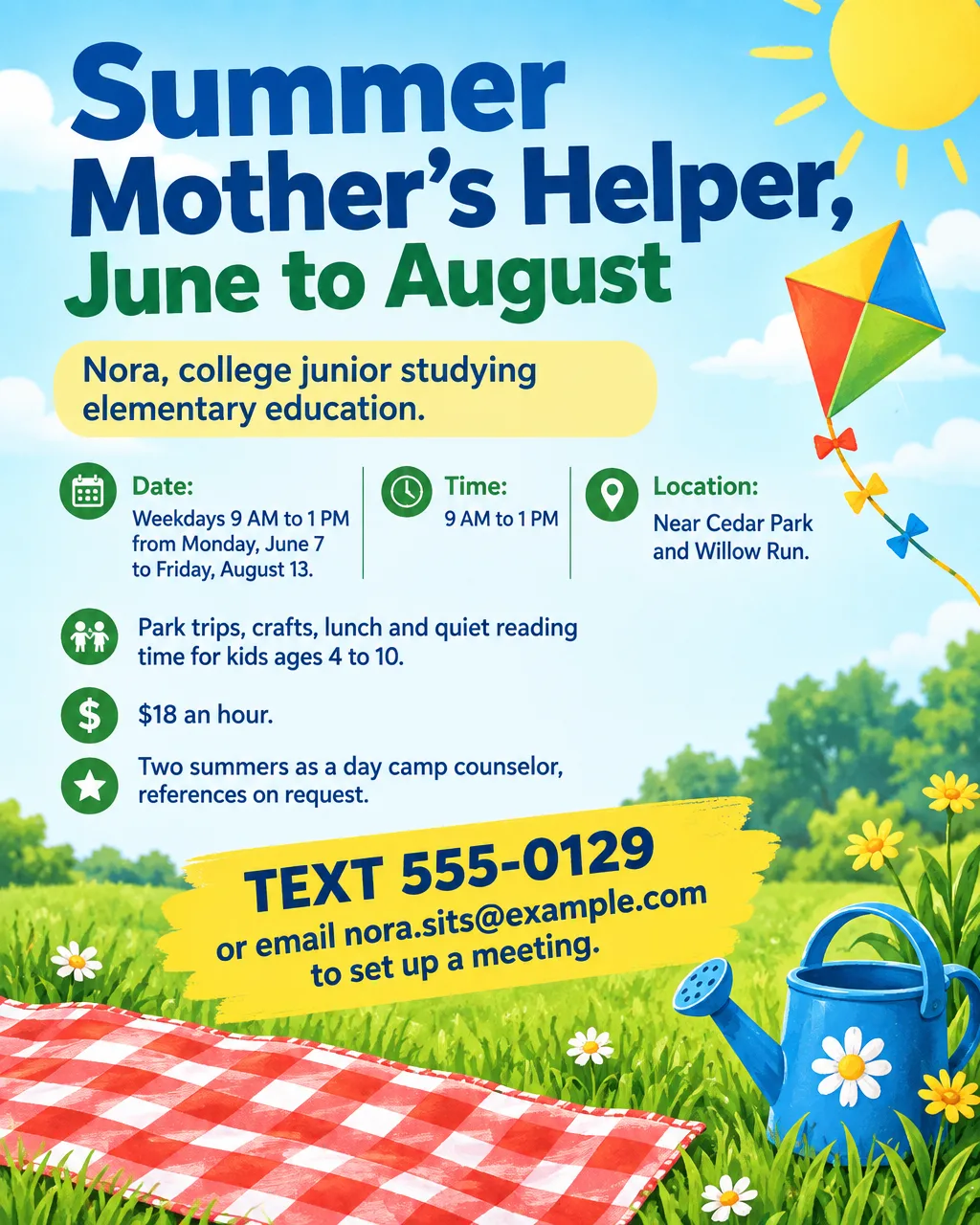
| Summer | "Summer Mother's Helper" | "Weekdays 9 AM to 1 PM, June to August. Park trips, crafts and lunch." |
| Snow days and school breaks | "Snow Day Backup Sitter" | "Text by 7 AM on school closure days." |
| Parents' night out | "Parents' Night Out" | "Saturday, November 14, 5 to 9 PM. Pizza, crafts and a movie. $25 per child." |
| Holiday party | "Kids' Room at Your Holiday Party" | "Two sitters run crafts and a movie in a separate room while the adults celebrate." |
| Part-time nanny | "Part-Time Nanny, 3 Years' Experience" | "Weekday mornings. Infant care, naps and meal prep." |
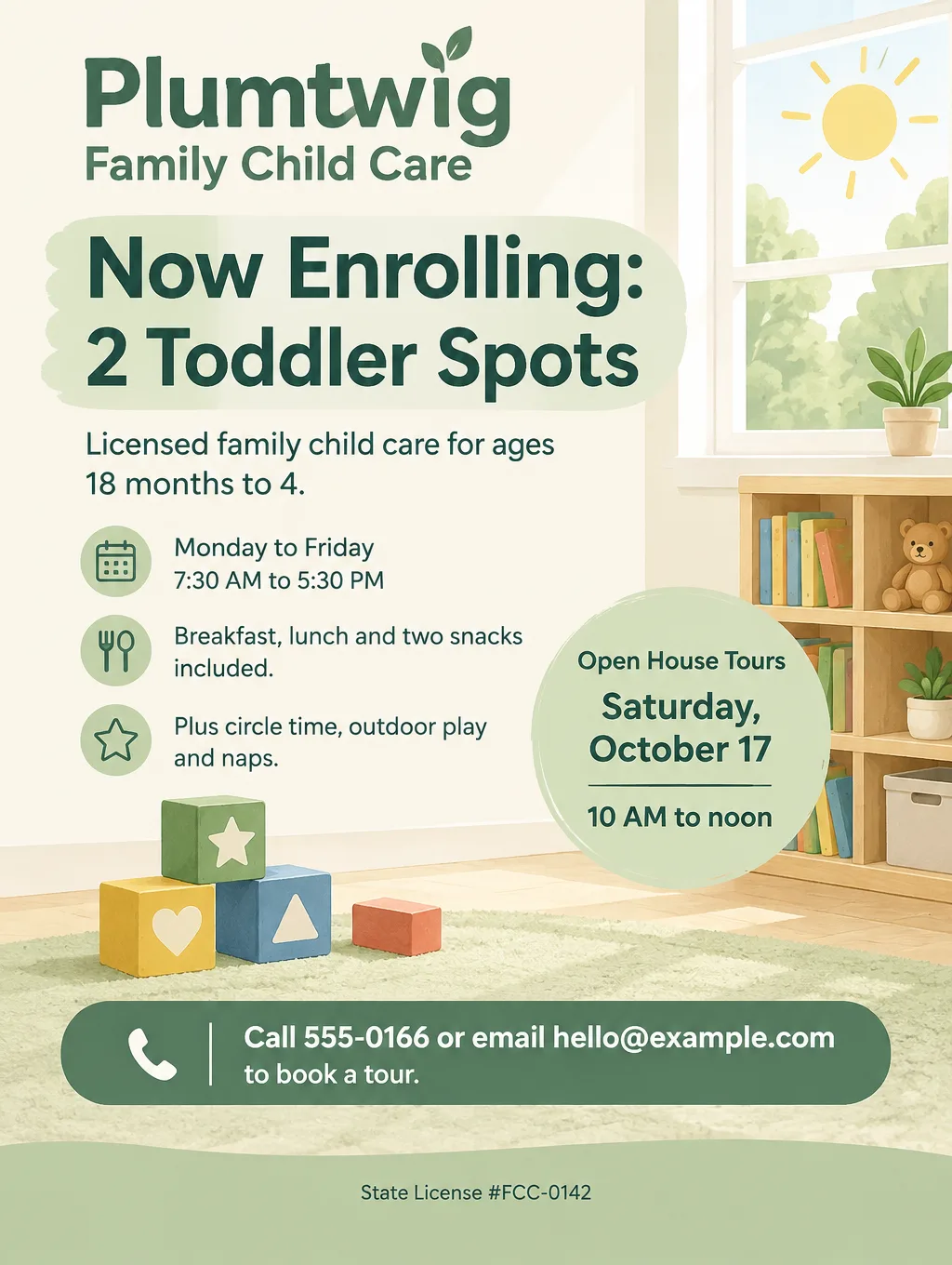
| Home daycare openings | "Now Enrolling: 2 Toddler Spots" | "Licensed family child care, ages 18 months to 4. License number printed below." |
A flyer for babysitting at a one-time event, like a parents' night out, works like any event flyer: the date, the hours it runs, the place, a price per child and a sign-up deadline.
If most of your jobs are homework help, a tutoring flyer with subjects and grade levels answers what those parents are looking for.
Daycare flyers and license numbers
A flyer for daycare carries one line a babysitting flyer doesn't: the license number. Some states have rules for advertising child care in your home, so check yours if kids would come to your place. Your state's child care licensing office can tell you what applies.
If you're licensed, print the number the way your state issued it, at the bottom of the flyer ("State License #FCC-0142"), so a parent can look you up before calling. Write "licensed" only if you are, and keep the number the same on the flyer, your website and your enrollment forms.
Beyond the license line, a daycare flyer lists the ages you take, days and hours, how many spots are open, meals included, and a tour date. A home daycare that also runs a before-school program can find enrollment-style offer wording among the small business flyer examples.
Design tips for babysitting flyers
Warm, not babyish. Parents are the readers. Playful style, Pastel colors and illustrated toys (blocks, a storybook, crayons) look friendly without cartoon babies.
No photos of children. Never post photos of kids you've watched. Flyer Maker's Photos setting would make up a child's face instead, so choose Illustration and keep real and invented children off the board.
Put the rate and ages in one box. "Ages 3 and up, $15 an hour" in one block answers the two numbers a parent checks together.
Add tear-off tabs with the parent's number. On library and church boards, tabs let a parent take the number without a pen. Ask for them along the bottom edge.
Make the training line specific. "Pediatric first aid and CPR, May" is more believable than a line reading "certified".
Babysitting flyer sizes and printing
Parents meet a babysitting flyer in three places: pinned on a board, handed over at school pickup, and forwarded in a group chat:
| Piece | Size | Pixels at 300 DPI | In Flyer Maker |
|---|---|---|---|
| Library or church corkboard | 8.5 x 11 in | 2550 x 3300 | Tall (3:4), 4K, tear-off tabs |
| Handout for parents at pickup | 5.5 x 8.5 in | 1650 x 2550 | Tall (3:4), 2K |
| Parents' group chat | On a phone | Screen only | Portrait (4:5), 1K |
Two half sheets fit on one letter page, so one print and one cut make two handouts. At 2K, Tall is 1536 x 2048 pixels, about 280 pixels per inch across the 5.5-inch width, with roughly an inch of paper left under the design where you can write "Free this Friday" by hand. For printing, choose 2K or 4K. The flyer size guide covers other sizes.
More babysitting flyer examples to paste in
Two more flyers, for an evening event and for weekday pickups. Swap these invented names, prices and numbers for your own.
Event flyer. Headline: "Parents' Night Out". Saturday, November 14, 5 to 9 PM, at the Willow Run clubhouse, 14 Willow Run Drive. Kids ages 4 to 10. Pizza dinner, crafts and a movie, run by Maya, 16, and Nora, 20, both with a pediatric first aid and CPR course. $25 per child, $40 for siblings. 16 spots. Sign up by Wednesday, November 11: text Maya's mom, Dana, at 555-0112. Cozy navy and gold look, illustrated with a pizza, crayons and a movie screen.Flyer. Headline: "After-School Pickup and Homework Help". Nora, college junior studying elementary education. Monday to Thursday: meet the bus at 3:15 PM, snack, homework help and play until 6 PM. Kids ages 6 to 11 near Cedar Park and Willow Run. $17 an hour, weekly schedule required. References on request. Text 555-0129 to set up a meeting. Clean white and sky blue design with an illustration of a school bus, a backpack and a stack of books.How to make babysitting flyers in Flyer Maker
You won't need a babysitting flyer template: type the words you want on it, and Flyer Maker handles the design. The result is a PNG image, not a Word or Google Docs file, so changing your hours later means updating your text and generating a fresh copy.
- Sit down with a parent, go to Flyer Maker, and start typing in "Describe your flyer", beginning with your quoted headline, then your first name and age, the ages you watch, your hours, your rate, training you finished, and the parent's name and number.
- Choose a "Size". Tall for corkboards and handouts, Portrait for the parents' group.
- Open "More options". Announcement suits a babysitter and Education suits a daycare as the Flyer type. Pick Playful or Minimal for the Style, Pastel or Light for the Colors, and Illustration for the Pictures.
- Write the tear-off tabs into your description for board flyers, for example "tear-off tabs under the design, each with Maya 555-0112".
- Enter the parent's number as the "Contact info". Flyer Maker uses only the contact details you type, so your own number and address stay off the board.
- Tap "Create flyer"; it's done in about 30 seconds. A 1K flyer currently costs 80 credits, 2K costs 90 and 4K costs 100. Anyone under 18 needs a parent or guardian's permission to use Toybox AI.
- Check every name, age, rate, date and phone number with a parent, and delete taglines that weren't in your description. If one detail is wrong, describe the fix in "Want to change something?" under the flyer, currently 60 credits (70 for 2K, 90 for 4K). Bigger changes are easier to make by rewriting the description and starting a fresh flyer.