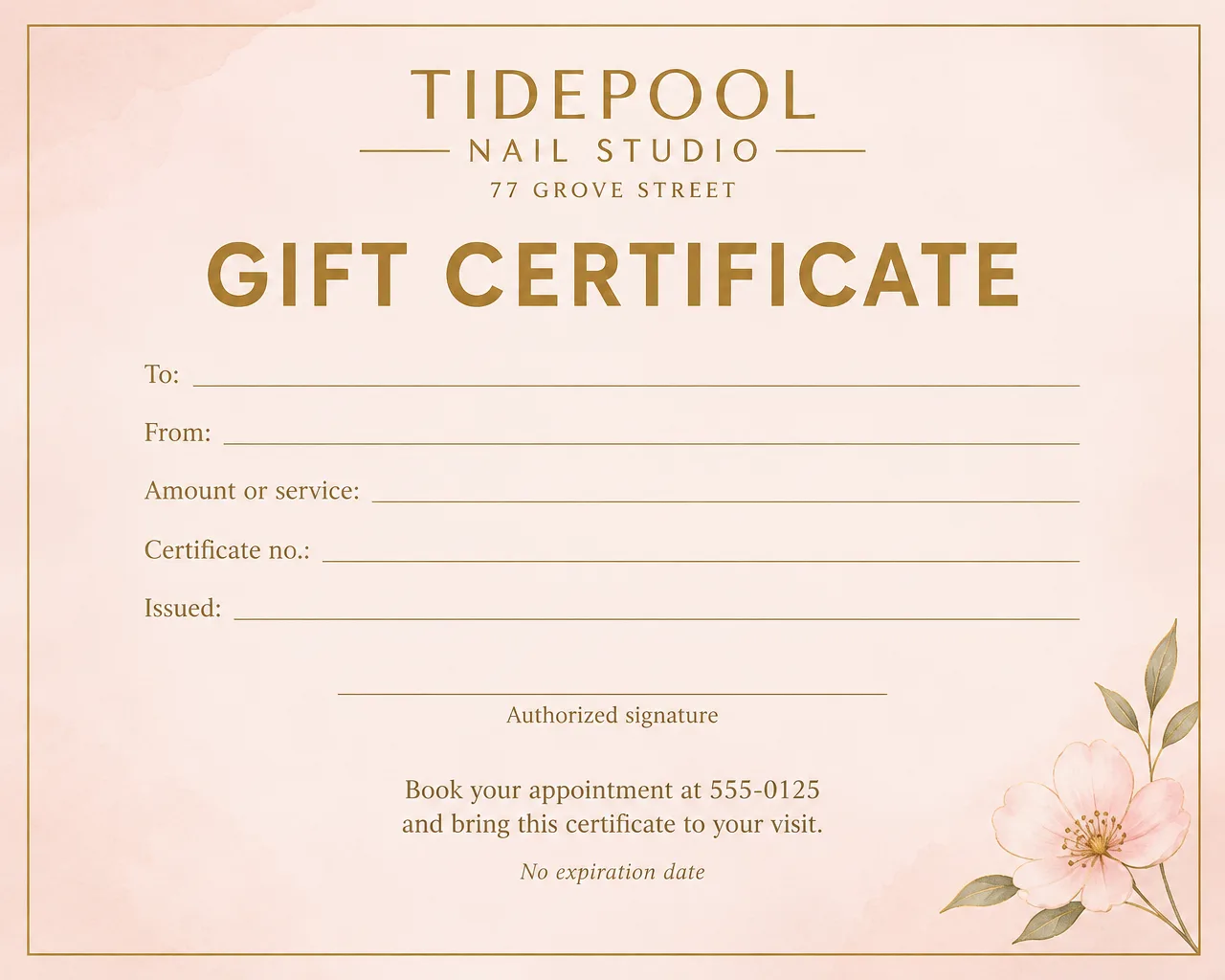

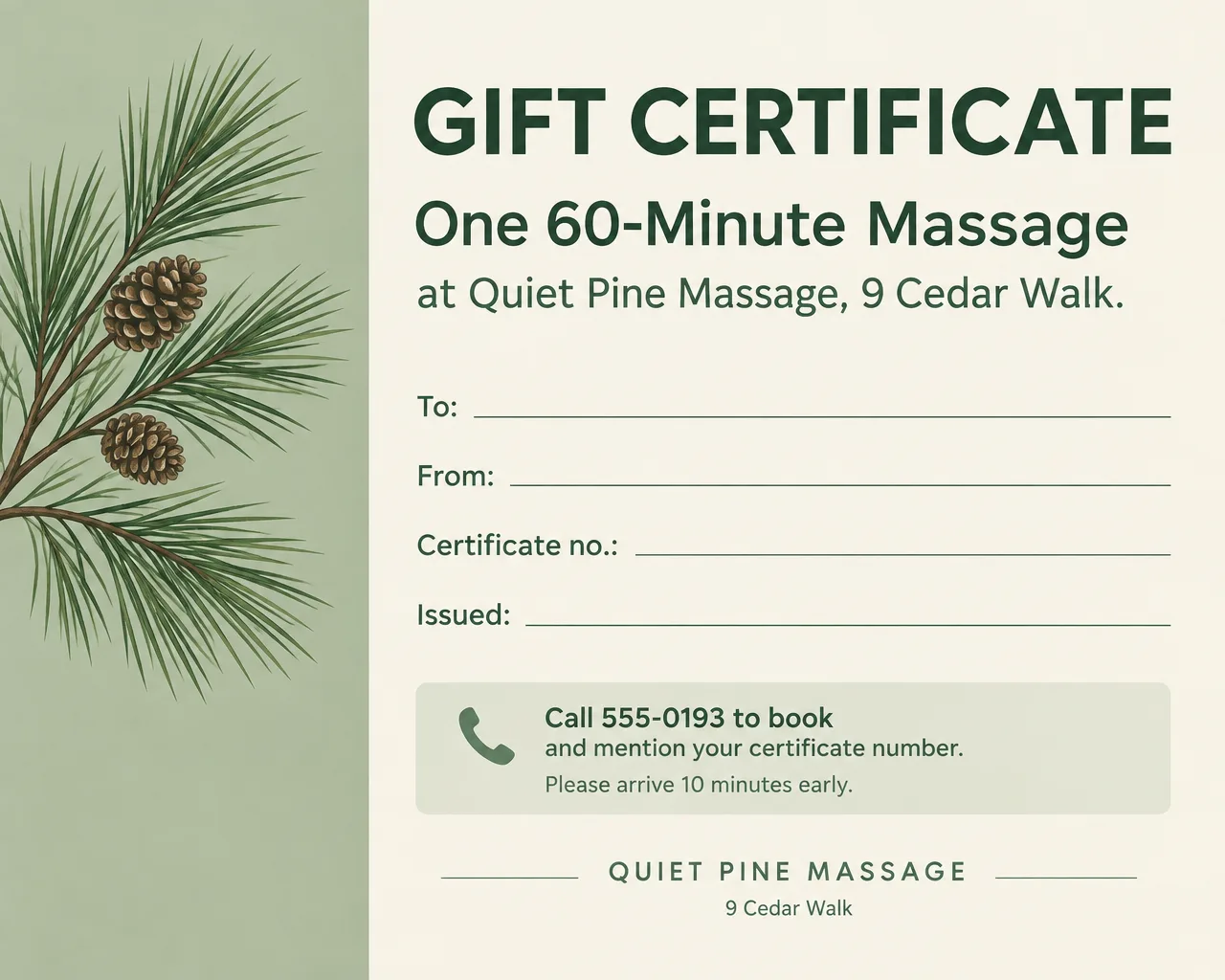
A gift certificate template is what salons, restaurants, spas and shops print when customers ask for something to put in a holiday card. You can start from a free template in Word or Google Docs, or design one around your own logo and colors and write the details in by hand. To advertise certificates for Small Business Saturday on November 28, see the Small Business Saturday flyer ideas.
What to put on a gift certificate template
A certificate has to work at the counter months later, when someone other than you may redeem it. Put these on every one:
- Your business name and logo. Match the name on your sign.
- The words "Gift Certificate". Large, so it isn't mistaken for a coupon.
- The value or the service. "$50" or "One 60-minute massage". A blank "Amount" line lets one design cover every value.
- To and From lines. Blank, with room for handwriting.
- A certificate number. Filled in by hand and recorded in a log, so you can spot a copy or a second redemption.
- The issue date. It settles questions later about when it was bought.
- Expiration, or "No expiration date". Settle the terms in the section below before you print a date.
- How to redeem. "Present this certificate at checkout" or "Book at 555-0125 and mention your certificate number."
- Your address and phone number. The person holding it may never have visited.
- An authorized signature line. A handwritten signature shows it was sold at your counter.
- Short terms, if any. "Not valid with other promotions." Check your state's rules before you print "No cash back".
- A "Promotional" label on free bonus certificates. It lets staff tell a free bonus certificate from one a customer paid for.
Expiration and terms to settle before you print
Decide the terms once and print them the same way on every certificate. Some states have rules about expiration dates, fees and cash refunds on gift certificates, so check yours before you print.
- Certificates customers pay for. Print "No expiration date". It's the simplest promise to keep, and nobody argues over a date at the counter.
- Free bonus certificates. Label them "Promotional" and print any end date on the front in clear type: "Promotional. Valid through January 31."
- No surprise fees. Leave service or inactivity fees off. A $50 certificate should buy $50 of service.
- Leftover balances. Decide what happens when someone spends $42 of a $50 certificate: a new certificate for $8 or store credit. Write the answer in your log so every staff member handles it the same way.
Gift certificate wording by business
Headlines and lines to adapt, with fictional details:
| Business | Headline | "Good for" line | How to redeem |
|---|---|---|---|
| Nail salon | "A Gift of Polished Nails" | "Good for one gel manicure, or $____ toward any service" | "Book at 555-0125 and bring this certificate." |
| Hair salon | "Gift Certificate: A Fresh Cut" | "Good for $____ toward any cut, color or blowout" | "Book online or call the front desk." |
| Restaurant | "Dinner Is on Us" | "Good for $____ toward food and drinks" | "Present to your server before you order." |
| Massage or spa | "Time to Unwind" | "One 60-minute massage" | "Call 555-0193 to book. Mention your certificate number." |
| Bakery or café | "Treat Someone Sweet" | "Good for $____ in pastries, cakes and coffee" | "Present at the counter." |
| Photographer | "The Gift of Family Photos" | "One 30-minute mini session with 10 edited photos" | "Email hello@example.com to choose a date." |
| Fitness studio | "Give a Month of Classes" | "Good for 8 classes in one month" | "Show this at the front desk for your first class." |
| Holiday bonus | "Bonus Gift Certificate" | "Good for $20. Promotional, January 4 to March 31." | "Present with a regular gift certificate or on its own." |
To advertise certificates at the register or on Instagram, make a separate flyer with the offer ("Buy $100, get a $20 bonus") rather than printing the offer on the certificate itself. The nail salon flyer and restaurant flyer pages cover those promotion flyers for each business.
Free gift certificate templates in Word and Google Docs
Both apps give you a printable gift certificate template you can edit, typing each recipient's name before you print.
Gift certificate template in Word
- In Word on a Windows PC, select File, then New.
- Type "gift certificate" in the Search for online templates box and press Enter.
- Double-click a template to open it, then replace the sample text with your business details.
- To make a PDF, select File, then Save a Copy (or Save As for a new file), choose PDF in the list and select Save. In Word for the web, use File, then Print, and choose Save as PDF.
Gift certificate template in Google Docs
- Open Google Docs on your computer and select Template Gallery at the top right.
- Pick a template, or start a blank document and insert a 2 x 2 table on a letter page, one certificate per cell.
- Add your logo and the lines from the checklist above.
- Select File, then Download, and choose PDF to get a gift certificate template PDF for printing.
For more on page layout in these apps, see how to make a flyer in Word or Google Docs.
Design tips for gift certificates
Make the blank lines long enough for a pen. About 2 inches for a name on a quarter-sheet certificate. After the design is made, check that nothing was written into the lines you asked to keep empty.
Keep numbering on paper, not in the design. A printed design repeats the same number on every copy. Leave a "Certificate no." line and write the numbers in, 001, 002, 003, matching your log.
Use your shop's colors and logo. A certificate that matches your sign and your menu looks like it came from you. Name your colors in the description and add your logo.
Leave out fake security marks. A decorative barcode or seal implies a system you don't have. Flyer Maker won't draw QR codes or barcodes; if you want a scannable code to your booking page, switch on "Leave a blank square for your QR code" and paste your real one in.
Print on card stock. Plain copy paper curls in a card envelope and feels like a coupon. Check your printer's setting for heavy paper and test one sheet first.
Gift certificate sizes and printing
A certificate is small and wide, so plan the sheet before you design:
| Layout | Certificate size | 300 DPI pixel size | Flyer Maker Size and Quality |
|---|---|---|---|
| Four per letter sheet | 5.5 x 4.25 in (quarter sheet) | 1650 x 1275 | Wide, 2K |
| Two per letter sheet | 8.5 x 5.5 in (half sheet) | 2550 x 1650 | Wide, 4K |
| "Gift certificates available" sign | Letter, 8.5 x 11 in | 2550 x 3300 | Tall, 4K |
A 5:4 image fits a quarter sheet at about 5.3 x 4.25 inches. Wide at 2K is 1920 x 1536 pixels, about 360 pixels per inch on the quarter sheet, above the 300 DPI the printer 4OVER4 gives for pieces read up close. On a half sheet, the same shape fits at about 6.9 x 5.5 inches, leaving a margin at each side. Flyer Maker saves a PNG with no bleed or crop marks, so leave a white border and trim along it.
How to make a gift certificate in Flyer Maker
Flyer Maker makes a finished certificate image, not an editable template. Each recipient's name and amount get written in by hand, or you make a new version.
- Decide the type. A fixed value ("$50"), a service ("One 60-minute massage"), or a blank amount line for any value.
- Describe the certificate in Flyer Maker's "Describe your flyer" box: your business name and address, "Gift Certificate", and blank lines labeled To, From, Amount, Certificate no. and Issued, with "leave every line empty". Add how to redeem and your phone number.
- Select "Add your logo" if you have one.
- Choose Wide as the Size, and set Quality to 2K under More options for enough pixels to print a quarter sheet.
- Set the look. Flyer type Business (or Restaurant), Style Elegant or Minimal, and "My brand colors", with your colors written into the description ("navy and gold"). The Centered or Split layout keeps the lines tidy.
- Create it with "Create flyer", then read the business name, the phone number and every label, and make sure the lines are empty. If a word is off, fix it in "Want to change something?" (currently 60 credits, 70 for 2K, 90 for 4K).
- Download the PNG, place it four times on a landscape letter page in Word or Google Docs, about 5 inches wide each so the copies fit inside your printer's margins, save that page as a PDF, and print on card stock.
- Number each certificate by hand and start your log before the first one is sold.