An AI poster maker turns a text description into a finished poster: you type what's happening, when and where, and get back the layout, lettering and artwork as one image. In Toybox AI that tool is Flyer Maker. Its Tall size is 3:4, which scales exactly to 18 x 24 inches, and at 4K the file is 2480 x 3312 pixels. That prints a letter-size proof at about 290 pixels per inch and an 18 x 24 poster at about 138.
What you can make with an AI poster maker
Flyer Maker builds the whole design from text, up to 3,000 characters of description, so any poster that is mostly words plus one picture fits it. These are the poster jobs it handles, with what to type and the settings that suit each one.
| Poster | What to type | Settings that suit it |
|---|---|---|
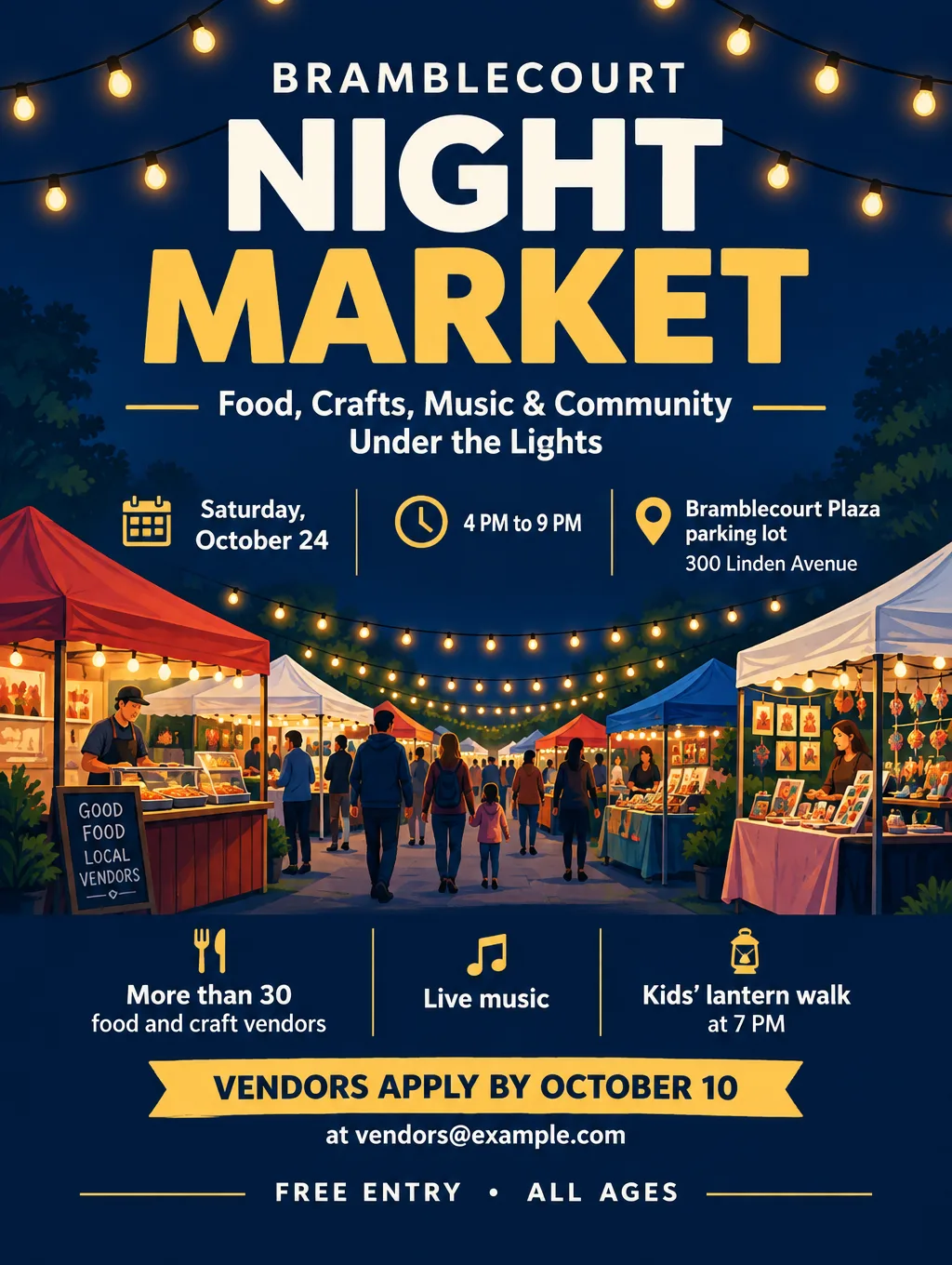
| Event poster (market, fundraiser, show) | Event name, day and date, time, street address, price or "Free", how to get in | Tall, Event or Concert type, Bold style |
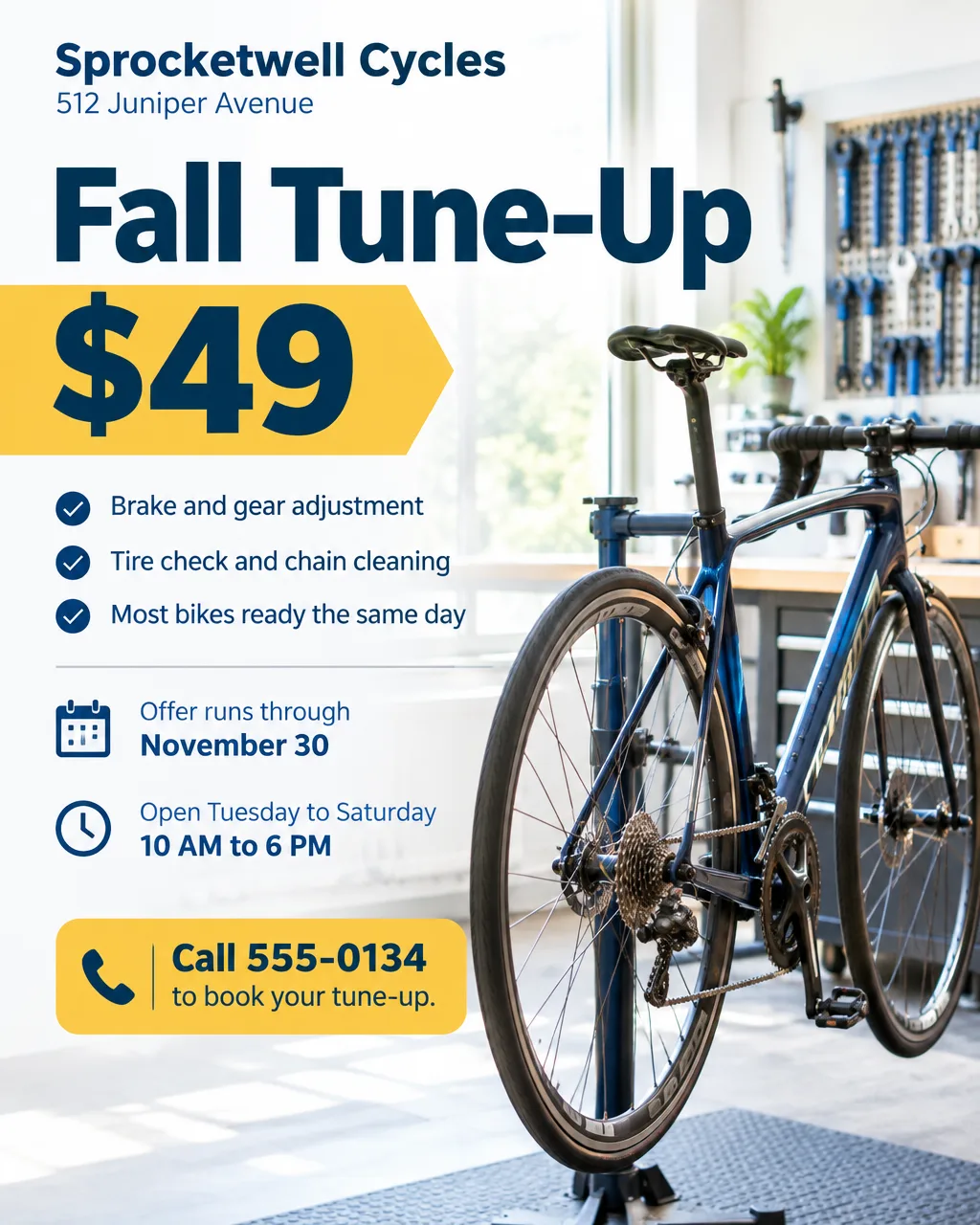
| Shop window or counter poster | The offer, the price, when it ends, address, phone | Portrait (for 16 x 20), Sale or Business type |
| Lessons poster with tear-off tabs | What you teach, who it's for, the price, and "tear-off tabs with my number along the bottom" | Tall, Workshop or Education type |
| Weekly schedule (gym, studio, library) | Each day with its times, as a list | Tall, "Packed" layout |
| Bilingual poster | Each line in English and Spanish, with accents typed in | Tall, Clean layout |
| Poster with a sign-up QR code | Everything above, plus where the code should go | "Leave a blank square for your QR code" |
Event posters
When you use an AI poster maker for an event, the software handles the layout and you still supply the four answers a passerby looks for: what, when, where and how much. The concert flyer ideas page has lineup and ticket wording for gigs. For science fair and student council posters, which run title, question and results instead, see school project poster ideas.
Posters for a shop or business
For a business, an AI poster maker suits offers that change every few weeks: a seasonal special in the window, a price list by the register, a "now hiring" sign by the door. You can write the whole poster in Spanish, and accents and ¿ ¡ come out correctly; ask someone fluent to read it before it goes up. Once the poster is done, you can also animate a poster into a short video for Reels.
Which poster sizes stay sharp from a 4K file
Choose the poster size before you design, because Flyer Maker makes three shapes: Portrait (4:5), Tall (3:4) and Wide (5:4). Sharpness comes down to pixels per inch: the file's pixel width divided by the print width. A Tall 4K file printed 18 inches wide gives 2480 / 18 = 138 pixels per inch.
| Poster size | Shape | Flyer Maker setting | Pixels per inch at that size |
|---|---|---|---|
| 11 x 14 in | Close to 4:5 | Portrait, 4K (2560 x 3200 px) | About 233, leaving a 1/4 in strip |
| 12 x 16 in | 3:4 | Tall, 4K (2480 x 3312 px) | About 207 |
| 16 x 20 in | 4:5 | Portrait, 4K | 160 |
| 18 x 24 in | 3:4 | Tall, 4K | About 138 |
| 8.5 x 11 in (letter) | Close to 3:4 | Tall, 4K | About 290, with a slight trim |
| 11 x 17 in (tabloid) | About 2:3 | Tall, 4K, fit to the width | About 225, with 2.3 in of blank paper |
| 12 x 18 in or 24 x 36 in | 2:3 | Not one of the three shapes | Needs a margin or a crop |
Vistaprint prints posters in sizes such as 11 x 14, 18 x 24 and 24 x 36 inches. Its guidance puts the floor at 150 dpi measured at the printed size, and it recommends 300 dpi for the crispest result. Measured that way, a 16 x 20 at 160 clears the floor, while an 18 x 24 at 138 comes in just under it. On an 18 x 24, set small lines such as a web address in large type, or order 16 x 20 if people will stand right in front of it. The print resolution guide explains the numbers in more depth.
For printing, choose 2K or 4K. Flyer Maker saves an RGB PNG without bleed or crop marks, so if you want ink to the edge of the paper, ask the print shop how they handle that.
Tips for better AI posters
- Type the poster text in reading order. Headline, then day and date, time, place, one supporting detail, and the call to action. Put exact wording in quotes: Headline: "Harvest Night Market".
- Include every detail and your call to action. When something is missing, Flyer Maker fills the gap, for example with a button that literally reads "CALL TO ACTION" or a tagline you never wrote. Write the action you want: "Tickets $10 at the door" or "Register at hello@example.com".
- Proof it from across the room. Print the poster on letter paper, tape it to a wall and read it from the far side. If the date doesn't jump out, shorten the headline so the date can be set larger, and move details a passerby doesn't need to your website.
- Describe one picture. "A single illustrated paper lantern" leaves room for the words, while a list of six objects crowds them. Pick Illustration or Minimal under Pictures for text-heavy posters, and Photos when the poster sells food or a product.
- Put phone, website and address in "Contact info". Keep it under 120 characters. Flyer Maker uses only the contact details you type, so check each digit on the result.
- Name your colors. "My brand colors" has no color picker. Write the colors into the description ("navy and gold") or add your logo.
AI posters with your own photo
Flyer Maker isn't the AI poster maker to use with a photo. Its one upload, "Add your logo", places that image small, usually in the header or footer, keeping its colors, so it isn't a photo slot. For a poster built around a band shot, a cake or an adoptable pet, Smart Editor is the route: upload the photo and type the poster text as an instruction.
An instruction for a gig poster could read: "Turn this photo into a poster. Add the headline "Live at the Pier" at the top and "Friday, November 13, 8 PM, the Wharf Street bandstand, 14 Wharf Street, $12 at the door" along the bottom in bold white letters. Keep the people, their faces and the stage the same."
Under More options, set Shape to Social (4:5) and Quality to 4K. That returns a 2560 x 3200 px file, enough for a 16 x 20 print at 160 pixels per inch; "Original" keeps your photo's proportions instead. Smart Editor redraws the entire image on every edit, so compare faces and edges with the original before you print. It is available on Pro plans and up, at a current price of 85 credits in HD or 110 in 4K. Toybox's Terms prohibit generating images of real people without their explicit consent, so use photos only of people who agreed to be on the poster.
Limits to know
- The words are part of the picture. You can't click a word and retype it. Describe the fix in "Want to change something?" (currently 60 credits, 70 for 2K, 90 for 4K), or correct the description and run it again.
- A template editor suits weekly updates better. An AI poster generator hands you a finished image, while a template editor keeps live text you can retype any time. If the same poster changes every week, one of the Canva alternatives with templates fits that job better.
- Three shapes only. There's no 2:3 shape for 24 x 36 or 12 x 18 posters, and no square. Print at 18 x 24 or 16 x 20, or plan for margins.
- Small text needs a proofread. AI can misspell a street name or swap two digits in a phone number. Read every date, time, price and address on the file, and print one letter-size proof before ordering a large poster.
Poster prompts for lessons, fairs and schedules
These three run in Flyer Maker as written. Swap in your own names, dates and address. For prompts sorted by occasion, see the flyer prompt library.
Guitar lessons poster for a community bulletin board. Headline: "Learn Guitar This Fall". Beginner and intermediate lessons for ages 10 and up, 30 or 60 minutes, $25 per half hour, at your home or in the study room at Pollenbrook Library, 61 Grove Street. Friendly, simple design with an illustrated acoustic guitar. Tear-off tabs along the bottom edge, each reading "Guitar lessons 555-0148". Call or text 555-0148 to book a first lesson.Bilingual health fair poster in English and Spanish. Headline: "Free Health Fair / Feria de Salud Gratis". Saturday, November 7, 9 AM to 1 PM / sábado 7 de noviembre, de 9 AM a 1 PM. Tallowbrook Community Center, 400 Cedar Avenue. Free blood pressure checks, flu shots and eye screenings / Presión arterial, vacunas contra la gripe y exámenes de la vista gratis. No appointment needed, just walk in / No necesita cita. Questions? Call 555-0161 / ¿Preguntas? Llame al 555-0161. Calm blue and green colors, simple health icons, clean layout.Weekly class schedule poster for Stillreed Yoga, 22 Mill Road. Headline: "Fall Class Schedule". Monday and Wednesday: Gentle Flow 7 AM, Power Yoga 6 PM. Tuesday and Thursday: Lunch Stretch 12 PM, Yin 7 PM. Saturday: Family Yoga 10 AM. Sunday: Restore 5 PM. First class free, then $15 drop-in. Book at stillreed@example.com. Show the schedule as a grid with the days in the left column, sage green and cream colors, packed layout.How to make a poster in Flyer Maker
- Fill in "Describe your flyer" on the Flyer Maker page. Write the poster text in reading order, with every detail and the call to action.
- Add your logo if the poster is for a business, school or group.
- Choose the size. Tall (3:4) for 18 x 24 and letter prints, Portrait (4:5) for 16 x 20 and 11 x 14, Wide (5:4) for a landscape poster or a screen.
- Under "More options", pick 4K for any print bigger than letter size. Then choose the Flyer type, Style, Colors, Pictures and Layout ("Packed" for schedules and price lists).
- Type your phone, website or address into "Contact info", and turn on "Leave a blank square for your QR code" when the poster needs a sign-up code.
- Select "Create flyer". The poster is ready in about 30 seconds and downloads as a PNG.
- Proofread every date, time, price and address. Fix anything wrong in "Want to change something?", or change the wording in your description and create a new poster.