Concert flyers come from the band itself, the venue's booker, a local promoter or a school music director, and they end up in venue windows, on record store corkboards, on coffee shop walls and in followers' Instagram feeds. Below: what goes on one and in what order, wording for bar shows, all-ages gigs and school concerts, how to print ticket prices, and poster sizes that print cleanly. Church and gospel shows have their own page: gospel concert wording and posters.
What to put on a concert flyer
Write the details in this order before you choose a look. The first eight are what someone needs to decide to go.
- Headliner. The band or artist people come for, in the biggest type on the page.
- Support acts, in playing order. Smaller than the headliner, and all the same size as each other.
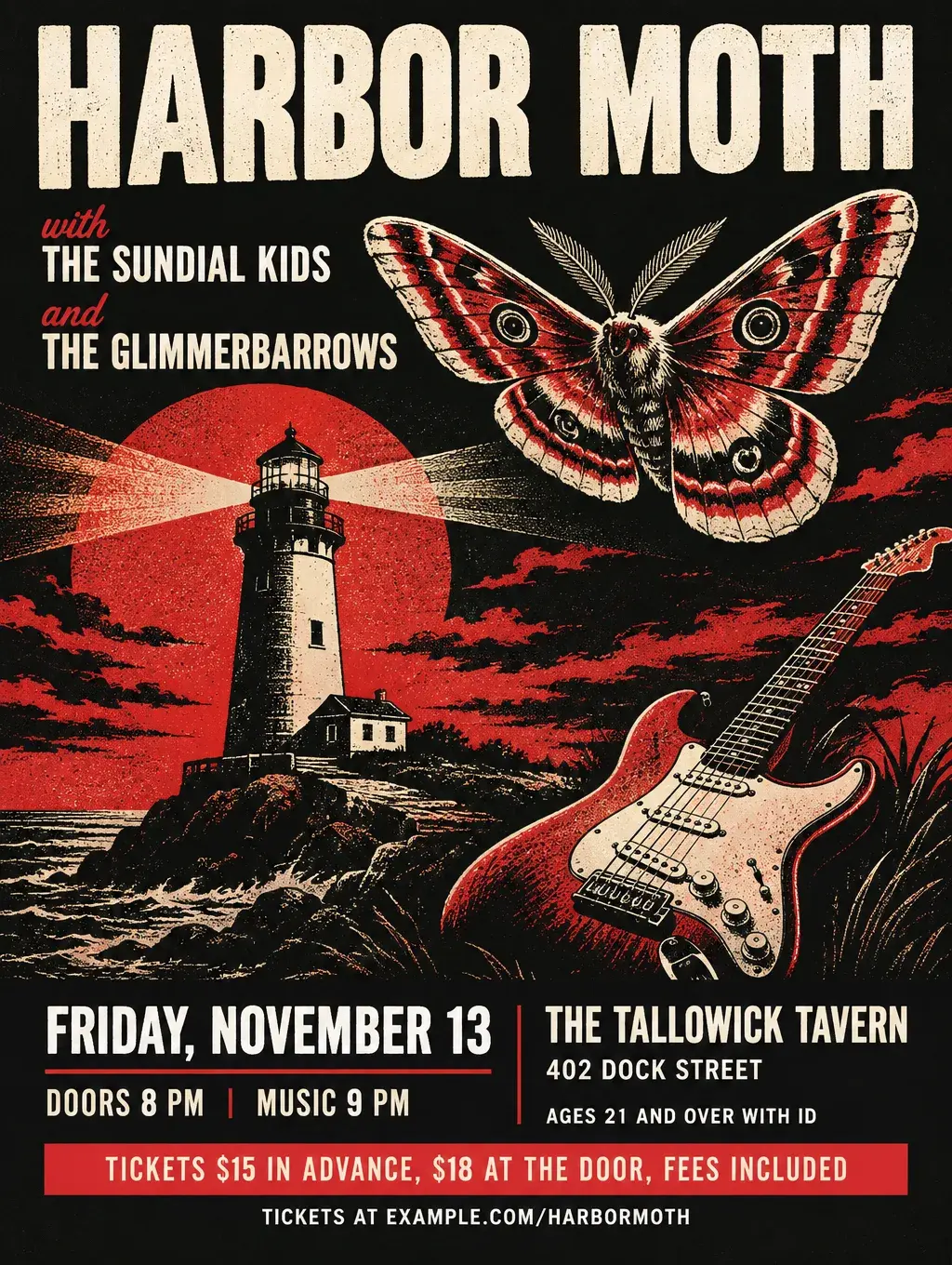
- Day and date. "Friday, November 13."
- Doors and show time. "Doors 8 PM, music 9 PM." People plan dinner around the gap.
- Venue name and street address. "The Tallowick Tavern, 402 Dock Street."
- Age rule. "All ages", "18 and over" or "21 and over with ID". Anyone under 21, and their parents, needs this line to decide.
- Ticket price. Advance and door prices, with fees included: "$15 in advance, $18 at the door."
- Where to buy. A QR code and a short link, plus "cash or card at the door" if that's true.
- Genre in a few words. "Loud surf rock" or "acoustic folk" tells a stranger whether it's their night.
- Presenter. "Presented by Marrowby Booking", set small along the bottom edge.
- Venue notes. "Seated show", "Standing room", "Wheelchair accessible entrance on Pine Street".
- Set times, if you know them. Optional, but fans of an opener will come early for them.
Concert flyer ideas and wording
These concert flyer ideas and examples cover bar gigs, all-ages shows, school concerts, summer series, release shows and restaurant jazz nights. Every band, venue and price here is made up.
A flyer for a live band at a bar or club
- Headlines: "Harbor Moth with The Sundial Kids", "Friday Night Live at The Tallowick", "Three Bands, One Night"
- Supporting lines: "Doors 8 PM, music 9 PM. Ages 21 and over with ID." "Loud surf rock and garage pop."
- Call to action: "Tickets $15 in advance at example.com/harbormoth, $18 at the door."
All-ages shows and battle of the bands
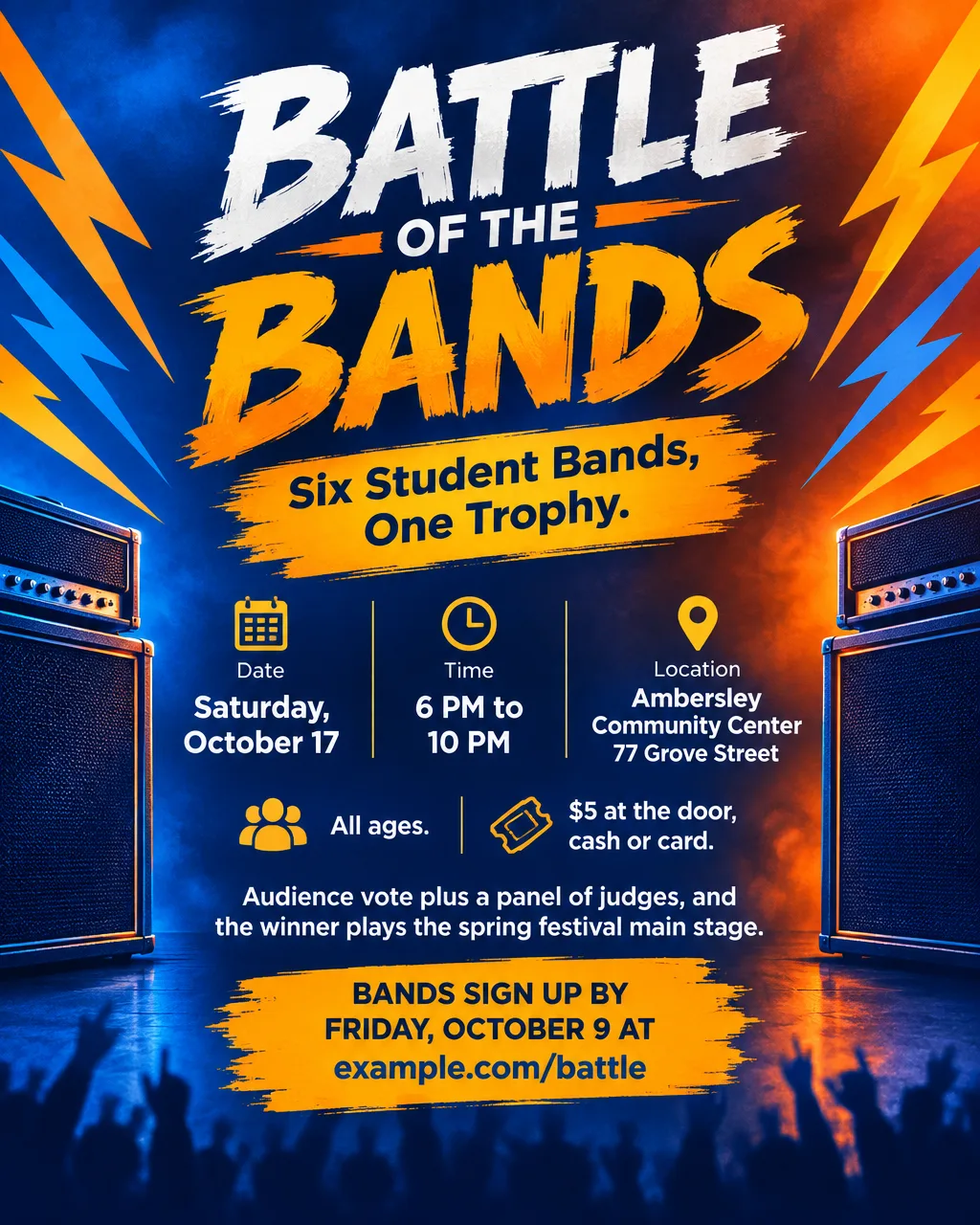
- Headlines: "Battle of the Bands: Six Bands, One Trophy", "All-Ages Matinee"
- Supporting lines: "All ages. $5 at the door." "Audience vote plus a judges' panel."
- Call to action: "Bands sign up by Friday, October 9 at example.com/battle."
For an all-ages show, print the end time too. Parents deciding on pickup need it.
School band, orchestra and choir concerts
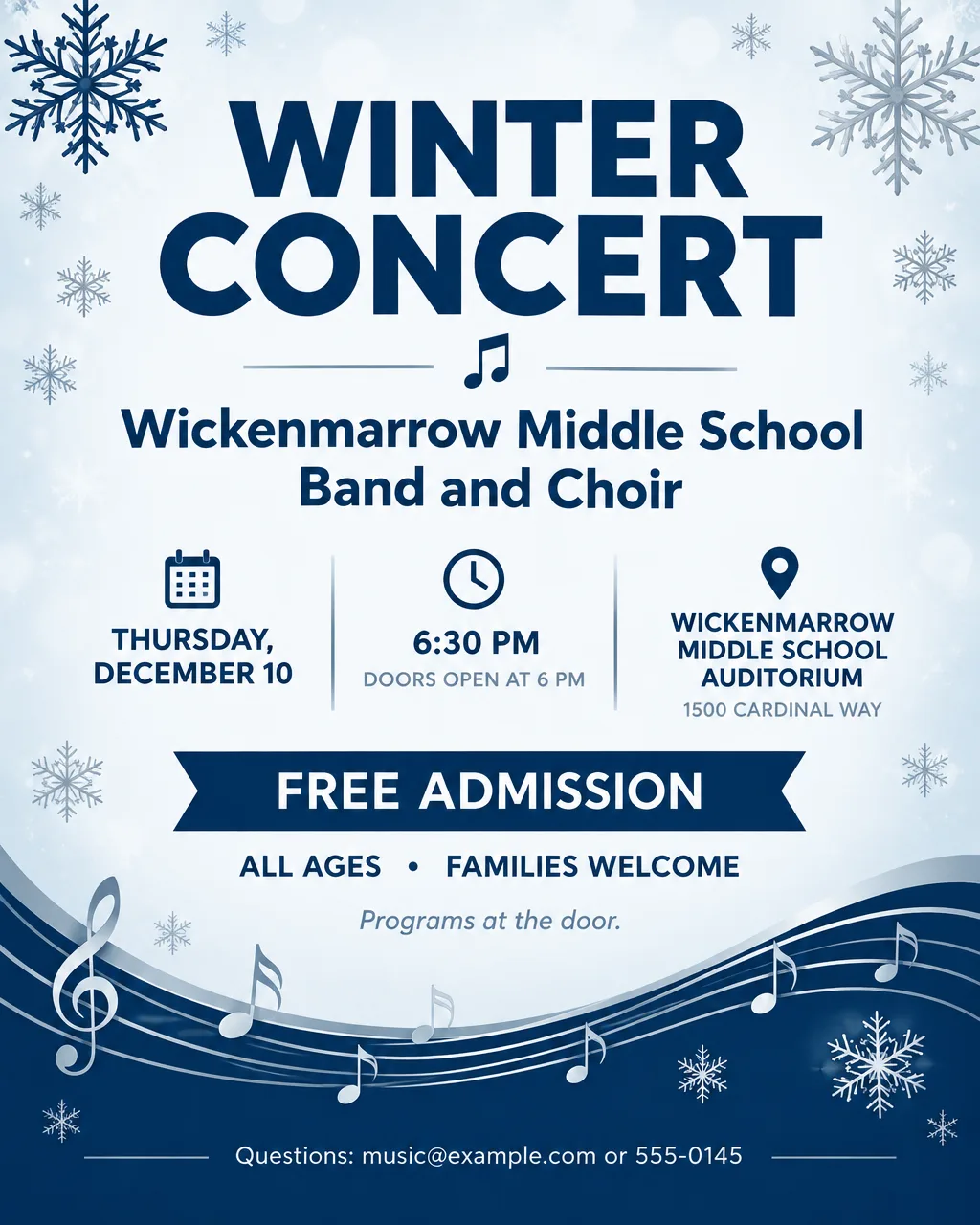
- Headlines: "Winter Concert: Band and Choir", "Spring Strings Showcase", "An Evening of Jazz Band Favorites"
- Supporting lines: "Free admission, families welcome." "Doors at 6, music at 6:30."
- Call to action: "Questions: music@example.com." For a ticketed school show: "Tickets $5 at the door, students free."
Outdoor summer concert series
- Headlines: "Concerts on the Green", "Thursday Nights at the Bandshell"
- Supporting lines: "Bring a blanket or a lawn chair. Food trucks from 6 PM." "Free, every Thursday in July."
- Call to action: "Rain location and lineup updates at example.com/green."
A series flyer lists every date with its band, one line each, and names the rain location so people don't have to guess.
Album or single release show
- Headlines: "The Glimmerbarrows Album Release Night", "Hear It Live First"
- Supporting lines: "Playing the new record front to back." "Vinyl and shirts at the merch table."
- Call to action: "First 50 ticket buyers get a signed poster. Tickets at example.com/release."
Jazz night or live music at a restaurant
- Headlines: "Thursday Jazz Nights", "Live Music on the Patio"
- Supporting lines: "No cover. Dinner reservations recommended." "7 to 9:30 PM with the Ashmerrow Trio."
- Call to action: "Call 555-0156 to book a table."
How to print ticket prices on a concert flyer
Print the total price, with every mandatory fee already in it, so there are no surprises at checkout or at the door. A buyer who sees "$15" on the flyer and "$19.50" on the ticket page starts to doubt the rest of the flyer too. Taxes and optional extras such as a VIP upgrade can go on their own line.
On a flyer, that becomes a short line: "Tickets $18, fees included" or "$15 advance, $18 door, all fees included." If a ticket site adds a fee you can't predict, leave the price off the flyer and send people to the ticket link instead. Ask your venue or ticketing company how they show prices, so the flyer and the ticket page match.
Concert flyer design and lineup layout
Design starts with the lineup. A gig flyer has to read from across a room, in a crowded window and as a small square on a phone.
Use three sizes of type for the lineup. The headliner is biggest, direct support is about half that, and openers share a third, smaller size. Six band names in one size read as a list, not a show.
Let the genre pick the look. A punk or garage show suits a black and white photocopy look (Retro style, Black and white colors in Flyer Maker). Jazz suits Elegant style with Dark colors and Minimal pictures. Electronic nights suit Bold style with Color blends. Folk and acoustic shows suit Illustration pictures with Light or Pastel colors.
Design for the window. Venue windows and record store boards get crowded. One strong color block with the date inside it reads from the sidewalk better than a detailed photo.
Band logo yes, famous art no. Upload the band's logo with "Add your logo", and describe original art for the rest. Don't imitate a famous album cover or another band's artwork.
Put the date and venue on the same line. "Friday, November 13, The Tallowick Tavern" can be read in one glance and remembered.
Concert flyer size and dimensions
The concert flyer size depends on where it hangs. 4OVER4 treats 300 DPI as the standard for print people read up close, so the pixel size is each inch times 300. It also treats 150 DPI as enough for a poster people view from 3 to 5 feet back, and Vistaprint's poster page calls 150 DPI at print size the minimum.
| Format | Size | Pixels at 300 DPI | Flyer Maker Tall (3:4) fit |
|---|---|---|---|
| Handbill | 4 x 6 in | 1200 x 1800 | 2K, about 1/4 in trimmed from each side |
| Letter flyer | 8.5 x 11 in | 2550 x 3300 | 4K, a thin margin at the sides |
| Small poster | 11 x 14 in | 3300 x 4200 | 4K, about 1/3 in trimmed top and bottom, about 225 pixels per inch |
| Tabloid poster | 11 x 17 in | 3300 x 5100 | 4K prints 11 x 14.7 in, leaving a 2.3 in blank band |
| Poster | 18 x 24 in | 5400 x 7200 | 4K, same shape, about 138 pixels per inch |
| Instagram post | 4:5 portrait | Screen only | Use Portrait instead |
A 4K Tall design from Flyer Maker is 2480 x 3312 pixels, almost exactly the proportions of an 18 x 24-inch poster. Printed that large it works out near 138 pixels per inch, under the 150 DPI both print shops name for posters, so small type will look soft to anyone standing close. An 11 x 14 poster, a size both Vistaprint and GotPrint list, keeps it at about 225 pixels per inch and suits a venue window or a record store wall. Vistaprint's poster checklist asks for 0.125 inch of bleed and keeps text, logos and QR codes at least 0.25 inch in from the trim. Flyer Maker's PNGs have no bleed, so keep the lineup and date clear of the edges and ask the printer how they handle margins. More sizes are in the flyer size guide, and the AI poster maker page covers poster layouts in more depth.
More prompts for live music flyers
Two more shows: a restaurant jazz night with no cover, and a summer series that lists every date with its band. Swap in your own acts, dates and prices first.
Thursday Jazz Nights at Quillon's Kitchen, 210 Linden Avenue. Thursday, October 29, 7 PM to 9:30 PM, with the Ashmerrow Trio. No cover, dinner reservations recommended. Call 555-0156 to book a table. Elegant dark design with a thin gold line drawing of a saxophone, a soft spotlight and simple serif lettering.Concerts on the Green, a free summer series at the Veterans Park bandshell, 400 Park Avenue. Thursdays in July at 7 PM: July 1 The Hollin Creek Pickers, folk; July 8 The Ambersley Big Band; July 15 Grupo Sol de Arcilla, cumbia; July 22 The Sidewalk Almanacs, classic rock. Bring a blanket or a lawn chair. Food trucks from 6 PM. Rain location: the high school gym, 12 School Street. Details at example.com/green. Sunny illustrated park scene with a bandshell, string lights and picnic blankets.How to make a concert flyer in Flyer Maker
In Flyer Maker, your description replaces a concert flyer template: type the lineup and show details, pick a few settings, and about 30 seconds later a single designed flyer is ready. For a run of shows, keep the description and swap just the date and venue line for each stop.
- Write the show into "Describe your flyer". Lineup in playing order with the headliner first, day and date, doors and show time, venue and address, age rule, ticket prices with fees, and how to buy. Then describe the look.
- Upload the band's logo, if there is one, under "Add your logo".
- Pick Tall as the Size for posters and handbills, or Portrait for Instagram.
- In "More options", choose Concert as the Flyer type. Use 4K Quality for any poster, and choose the Style, Colors and Pictures that suit the genre.
- Reserve space for tickets with "Leave a blank square for your QR code", then add your real ticket code once the flyer is downloaded.
- Tap "Create flyer" and check the lineup spelling letter by letter, along with the date, times, venue address and prices.
- Fix a misspelled band name or a wrong price in "Want to change something?", the box that appears with your finished flyer (currently 60 credits, 70 for 2K, 90 for 4K). A new lineup is easier to handle by editing the description and running it again.
For a DJ night instead of a band, the club night and party wording covers cover charges, guest lists and dress codes, and the event flyer ideas handle the rest of a venue's calendar.