A for rent flyer is how a landlord with one house, a duplex owner or someone renting out a spare room finds a tenant without a listing site. It goes on grocery store boards, laundromat walls, campus kiosks and the window of the unit itself, usually with tear-off tabs, and as an image in local Facebook groups. The same flyer, with a price instead of a rent, works for owners selling a house themselves. Here are the details renters look for, headlines by rental type, the fair housing lines to leave out, print sizes, and how to build one in Flyer Maker. Licensed agents marketing a listing will find their flyers on the real estate flyer hub.
What to put on a for rent flyer
Write the facts a renter needs to decide whether to call. In order of size:
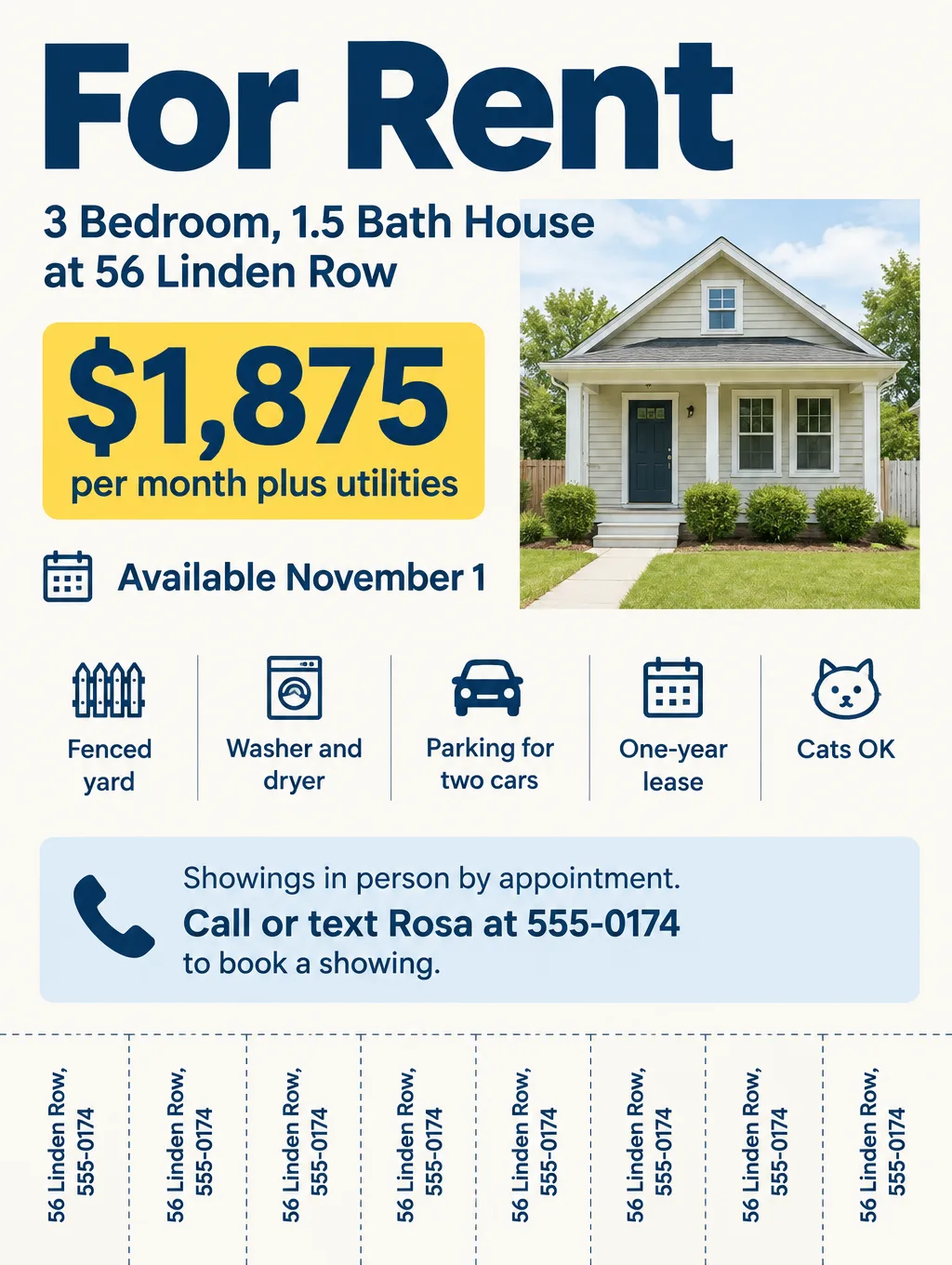
- "For Rent" and the monthly rent. "For Rent, $1,875 per month" in the largest type on the page.
- Beds and baths. "3 bed, 1.5 bath house" or "Private room, shared bath".
- Where. The street address, or a nearby landmark if you'd rather not print it: "Linden Row, two blocks from the library".
- Move-in date. "Available November 1".
- What's included. Utilities, laundry, parking, furnished or not.
- Lease terms. "One-year lease", "Month to month", deposit amount.
- Pet and smoking policy. "Cats OK, no smoking". Check your state's rules on assistance animals before you write a pet line.
- How showings work. "Showings in person by appointment". The FTC warns renters that a landlord with an excuse for not showing the place is a scam sign, so say up front that you show it in person.
- Phone number, on tear-off tabs. Seven or eight tabs along the bottom, each with the address and number.
- A QR code to more photos and the application, if you have one.
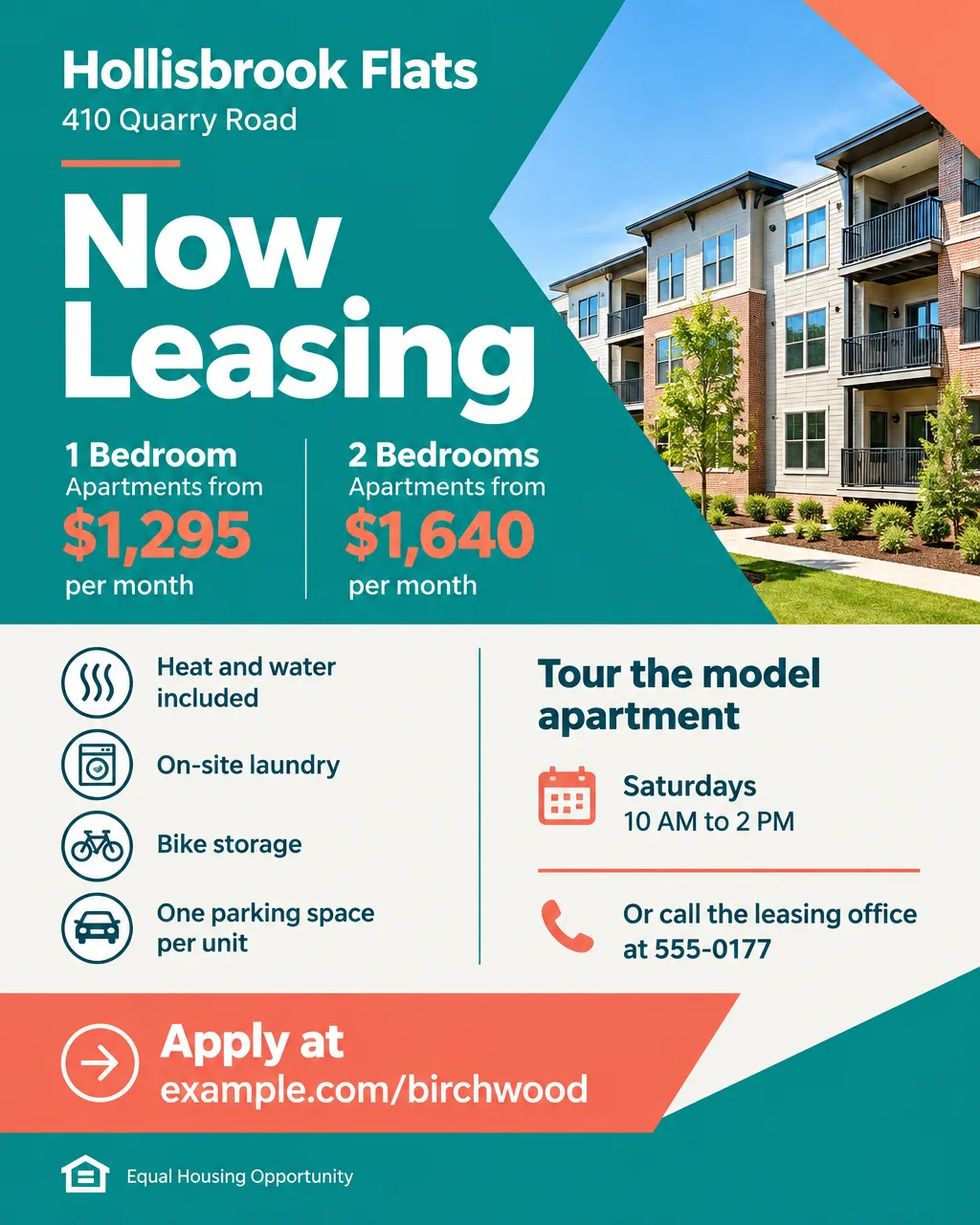
- "Equal Housing Opportunity". A short line that tells renters the place is open to everyone.
For sale by owner flyers
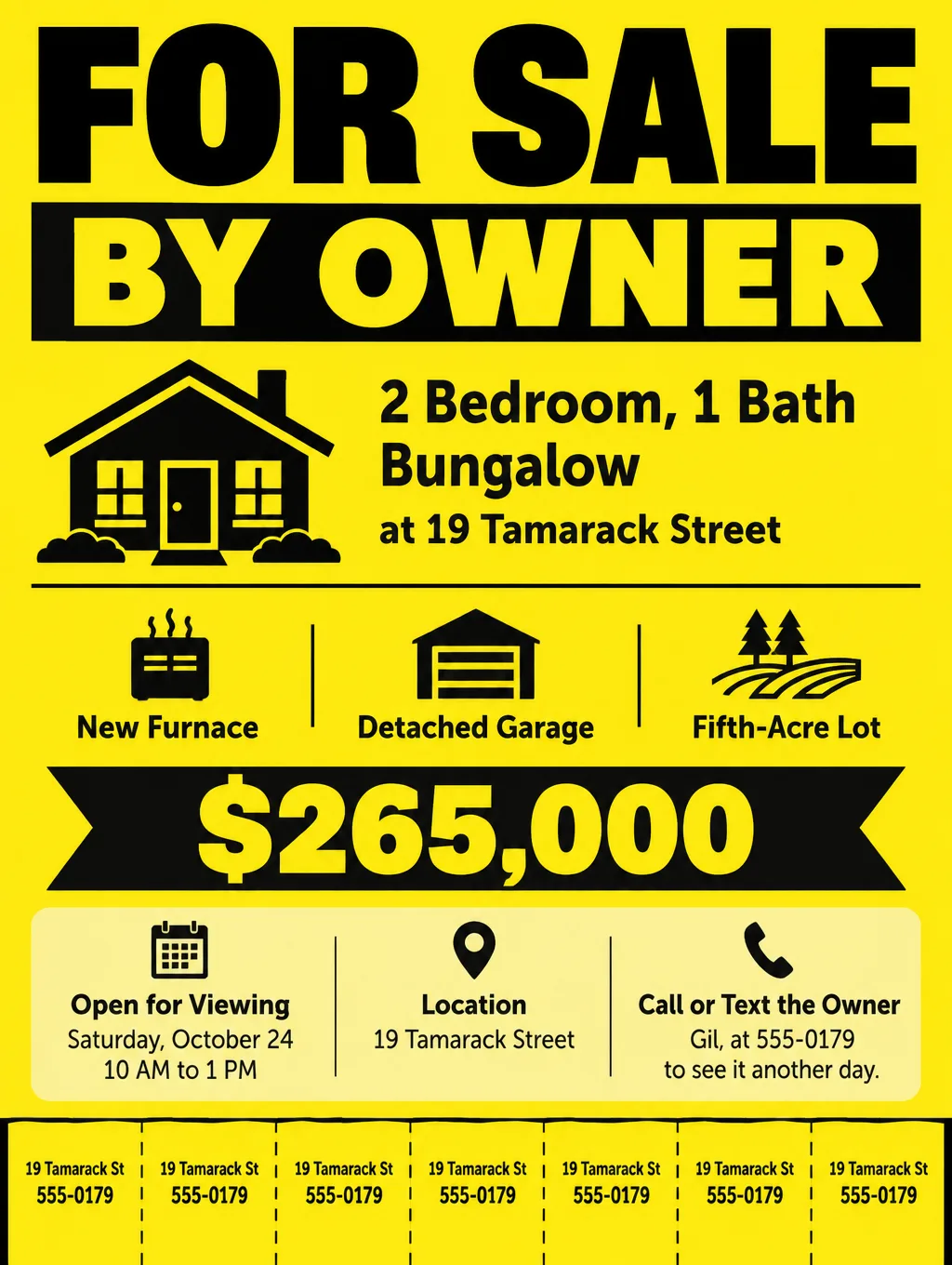
A for sale flyer from an owner swaps rent for price and adds what buyers ask first: square footage, lot size, the year of big repairs ("new furnace"), and open viewing times. Put "For Sale by Owner" in the headline so agents and buyers know who they're calling. The wording tips below apply to owner sales too.
For rent flyer ideas and wording
Keep each line short enough to read from a step back. Headlines and supporting lines by rental type, with fictional details:
| Rental | Headline | Supporting line |
|---|---|---|
| House for rent | "For Rent: 3-Bedroom House" | "$1,875 a month. Fenced yard, washer and dryer. Available November 1." |
| Apartment in a small building | "2-Bedroom Apartment for Rent" | "Second floor, heat and water included. $1,450 a month." |
| Apartment building leasing | "Now Leasing: Hollisbrook Flats" | "1 and 2 bedrooms from $1,295. Tours Saturdays, 10 AM to 2 PM." |
| Room in a shared home | "Room for Rent" | "Furnished bedroom, shared kitchen and bath. $750, utilities included." |
| Basement or garage apartment | "Private Studio for Rent" | "Separate entrance, kitchenette, one parking spot. $1,100 a month." |
| Furnished month-to-month | "Furnished, Month to Month" | "Bring a suitcase. Wi-Fi and utilities included." |
| For sale by owner | "For Sale by Owner" | "2 bed bungalow, $265,000. Open Saturday, 10 to 1." |
| Duplex or rental property sale | "Duplex for Sale, Both Units Leased" | "Leases and rent roll available to serious buyers." |
A flyer for an apartment rental in a larger building works better with a starting price ("from $1,295") and tour hours than with one unit's details, because the open units keep changing. A flyer for a rental property sale, such as a leased duplex, speaks to investors: current rents and lease end dates matter more than paint colors.
Fair housing wording for rental flyers
Describe the home and the terms, never the tenant you want. A line like "perfect for a young couple" tells families and older renters not to call, and fair housing rules apply to a small landlord's ad the same as a big building's. Pictures count too, so skip drawings of the kind of people you imagine living there.
Swap tenant wording for facts about the place:
| Instead of | Write |
|---|---|
| "Perfect for a single professional" | "Studio, one parking space" |
| "No kids" or "Adults only" | "Quiet building, no shared yard" |
| "Ideal for a young couple" | "One bedroom, 650 sq ft" |
| "Great for Christian families" | "Two blocks from the park and the bus stop" |
| "Must be able to climb stairs" | "Third-floor walk-up, no elevator" |
| "No Section 8" | Nothing. Many places protect voucher holders; check your local rules. |
Some states and cities have extra rules, such as protections for renters who pay with vouchers, so check with your local fair housing office before you print payment or occupancy rules.
Design tips for rental and for sale flyers
Make the rent readable from the parking lot. A community board at a grocery store gets a glance from a cart. The rent, the bedroom count and "For Rent" should read from a few steps away, and everything else can be small.
Use tear-off tabs for boards, a QR code for windows. Tabs let a renter take the number without a phone out. Ask for them in the description, "Add 8 tear-off tabs along the bottom edge, each reading 56 Linden Row, 555-0174", then cut between them after printing. On a window sign, a QR code to the photos and application works better. To make a code that opens the right page, see the QR code flyer ideas.
Show the actual place or nothing. A drawn living room could mislead a renter, and Flyer Maker has no slot for your own photo. Keep the design to text and a simple border, or put the text on a real photo with Smart Editor, which needs a Pro plan: upload the photo and type "Add FOR RENT, $1,875 a month and 555-0174 in large text across the top. Keep the room exactly as it is." Then check the room against your photo.
Name the payment method. The FTC tells renters that a demand for wire transfers, gift cards or cryptocurrency means a scam. A line like "Application and deposit by check or online portal after the showing" answers that worry.
Protect it outdoors. A sheet protector and packing tape keep a flyer on a pole or kiosk readable through rain. Ask before posting on store boards, check your city's rules for poles, and keep flyers out of mailboxes, which are for stamped mail; tuck them into a door handle instead.
For rent flyer sizes and printing
Print community-board flyers on letter paper and window signs larger. At 300 pixels per inch, inches x 300 gives the pixels a print needs:
| Where | Size | Pixels at 300 DPI | In Flyer Maker |
|---|---|---|---|
| Community board with tabs | 8.5 x 11 in | 2550 x 3300 | Tall (3:4), 2K or 4K |
| Unit window sign | 11 x 17 in | 3300 x 5100 | Tall (3:4), 4K, with margins |
| Facebook group or Marketplace | 4:5 portrait | No print needed | Portrait (4:5), 1K |
A 4K Tall flyer (2480 x 3312 pixels) fills a letter sheet with a narrow white border. An 11 x 17 sheet is narrower in shape than 3:4, so the design prints with bands of white at the top and bottom. Print from the 2K or 4K file, and find other paper sizes in the flyer size guide.
How to make a for rent flyer in Flyer Maker
- Open Flyer Maker and list the rental's details in "Describe your flyer". Headline, rent, beds and baths, address or cross streets, move-in date, what's included, lease terms, pet policy, how showings work and the call to action: "Call or text Rosa at 555-0174 to book a showing".
- Ask for tear-off tabs in the same description, with the number of tabs and the exact text on each.
- Choose Tall for printed flyers, or Portrait for Facebook groups.
- In "More options", pick "Real estate" as the Flyer type, a print Quality of 2K or 4K, and "Minimal" Pictures for a text-only look.
- Repeat your phone number in "Contact info". Flyer Maker is built to print only the contact details you type, so a number you leave out won't appear.
- For a link to the photos or application, turn on "Leave a blank square for your QR code" and paste your real code into the gap after you download.
- Create the flyer (about 30 seconds) and check the rent, the date, the address and the phone number on every tab. Type a wrong digit's fix into "Want to change something?" below the flyer, which currently costs 60 credits on a 1K flyer, or fix the description and generate the flyer again.
Owners selling a home with a viewing day can borrow the walk-in wording from the open house flyer page.