A just listed flyer tells the neighbors a house on their street is for sale, and a just sold flyer tells them it sold, and who sold it. Listing agents mail both to the homes around a listing, post them to social media and hand them out at nearby doors, a practice agents call farming a neighborhood. Below are a checklist for each card, headlines from "coming soon" to "sold", who may print a sale price or claim a sale, mailer sizes for EDDM, and the steps to build the card in Flyer Maker. Other agent flyers, from farming cards to buyer classes, live on the real estate flyer hub.
What to put on a just listed flyer
A just listed flyer sells the house. Put these in order of size:
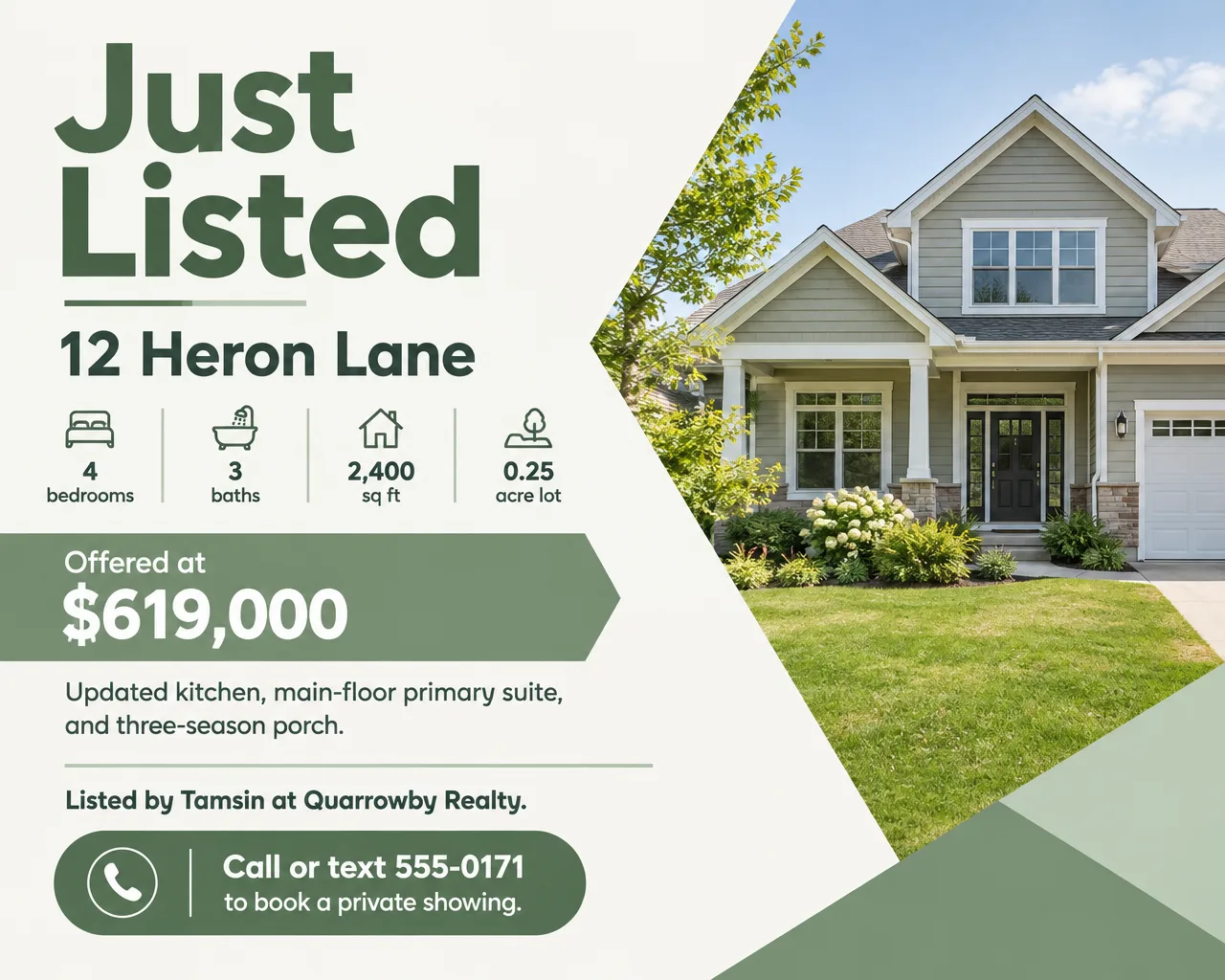
- "Just Listed" and the neighborhood. "Just Listed in Ashgrove Heights" puts the place name where a neighbor looks first.
- A photo of this house, or none. The front elevation or the strongest room. A borrowed or drawn house misleads the neighbors who know the real one.
- Address. Street and number, plus the neighborhood name if locals use one.
- Asking price. Match the MLS to the dollar, and use only the price the seller approved.
- Beds, baths, square footage and lot. "4 bed, 3 bath, 2,400 sq ft, quarter-acre lot".
- Two or three features. The ones a neighbor would repeat to a friend: "main-floor primary suite", "three-season porch".
- Open house date, if one is set. "Open Sunday, October 18, noon to 3 PM". The open house flyer page has the full checklist for that event.
- You and your firm. Name, cell number and brokerage. The firm's name belongs on every ad.
- A link to the photos. A QR code or a short URL that opens the full listing.
What to put on a just sold flyer
A just sold flyer sells the agent. It needs less:
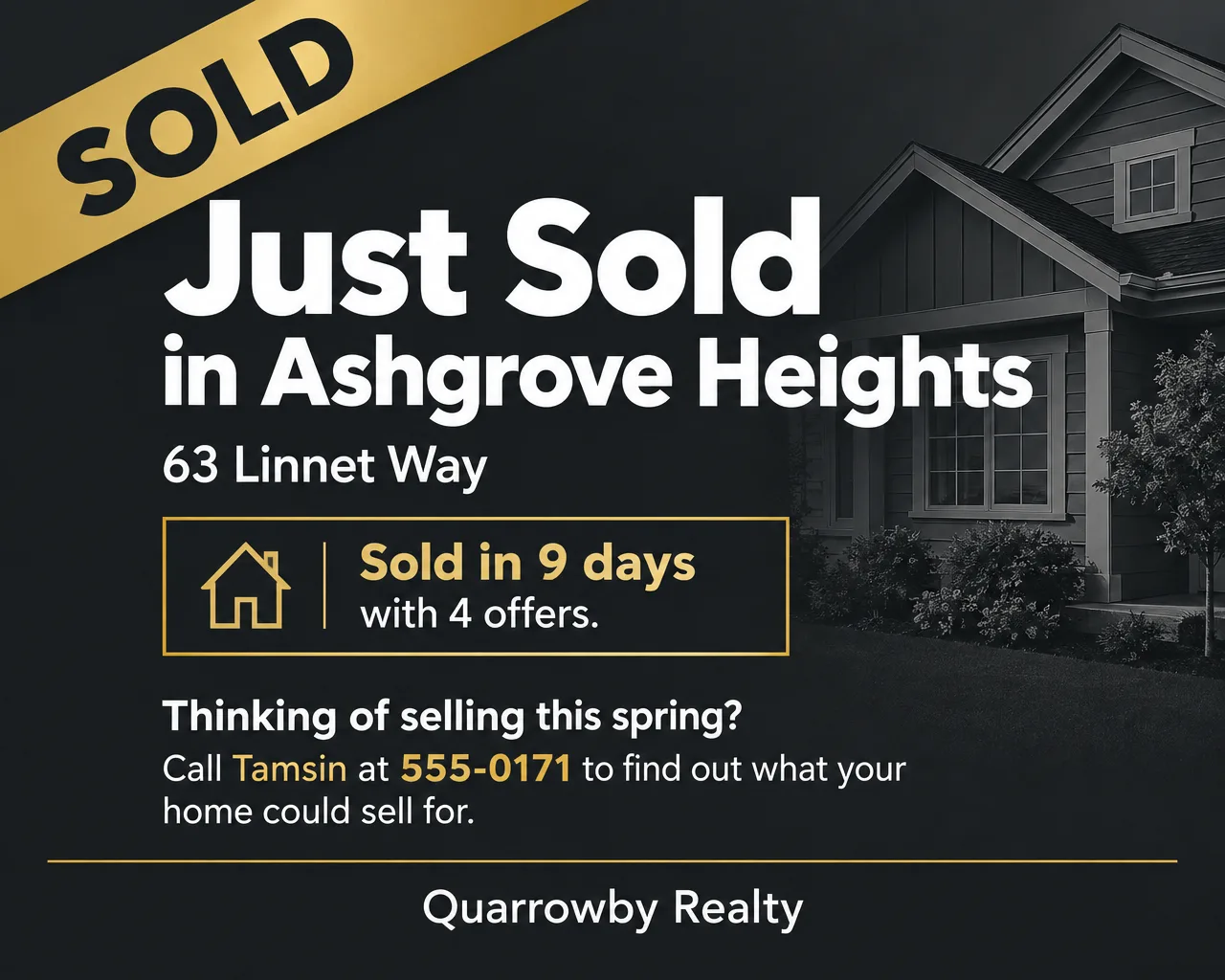
- "Just Sold" and the street or neighborhood. "Just Sold on Linnet Way".
- A result you're allowed to share. Days on market, number of offers, "sold over list", or the price if your MLS, your state and the seller allow it.
- One photo of the home, with a "Sold" banner or stamp.
- The ask. "Thinking of selling? Call to find out what your home could sell for."
- Agent, phone and brokerage.
- Your role, if you represented the buyer. "We represented the buyers" (see the rules below).
Just listed and just sold flyer ideas and wording
Every stage of a listing is a reason to mail the same neighbors again. Headlines and supporting lines for each stage, including just sold flyer examples for both sides of a sale, with made-up details to replace with yours:
| Stage | Headline | Supporting line |
|---|---|---|
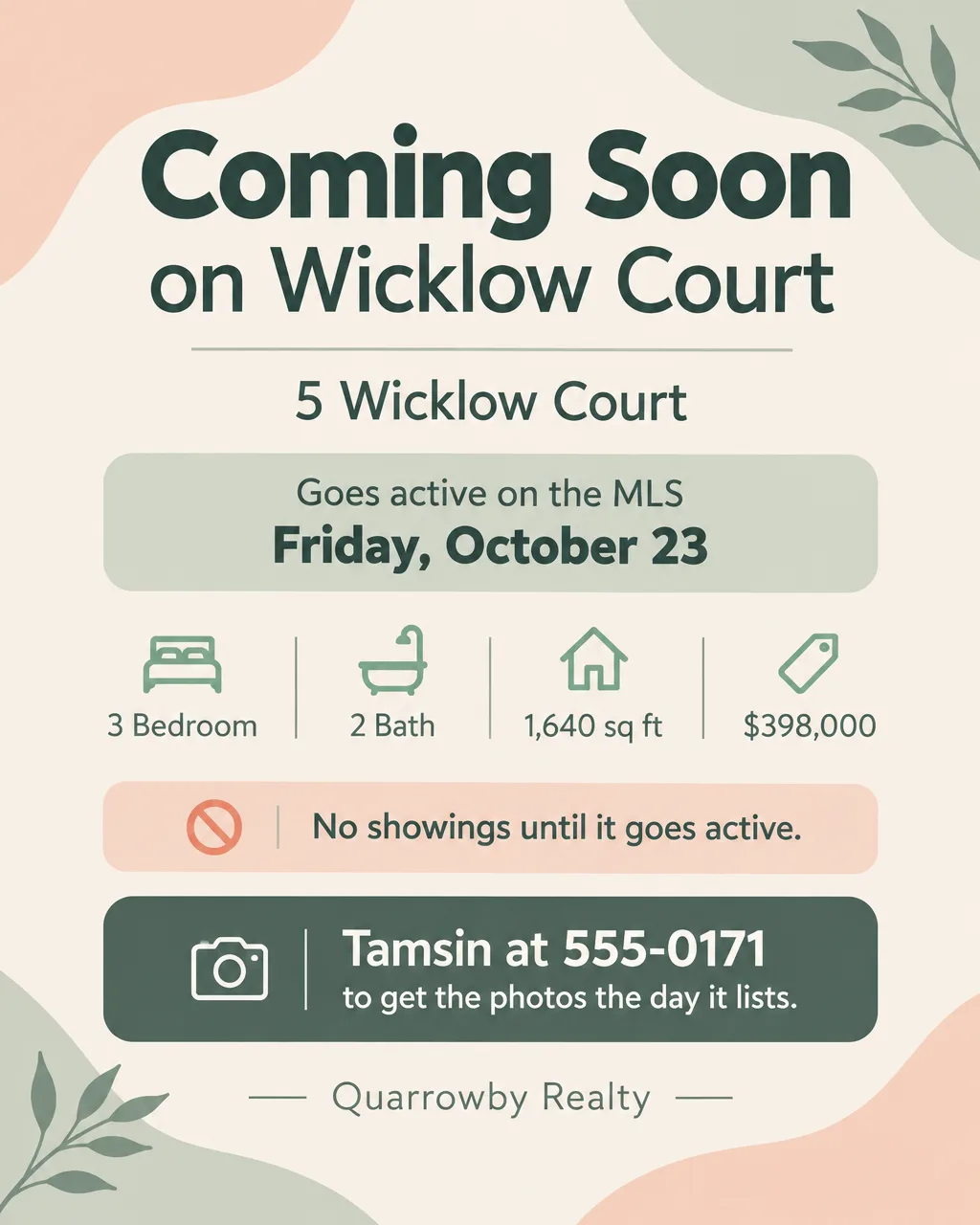
| Coming soon | "Coming Soon on Wicklow Court" | "Goes active Friday, October 23. Text for the photos the day it lists." |
| Just listed | "Just Listed in Ashgrove Heights" | "4 bed, 3 bath on a quarter acre. Offered at $619,000." |
| Just listed, neighbor angle | "Your Neighbor's Home Is for Sale" | "Know someone who'd love to live on Heron Lane? Share this card." |
| Open house | "Just Listed. Open Sunday." | "October 18, noon to 3 PM. Walk in any time." |
| Price improved | "New Price on Heron Lane" | "Now $599,000. Same porch, same quarter acre." |
| Under contract | "Under Contract in 6 Days" | "Buyers are looking in Ashgrove Heights. Is your home next?" |
| Just sold, listing side | "Just Sold on Linnet Way" | "9 days on market, 4 offers." |
| Just sold, buyer side | "Just Sold: We Represented the Buyers" | "They'd been searching for months. We'd love to help you next." |
| Neighborhood recap | "3 Homes Sold on Your Street This Year" | "Curious what yours is worth now? Call for a price range." |
Wording habits for just sold flyer ideas that work:
- Lead with the street name. "Just Sold on Linnet Way" tells a neighbor at once that the card is about their block.
- Use numbers you can prove. "9 days on market" from the MLS record beats "sold fast".
- Keep the ask to one line. "Thinking of Selling?" once, next to the phone number, is enough.
Sold prices, sold claims and coming soon checks
Only claim a sale you were part of. The REALTOR Code of Ethics keeps the word "sold" for the two brokers in the transaction, the listing broker and the cooperating (selling) broker. Before closing, the cooperating broker needs the listing broker's consent to post a "sold" sign.
Check before you print a sold price. Some MLSs limit showing sale prices, especially where prices aren't public record. The simplest route is the seller's written permission, or a result like days on market instead.
Coming soon flyers count as marketing. Many MLSs expect a listing to be entered soon after you start marketing it to the public, flyers included, and some limit how long a "Coming Soon" can run and hold off showings until it goes active. Check your MLS before you print, and put "Coming Soon" with the date it goes active on the flyer.
Label altered photos. Put "Virtually staged" or "Photo edited" beside any staged or edited photo, plus a link or QR code that leads to the unedited version. Some states and many MLSs have rules about this, so check yours.
Design tips for just listed and just sold flyers
Design for the walk back from the mailbox. If a card gets sorted between the mailbox and the front door, the headline, the photo and the street name are all it gets. The features can wait for a second look.
Keep one look from listing to sold. Use the same colors, logo placement and headline style for the just listed, open house and just sold cards, so the third card in the series reads as the ending of a story the neighbor already saw.
Decide early whether the card carries the listing photo. Flyer Maker takes only a logo upload and draws everything else, which suits a headline-led card with "Minimal" or "Geometric" pictures, not a photo card. For the photo version, a Pro plan opens Smart Editor: upload the front exterior and ask for "a JUST LISTED banner across the top, and 12 Heron Lane, $619,000 along the bottom, with no change to the house." Because Smart Editor repaints the whole photo, open the result and your original in two windows on a computer and look for a moved window, a missing shutter or a changed garage door before the card goes to print.
Make "Sold" a stamp, not a paragraph. A diagonal banner or corner ribbon reading "SOLD" tells the story from across a room. The result line sits under the headline.
Give the back side a job. Use it for the agent's photo and contact details, or a short list of your own recent sales on nearby streets, each one you're allowed to share.
Just listed postcard sizes and mailing
Vistaprint, for example, sells postcards from 4 x 4 up to 6 x 11 inches, with 4 x 6 as its standard size, and a letter page can also be mailed flat. As of September 2026, USPS Every Door Direct Mail (EDDM) Retail delivers to every address on the carrier routes you pick for $0.26 per piece, with a 200-piece minimum, a limit of 5,000 pieces a day in one ZIP Code, and no permit. An EDDM Retail piece must weigh 3.3 ounces or less and be longer than 10-1/2 inches, taller than 6-1/8 inches or thicker than 1/4 inch, so a 6 x 11 card qualifies and a 6 x 9 card doesn't.
| Mailer | Size | Pixels at 300 DPI | EDDM Retail | In Flyer Maker |
|---|---|---|---|---|
| Letter flyer mailed flat | 11 x 8.5 in | 3300 x 2550 | Yes | Wide (5:4), 4K |
| Large postcard | 6 x 11 in | 3300 x 1800 | Yes | No matching shape |
| Postcard | 6 x 9 in | 2700 x 1800 | No | Wide (5:4), with a crop |
Flyer Maker has no postcard shape. Its Wide size at 4K is 3200 x 2560 pixels, about 10.7 x 8.5 inches at 300 pixels per inch, which fits a flat letter mailer with a thin margin. On a 6 x 9 card, a Wide design loses about a sixth of its height, so keep every line of text well inside the top and bottom of the design. For printing, choose 2K or 4K.
Common just sold flyer mistakes
- A sold claim on a deal you weren't in. Say "SOLD by a Quarrowby agent" only if a Quarrowby agent was the listing or selling broker.
- A price the seller didn't approve. Get it in writing, or print days on market.
- Unstamped cards in mailboxes. Mailboxes are for stamped mail, so mail the cards through EDDM or hand them out.
- A photo that isn't this house. Neighbors know what the house looks like.
How to make a just listed flyer in Flyer Maker
- Start in Flyer Maker with the card's text. Type it into "Describe your flyer" in reading order: headline, street address, asking price, the bed, bath and square foot line, two features, your name and firm, and the one action you want, for example "Call or text 555-0171 to book a private showing".
- Add your brokerage or team logo under "Add your logo".
- Pick the shape: Wide for a mailer or an email, Portrait for a social post.
- Under "More options", choose "Real estate" as the Flyer type, 4K as the Quality for a printed mailer, and "Minimal" or "Geometric" for Pictures.
- Put your cell number and site in "Contact info". Flyer Maker uses only the contact details you type, so leave out any number you don't want on the card.
- Turn on "Leave a blank square for your QR code". The square stays empty until you paste in a working code for the listing.
- Create the flyer, which takes about 30 seconds, then read every number: address, price, square footage, dates and phone. Check for any tagline you didn't write.
- Correct any line in the "Want to change something?" box below the result, which currently costs 60 credits (70 at 2K, 90 at 4K). Keep the description saved: when the house closes, change the headline and the result line and you have the just sold card.
Photo edits and staging come before any of these cards, and the AI tools for real estate agents guide covers those jobs in order.