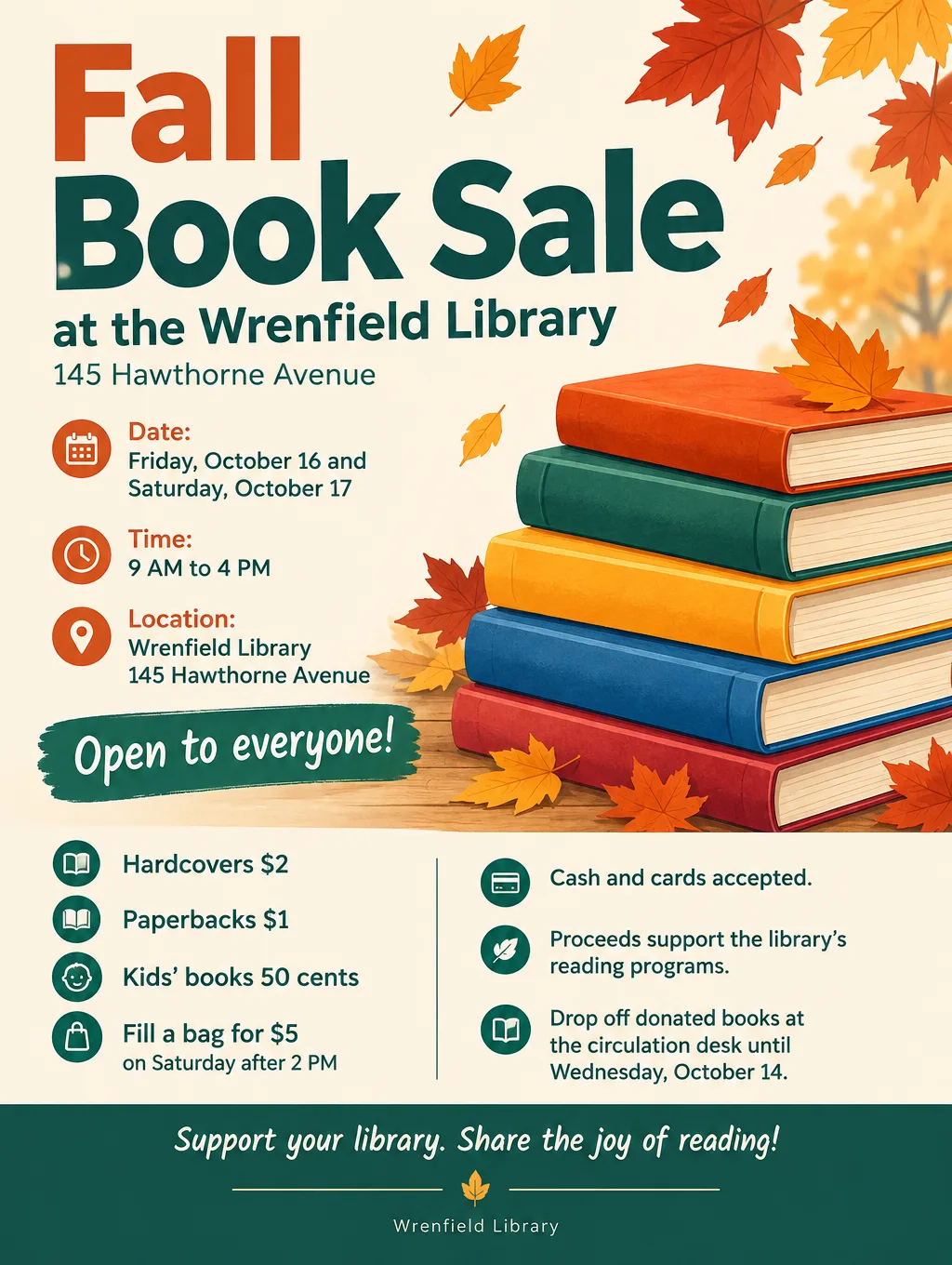
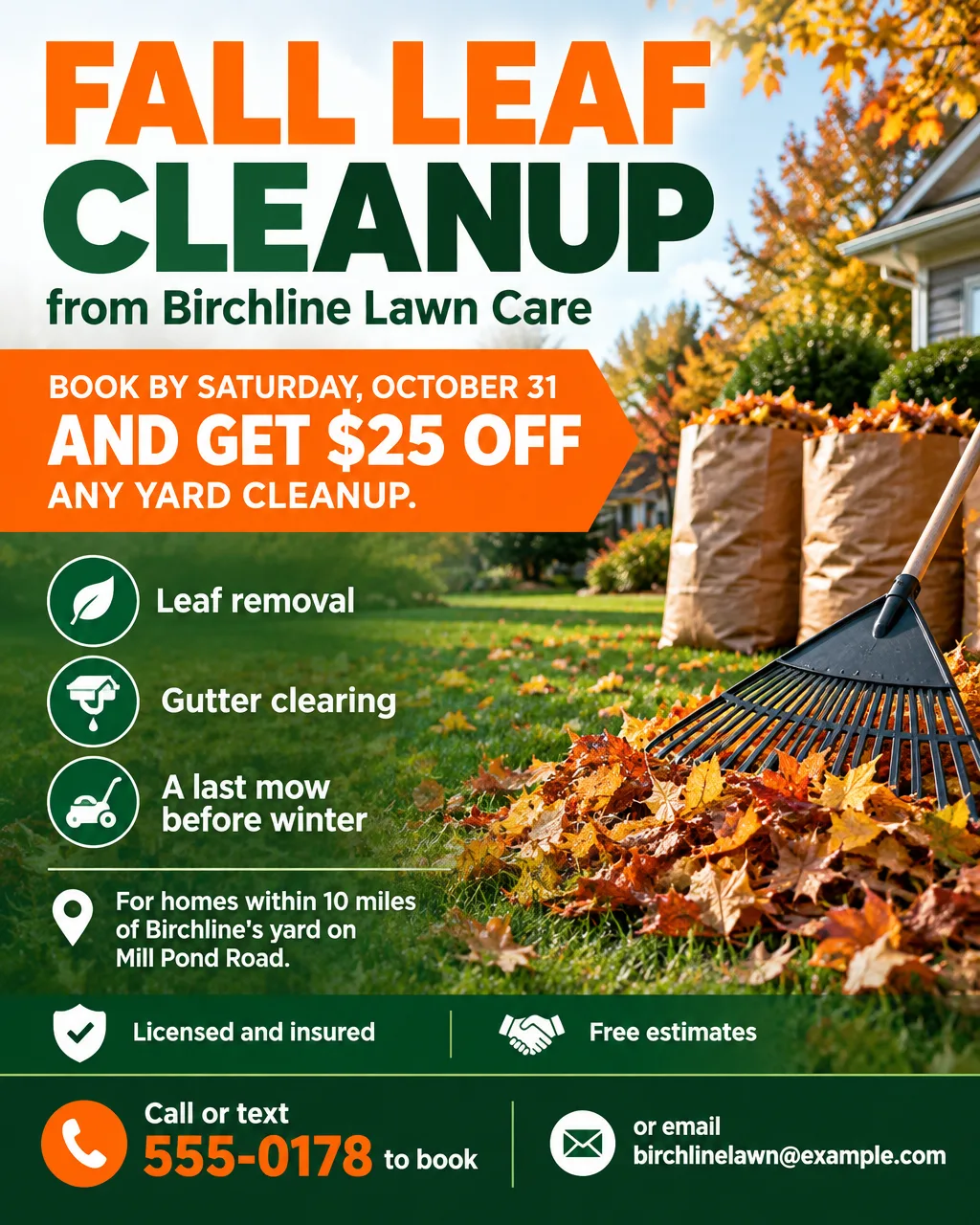
ChatGPT can make a flyer from a typed description. You list the event or offer, and ChatGPT Images returns a finished flyer as a picture, on the Free plan as well as the paid ones. What you get is an image, not a layout with text boxes. So each date, price and phone number needs checking, and changing one word means asking for an edit. Here is what ChatGPT does well on flyers, where it slips, the exact steps, what it costs, and when a flyer-specific tool fits better.
What ChatGPT can do for a flyer
As of September 2026, ChatGPT makes pictures with ChatGPT Images 2.5, and OpenAI lists image creation on every plan. For a flyer, that covers more than the wording:
- Design the whole flyer, not only the copy. ChatGPT lays out the headline, the details and the artwork as one image. You can also ask for three headline options first, pick one, and then ask for the flyer with that exact wording.
- Any shape you name. OpenAI says images can be made in any aspect ratio, chosen with the aspect ratio picker or named in your prompt. Ask for 4:5 for an Instagram feed post or 3:4 portrait for a printed page.
- A template to start from. OpenAI added templates with Images 2.5 and names flyers among the formats they cover. In the sidebar, Images, then Templates, has templates such as Poster, and ChatGPT may ask a few follow-up questions first, for example about the style you want. OpenAI's own tip for posters is to say what the poster is for and list the text it must include.
- Your own photo in the design. Upload a photo of the house for sale, the lost dog or the band, and ask for a flyer built around it. OpenAI says this version does a better job of keeping the people and things in your photos recognizable.
- Fixes to one area. Open the image, use Select to highlight part of it, and describe the change. You can also skip the highlight and describe the edit in the chat, or place a comment directly on the image.
- A rough layout sketch. In the ChatGPT phone app, type @ and choose Sketch, draw boxes where the headline and photo should go, then add your text and style.
- An editable copy through Canva. Connect Canva in ChatGPT under Settings, then @ Plugins, and ask for the flyer in Canva. ChatGPT shows design options that open in Canva, where every line is a text box you can retype. Canva's Magic Layers, which Canva says now works inside ChatGPT, can also turn an image ChatGPT made into a layered Canva design with editable text.
Where ChatGPT falls short on a flyer
ChatGPT's weak spots show up at the proofreading and printing stage, not at first glance. Check for these before you post or print:
- The words are part of the picture. A ChatGPT flyer is one flat image. To change "Saturday" to "Sunday" you ask for an edit, and OpenAI warns that a highlighted fix can spill past the spot you marked. After every edit, reread the whole flyer, not only the line you fixed.
- Lines you never wrote. Compare the flyer word by word with your notes and remove any tagline, website or price you didn't type. Read the phone number digit by digit, then call it.
- Small print. A price list, a class schedule or a row of sponsor names gives each character another chance to come out wrong. Zoom in and read those lines one at a time.
- Print files. Save downloads the image itself, so there's no PDF with bleed or crop marks to hand a print shop. A sharp letter page at 300 pixels per inch needs 2550 x 3300 pixels (8.5 x 300 by 11 x 300), so check your download's pixel size before it goes to print.
- Wait times and caps. OpenAI says a complex image request can take a few minutes. On the Free plan, images have a cap separate from chat, and an on-screen notice appears once you hit it.
- QR codes. Don't use a QR code drawn inside any AI image. Generate the real code from your link, drop it onto the flyer in an editor, and scan it with two phones.
How to make a flyer with ChatGPT
These steps work in a web browser and in the ChatGPT apps for iPhone and Android.
- Write the facts in a note first. What it is and who's hosting, the weekday and date, when it starts and ends, the street address, who it's for, the cost, and one call to action such as "RSVP by October 20".
- Open Images. In a chat, select More, then Images. For a guided start, open the sidebar, select Images, then Templates, and pick a Poster template.
- Name the shape. Choose it with the aspect ratio picker, or start your message with "Make a 3:4 portrait flyer image with exactly this text:".
- Paste your facts and the look. Add two or three style notes, such as "warm autumn colors, one illustration, a large date".
- Proofread against your note. Check the weekday against the date, every digit of the phone number, and the spelling of every name.
- Fix one thing at a time. Select the image, use Select to highlight the wrong line, and type the correction. Reread everything after each fix.
- Save it. Open the finished image and select Save to put a copy on your device. Each one also lands on ChatGPT's Images page.
Here's a brief that leaves nothing for ChatGPT to guess. Paste it into ChatGPT after the shape line from step 3, or into a flyer tool as it is:
Pancake Breakfast for the Dewthistle Youth Soccer Club at the Dewthistle Community Center, 88 Walnut Street. Saturday, October 24, 7 AM to 11 AM. All-you-can-eat pancakes, eggs and coffee. $8 adults, $4 kids under 10, cash or card at the door. Every dollar goes to new team uniforms. Questions: call 555-0131. Warm, friendly illustration of a pancake stack, with the date and prices in large type.For the whole process from brief to printed page with any AI tool, read how to make a flyer with AI. For more briefs you can adapt, see these flyer prompts for every occasion.
How to make a flyer on ChatGPT from your phone
The ChatGPT app for iPhone and Android has the same Images features. Tap a generated image to open it full screen, then choose Edit and describe what should change, or Select to brush over the part to fix, with a slider for the brush size. On a phone you also get Resize and Remove buttons for the image. When the flyer is right, open it and tap Save or Share. To print it over AirPrint or post it, follow the steps for making a flyer on an iPhone or Android phone.
Is ChatGPT free for making flyers?
Yes, ChatGPT Free can make flyers, with fewer and slower images than the paid plans. As of September 2026, OpenAI's plans compare like this for images:
| Plan | Price per month | Image creation |
|---|---|---|
| Free | $0 | Limited, slower images |
| Go | $8 | More images than Free |
| Plus | $20 | More complex, more accurate images, plus images with thinking |
| Pro | From $100 | Unlimited and faster image creation |
On the Free plan, the image limit is separate from the chat limit. When you reach it, ChatGPT tells you, and you wait for the reset or upgrade. Get every fact right in your first message, because each correction is another request. For other no-cost routes, the guide to making a flyer for free covers Word, Google Docs, Canva Free and more, including which ones add a watermark.
ChatGPT vs a flyer tool for the same brief
A chat window is general, and a flyer tool is built around the fields a flyer needs. Here is how ChatGPT compares with Toybox AI's Flyer Maker on the jobs that decide a flyer:
| Job | ChatGPT | Flyer Maker |
|---|---|---|
| Shape | Any aspect ratio you name | Portrait 4:5, Tall 3:4 or Wide 5:4 |
| Print size | Check the pixels of each download | Tall at 4K is 2480 x 3312 px, a letter page at about 290 pixels per inch after a slight trim |
| Contact details | Typed in the prompt | A separate "Contact info" field, with only the details you type |
| QR code | Add your real code in an editor | "Leave a blank square for your QR code", then paste your code in |
| Your own photo | Upload it and build the flyer around it | No photo slot; "Add your logo" takes one logo |
| Fixing one line | Highlight the spot and say what to change | Type it in "Want to change something?" under the flyer |
| Cost | Free plan with limits, or paid plans from $8 per month | Currently 80 credits per flyer, about 80 cents at top-up prices |
Pick ChatGPT when the flyer is built around your own photo, or when you already pay for Plus. Pick a flyer tool when you want print sizes and a QR space set up for you. To weigh more tools on price and file type, see the AI flyer makers compared side by side, and for template editors, the comparison of Canva alternatives.
Make the same flyer in Flyer Maker
- Paste the pancake breakfast brief into "Describe your flyer" in Flyer Maker.
- For a board or a door, set Size to Tall ("Printing"); for social posts, Portrait ("Instagram post").
- Open More options, set Quality to 2K or 4K for printing, and put the phone number in "Contact info".
- Switch on "Leave a blank square for your QR code" if the flyer points to a sign-up form.
- Tap "Create flyer" and expect the design in about 30 seconds.
- Check the breakfast date, the two prices and the phone number. If one is wrong, type the fix into "Want to change something?" under the flyer (currently 60 credits, 70 for 2K, 90 for 4K).
Flyer Maker currently charges 80 credits for a 1K flyer, 90 for 2K and 100 for 4K. A new account's 20 starting credits won't cover one, so look over current prices first.