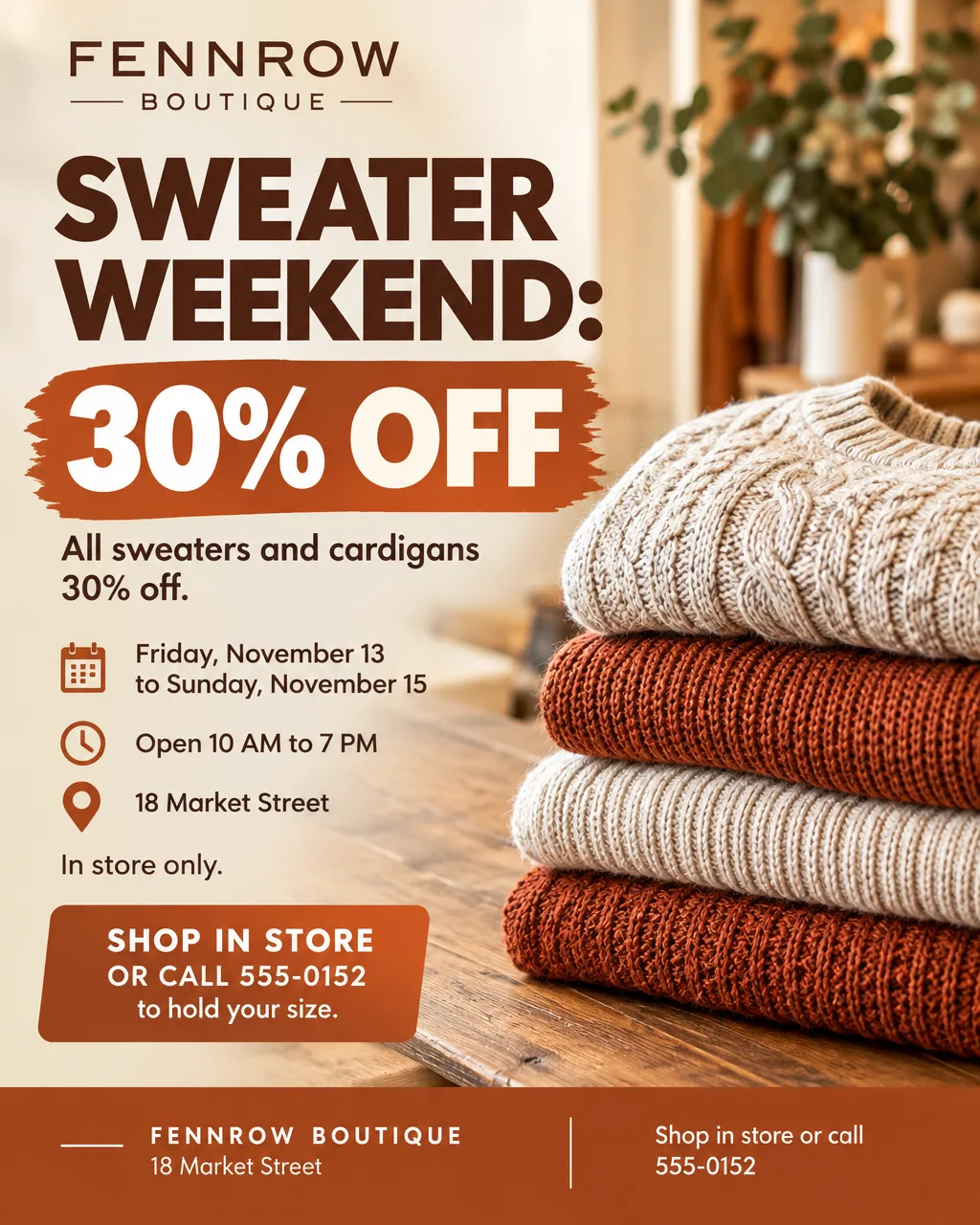
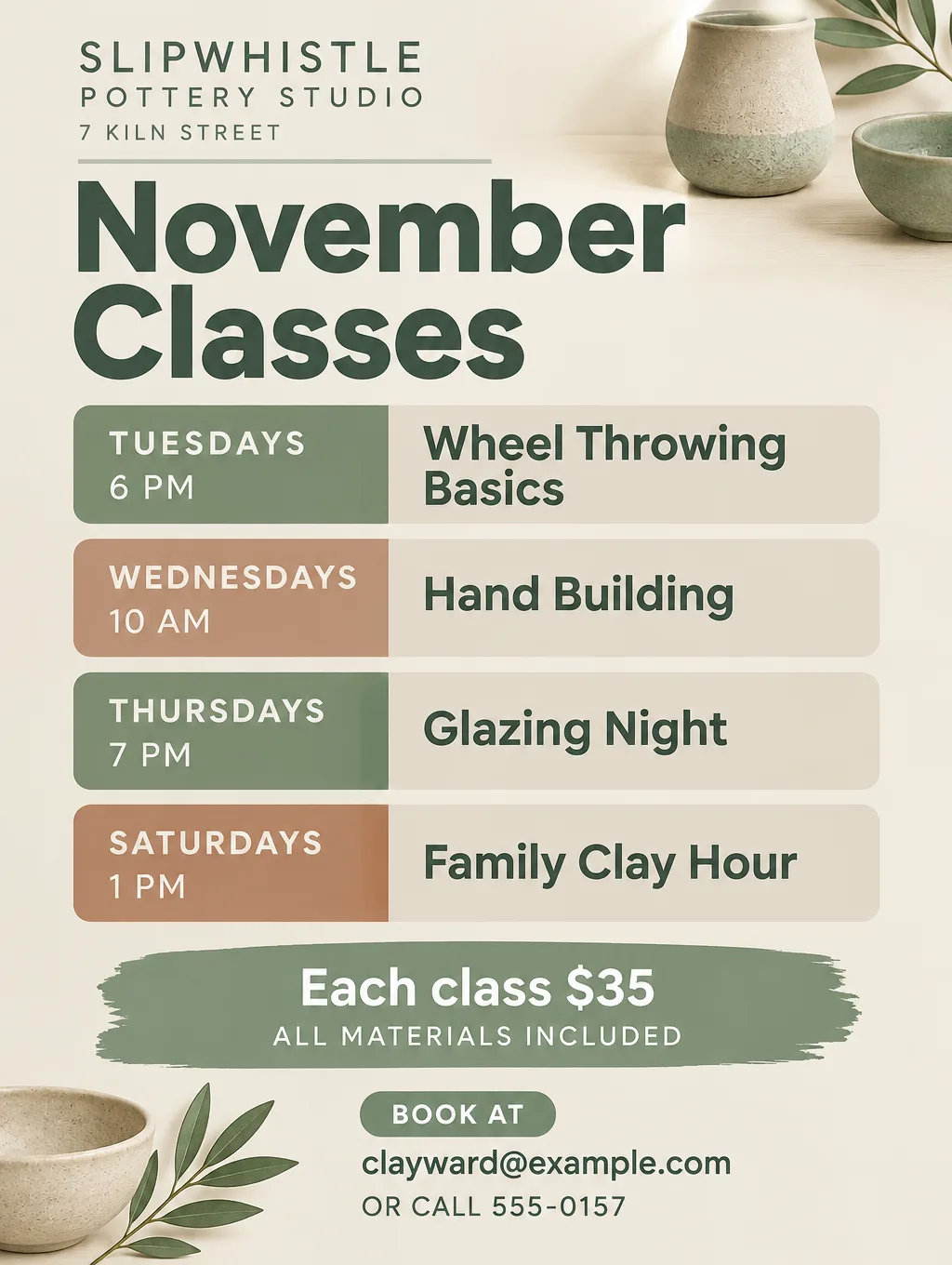
An AI Instagram post maker takes what you want to announce and returns a post image sized for the feed. Toybox AI has no single Instagram tool; three tools share the work. Flyer Maker makes posts built around words (a sale, an event, new hours), Product Mockup makes posts built around a photo of your product, and AI Writer drafts the caption. Here is which tool fits which post, the feed shapes each one makes, a slide-by-slide carousel method, and what none of them can do.
What you can make with an AI Instagram post maker
This table matches common small business posts to a tool and the settings for each.
| Post | Tool | Settings |
|---|---|---|
| Sale or promo | Flyer Maker | Portrait (4:5), Sale type, Bold style |
| Event, class or workshop | Flyer Maker | Portrait or Tall, Event or Workshop type |
| Weekly schedule | Flyer Maker | Tall (3:4), "Packed" layout |
| Holiday hours or closure | Flyer Maker | Portrait, Announcement type, Minimal style |
| Hiring post | Flyer Maker | Portrait, Business type |
| New product | Product Mockup | Your product photo, the Flat lay or Studio scene, Portrait (4:5) |
| Caption for any of these | AI Writer | Type: Social post, Length: Short |
Flyer Maker works as an Instagram post generator for any post where the words carry the message: you type the headline, the offer, the dates and the call to action, and it designs the image around them. For post ideas by business type, from salons to contractors, see small business flyer ideas.
For sellers, Product Mockup is the AI Instagram post image generator built around your own product shot. You upload a shot of the real product and pick where it should appear, for example Studio ("Clean white background"), In hand or Flat lay, or describe a Custom scene in up to 180 characters. Scene wording to start from is in the product photography prompts. For the same post on a Facebook page, see making a flyer for Facebook.
Instagram sizes to pick in each tool
According to Instagram's Help Center, any feed shape from 1.91:1 (wide) to 3:4 (tall) posts without a crop. At the full 1080-pixel width, that range runs from 1080 x 566 to 1080 x 1440. A file more than 1080 pixels across is scaled down to 1080, one under 320 is scaled up to 320, and a shape outside the range is trimmed to fit. Pick Tall or Portrait in the tool before you create, and nothing gets cut.
| Where it shows | Shape | Flyer Maker | Product Mockup |
|---|---|---|---|
| Feed, tallest portrait | 3:4 | Tall | Tall |
| Feed, portrait | 4:5 | Portrait (the default) | Portrait |
| Feed, square | 1:1 | Not available | Square |
| Feed, landscape | Up to 1.91:1 | Wide (5:4) | Landscape (3:2) or Wide (16:9) |
| Stories and Reels | 9:16 | Not available | Story |
A Flyer Maker Tall post is 1024 x 1360 pixels at 1K, which Instagram keeps as it is, or 1536 x 2048 at 2K, which Instagram sizes down to 1080 x 1440. A Portrait post at 2K (1536 x 1920) comes down to 1080 x 1350. None of these get cropped. You don't need a separate AI Instagram post size maker: both tools create in feed shapes, so the only step is choosing Tall or Portrait before you create. For every placement and pixel size, see the Instagram post size guide.
Making a carousel post one slide at a time
A carousel holds 20 photos and videos at most, and the orientation you pick (square, portrait or landscape) applies to every slide. Toybox has no AI Instagram carousel post maker that outputs all the slides at once. Each run makes a single image, so you build the carousel slide by slide with the same settings:
- Write every slide's text first. Slide 1 is the hook ("5 Ways to Style One Sweater"), each middle slide makes one point, and the last slide is the call to action.
- Make slide 1 in Flyer Maker at Portrait or Tall. Write down the size, Style, Colors, Pictures and Layout you picked.
- Make each next slide in the same size and options, changing only the slide text. Or type "keep this exact design and change the text to ..." into the "Want to change something?" box under the slide you just made.
- Download each slide as a PNG and line them up. Designs vary a little between runs, so remake any slide whose fonts or colors drift from the others.
- Select the slides in order in Instagram and post them as one carousel.
Each slide is a separate result. A five-slide carousel currently costs 400 credits at 1K if you create every slide in Flyer Maker, or 320 if you make slide 1 and then slides 2 to 5 through the revise box at 60 credits each. For a carousel of product shots, run each product photo through Product Mockup instead, currently 75 credits per image.
Tips for better AI Instagram posts
- Put less on the image than you would on a printed flyer. A feed post is seen at phone width. Keep the headline, one supporting line and the call to action on the image, and move the details to the caption.
- Keep hashtags in the caption, five at most. Instagram's Help Center allows up to 5 hashtags on a post and says a comment with more than 5 won't post. Instagram's @creators account announced the limit on December 18, 2025. Leave hashtags off the image itself.
- Photograph products on a plain background. Product Mockup's upload box says "PNG or JPG. A plain background works best." Shoot one product per photo in daylight, then read the label's small text on the result before you post.
- Say the same thing in the image and the caption. If the image says "through Sunday, November 15", the caption says the same day and date.
- Save each post's description in your notes app. Next month's sale post is that text with the dates and the offer changed, which keeps the look consistent from post to post.
Captions with AI Writer
AI Writer drafts the caption from a brief of up to 2,000 characters. Choose the "Social post" type and a Short length, then put the facts and the tone in the brief, since there's no tone control in AI Writer: "Instagram caption for a sweater sale at Fennrow Boutique, 30% off all sweaters from Friday, November 13 to Sunday, November 15, in store only. Friendly and short. End with: Shop at 18 Market Street." It costs 5 credits and returns plain text to copy into Instagram. For caption formulas by post type, see the Instagram caption generator.
Limits to know
- Flyer Maker has no square or 9:16 size. For a Story, use Product Mockup's Story size for product shots, or open a finished post in Smart Editor (Pro plan) and pick Story under Shape. Reshaping means Smart Editor redraws everything, which is why a second proofread matters.
- One image per run. A carousel is several separate results, and each one is its own download: save every PNG and upload them in Instagram yourself.
- Text can't be retyped later. Every letter is drawn into the post image. Fix a mistake in "Want to change something?" (currently 60 credits, 70 for 2K, 90 for 4K), or rewrite the description and make the post again.
- Product Mockup starts from a real product photo. It works to keep the item's shape, colors and label as they are, but small print on packaging can shift, so zoom in before you post. A flat design file isn't printed onto a blank shirt or mug; if you sell designs, photograph a printed sample and upload that.
More Instagram post prompts
Paste these into Flyer Maker with your own business name, dates and hours.
Instagram post announcing holiday hours for Fennrow Boutique, 18 Market Street. Headline: "Holiday Hours". Wednesday, November 25: 10 AM to 4 PM. Thursday, November 26: closed for Thanksgiving. Friday, November 27: 8 AM to 8 PM for the early-bird sale. Regular hours return Saturday, November 28. Shop the early-bird sale in store. Minimal cream and forest green design with a small illustrated wreath.Hiring post for Kestrel and Rye Bakery, 40 Station Road. Headline: "Now Hiring: Morning Bakers". Part-time, 5 AM to 11 AM, three to five days a week, $18 an hour plus a free loaf every shift. No experience needed; we train. Apply in person Monday to Friday, 2 PM to 4 PM, or email jobs@example.com. Warm brown and cream design with an illustrated loaf of bread.Create your Instagram post in Flyer Maker
- Open "Describe your flyer" on the Flyer Maker page. Quote the headline first, then add the offer or news, the dates, the place and the call to action.
- Pick Tall or Portrait. Tall (3:4) takes up the most feed space without a crop; Portrait (4:5), the default, is labeled "Instagram post" in the size picker.
- Under "More options", pick the Flyer type (Sale, Event, Announcement, Business). Choose "My brand colors" and name the colors in your description, or add your logo.
- Pick the Quality. 1K is 1024 pixels wide and posts as it is; 2K gives Instagram a larger file to size down to its full 1080 pixels.
- Select "Create flyer". The post takes about 30 seconds to appear.
- Check every price, date and time, then download the PNG and post it with the caption from AI Writer.