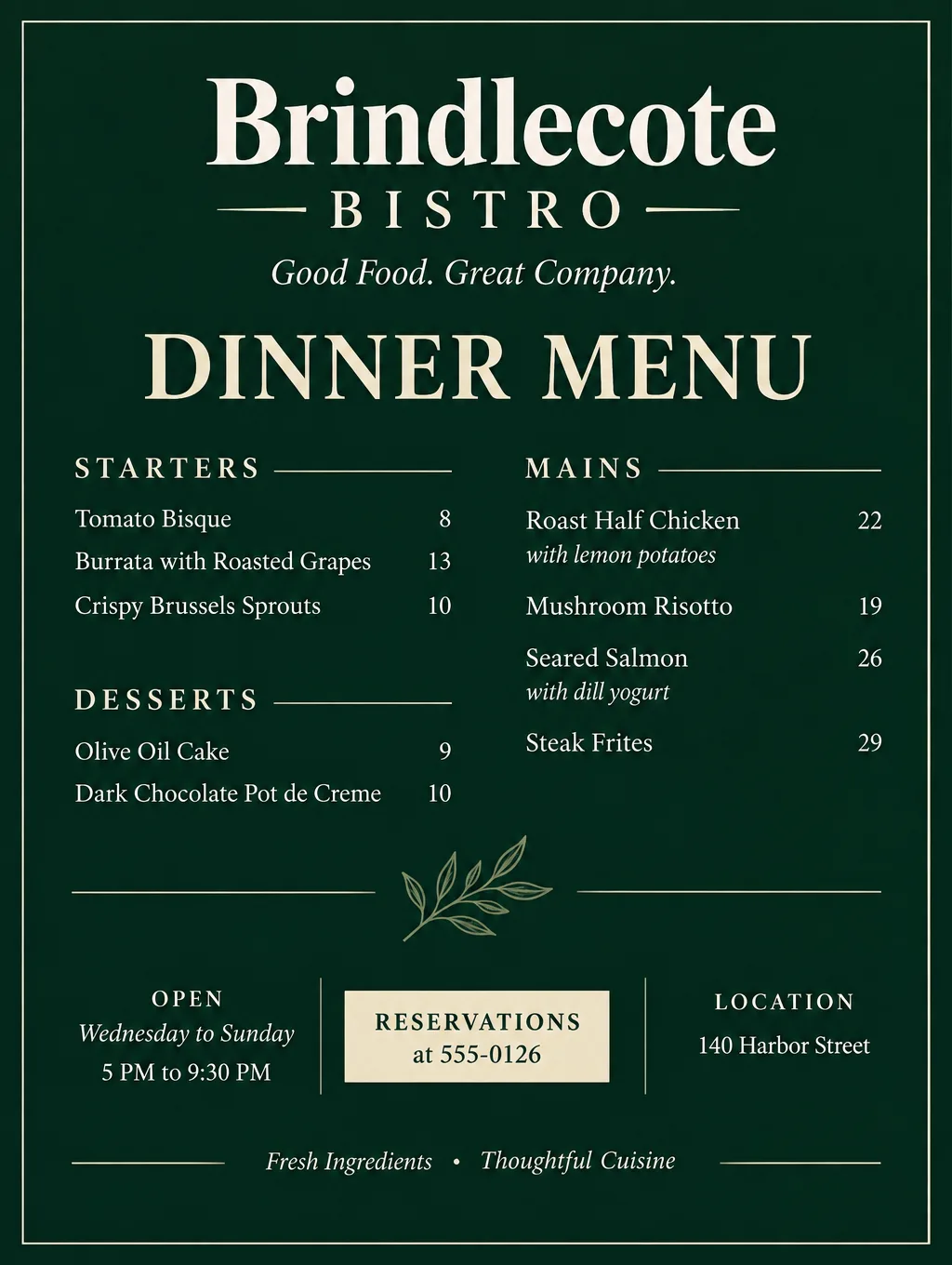
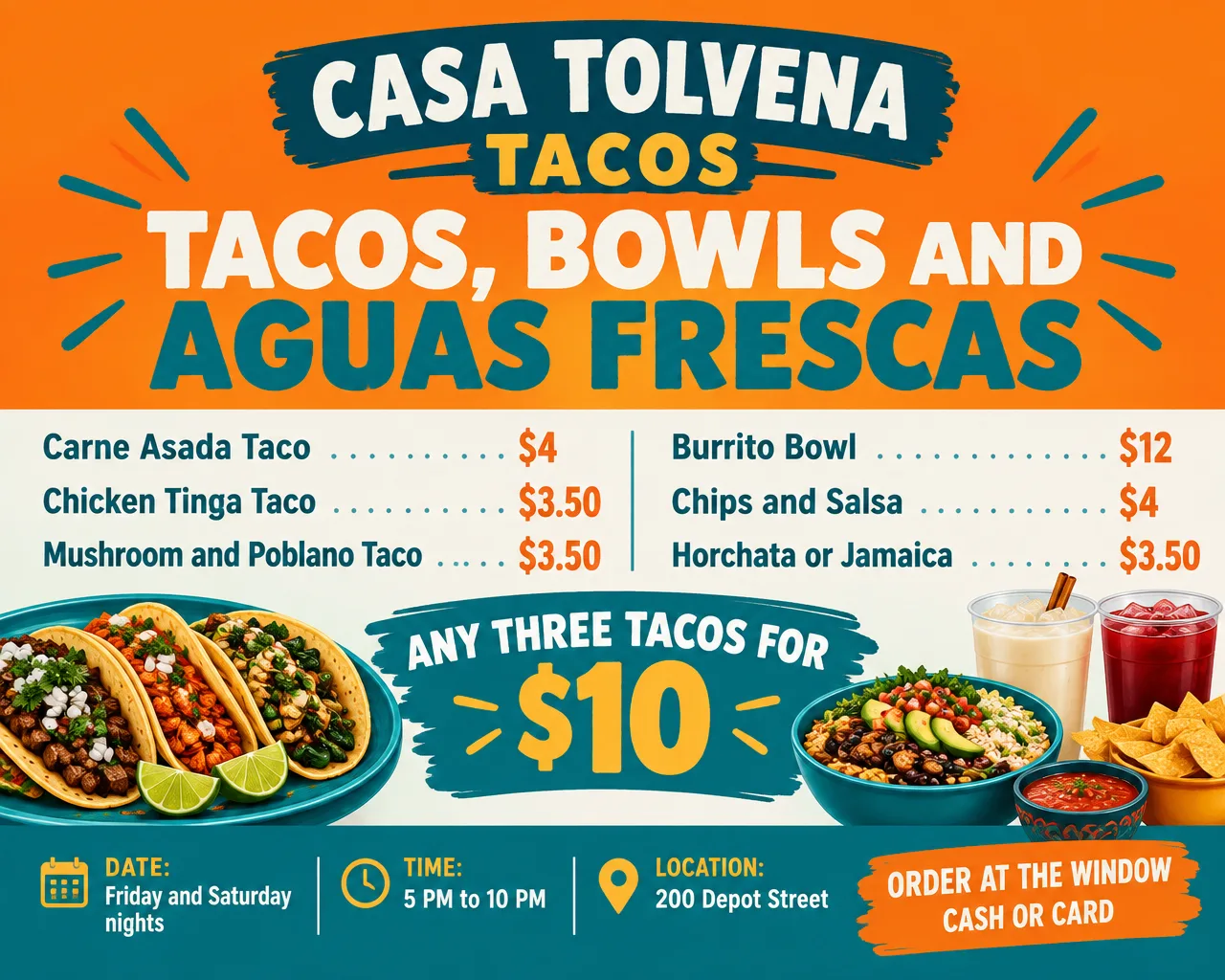
An AI menu maker takes the menu you type (section names, dishes, short descriptions and prices) and designs it as a finished page. In Toybox AI that job goes to Flyer Maker: pick the Restaurant flyer type and the Tall size, and it returns one menu image in about 30 seconds. A full page holds about 12 items with prices. AI Writer can draft the dish descriptions, and the last check is yours: every price against the register.
What you can make with an AI menu maker
An AI restaurant menu maker covers the menus you'd otherwise pay a designer for or build by hand in a word processor. These formats fit on one Flyer Maker page:
- A one-page dinner or lunch menu. About 12 dishes in two or three sections, printed on letter paper for the table or taped in the window.
- A menu card for the counter or a table tent. As an AI menu card maker, it suits short lists: six espresso drinks, a bar snack card, a kids' menu.
- A food truck menu board. Six to eight items in big type, made in the Wide size to hang beside the window. Where the truck parks this week is a job for food truck flyers, not the menu board.
- A weekly specials insert. Three to five dishes clipped inside the main menu. Advertising those specials outside the building (happy hours, theme nights, catering) is covered on the restaurant flyer ideas page.
- An opening-week menu. A short preview menu for a soft opening, handed out alongside your grand opening flyers.
- A holiday prix fixe card. Three courses, two choices each, one price per person and the seating times.
- A bilingual menu. Dish names in Spanish and English, with the accents typed in. The bilingual Spanish flyer guide has wording habits that carry over to menus.
Restaurant menu ideas that fit on one page
Flyer Maker can set a full menu of about 12 items with prices on one page, so plan the menu around that number. This table gives a working item count for each menu type and the settings that give it room.
| Menu | Items to plan for | Size and layout |
|---|---|---|
| Full dinner menu | About 12, in 3 sections | Tall, Packed |
| Brunch or lunch card | 6 to 8 | Tall, Clean |
| Drinks or dessert card | 6 to 10 short lines | Tall, Packed |
| Food truck board | 6 to 8 | Wide, Clean |
| Weekly specials insert | 3 to 5 | Portrait, Clean |
| Holiday prix fixe | 3 courses with 2 choices each | Tall, Centered |
A few restaurant menu ideas that work in that space:
- A "chef's three" box at the top of the page for the dishes you most want to sell.
- One symbol key at the bottom, such as "V vegetarian, GF gluten-free", instead of a sentence under each dish.
- A build-your-own line for bowls, tacos or pizza: base, protein and toppings with one price.
- A seasonal section of three dishes you swap every few months while the rest of the menu stays the same.
- Half portions listed next to full ones at lunch, with both prices on the same line.
Tips for a menu the AI sets correctly
- Type the menu exactly as it should print. Section name, then one line per dish: name, a description of 6 to 10 words, price. "Roast Half Chicken. Lemon, garlic, crispy potatoes. 22."
- Use one price format everywhere. Either "22" or "$22.00" on every line. A menu that mixes formats is harder to proofread.
- Draft descriptions in AI Writer, then trim them. Open AI Writer, choose "Product description" as the Type with a Short Length, and list the dishes with their ingredients in the brief: "Write a menu line under 10 words for each: roast half chicken with lemon and garlic; mushroom risotto with parmesan; seared salmon with dill yogurt." Each run costs 5 credits. AI Writer has no tone option, so put the mood ("warm and simple", "playful") in the brief itself, and paste the plain-text result into your menu.
- Choose "Packed" for 10 or more items. Under More options, the Packed layout fits more text, and Clean suits short cards.
- Put the phone number and website in "Contact info" (120 characters at most). Flyer Maker sticks to the contact details you supply. Hours go in the description with the rest of the menu.
- Keep pictures small on a full menu. Choose Minimal or Abstract under Pictures so the prices get the space, and save food photos for a specials card.
Menu rules to check before you print
Before you use an AI menu maker for a restaurant menu in the US, check two things that can change what the page must say: calories, if you're part of a chain, and the raw-food warning your health department asks for.
Calories, for chains. Chains with 20 or more locations under one name, selling the same menu items, list calories for standard items on their menus and menu boards. They also print "2,000 calories a day is used for general nutrition advice, but calorie needs vary" and a note that written nutrition information is available on request. A single independent restaurant usually skips all of this unless its city asks for it.
Raw or undercooked items. Health departments usually ask for a warning on animal foods served raw or undercooked, such as oysters on the half shell, raw-egg Caesar salad and hamburgers cooked to order. The common form is an asterisk on each of those dishes, pointing to a footnote such as "Consuming raw or undercooked meats, poultry, seafood, shellfish, or eggs may increase your risk of foodborne illness." Ask your local health department which wording it wants.
Type the asterisks and the footnote into your description like any other menu line, then check that both came out on the finished page.
Limits to know
- Plan on about 12 items per page. Toybox doesn't promise how much small text renders cleanly beyond that, so split a longer menu into two designs, such as food on one page and drinks on another, and proofread both.
- One flat page in three shapes. There's no bi-fold, tri-fold or multi-page layout and no 8.5 x 14 legal shape. For a folded menu, or one you edit every week, a template editor with live text is the better tool; the Canva alternatives comparison covers those.
- Prices are part of the image. A price change means a new version. Ask for it in "Want to change something?" (currently 60 credits, 70 for 2K, 90 for 4K), or edit the description and make a fresh menu.
- It can add words you didn't write. When a detail is missing, Flyer Maker may fill the space with a tagline such as "Good food. Great company." Read the whole page, not only the prices.
- No drawn QR codes. Switch on the blank square for a QR code and paste in the real one from your online ordering system.
Menu sizes and printing
Vistaprint prints flat menus at 3.75 x 8.25, 8.5 x 11 and 11 x 17 inches, and it also sells bi-fold and tri-fold menus that arrive folded. Only the flat letter size lines up closely with a Flyer Maker shape.
| Menu format | Size | Fits a Flyer Maker page |
|---|---|---|
| Flat table menu | 8.5 x 11 in | Yes: Tall, 4K, about 290 pixels per inch with a slight trim |
| Large flat menu | 11 x 17 in | Partly: Tall at 4K fills 11 x 14.7 in at about 225 pixels per inch, leaving a band to trim |
| Narrow rack menu | 3.75 x 8.25 in | No |
| Bi-fold or tri-fold | Folded menus | No |
For an uploaded menu design, Vistaprint asks for 300 dpi and lists PNG among the file types it takes, so a letter menu from Tall at 4K lands just under at about 290. For printing, choose 2K or 4K, and use 4K for anything letter size or larger. The download has no bleed area. Vistaprint's waterproof, tear-resistant synthetic stock comes only in the flat style, which suits a one-page menu that gets wiped down every night.
More AI menu prompts
Both prompts work in Flyer Maker unchanged; replace the dishes, prices and address with yours.
Thanksgiving prix fixe menu card for Hollowell Street Kitchen, 75 Hollowell Street. Headline: "Thanksgiving Dinner, $48 per person". Thursday, November 26, seatings at 1 PM, 3 PM and 5 PM. First course: butternut squash soup or harvest salad. Main: roast turkey with sage stuffing, or maple-glazed salmon. Dessert: pumpkin pie or apple crisp. Kids' plate $18. Reservations required: call 555-0129 by November 20. Warm autumn colors, elegant style, centered layout.Drinks menu card for Tern and Kettle Cafe, 9 Sparrow Lane. Headline: "Coffee and Tea". Drip Coffee 3, Latte 5, Cappuccino 4.75, Cold Brew 5, Chai Latte 5.25, Matcha Latte 5.50, Hot Chocolate 4. Oat or almond milk add 0.75. Open daily 7 AM to 3 PM. Order at the counter. Minimal cream and brown design with a small illustrated coffee cup, packed layout.How to make a menu in Flyer Maker
- Type the whole menu into the "Describe your flyer" box of Flyer Maker. Restaurant name and address first, then each section with its dishes and prices, then the hours. You have up to 3,000 characters.
- Add your logo so it sits in the header or footer.
- Choose the size. Tall for a printed table menu, Wide for a food truck board, Portrait for an Instagram post of the menu.
- Set the menu options under "More options". Restaurant as the Flyer type, Packed as the Layout for 10 or more dishes, and 4K Quality for a letter-size print. For Style, Elegant suits a bistro, Retro a diner and Minimal a cafe.
- Put the reservation number and website in "Contact info", and turn on the QR square if the menu points to online ordering.
- Select "Create flyer". A menu is usually ready in about 30 seconds.
- Proofread every dish name and price against your register. Fix a wrong price in "Want to change something?", or correct the description and create the menu again.